Showing posts with label webinars. Show all posts

Sunday, 27 March 2016

3 Surefire Ways to Make Money From Your Email List

 3 Surefire Ways to Make Money With Your Email List - Blog Template
You may have heard the saying “the money is in the list”. By “list” I mean e-mail list. Depending on the resource, the average return on investment (ROI) for all email marketing is north of 3,800% . Of the eight major types used by marketers, email marketing is, by far, the best performing – this is in spite of the world’s 4.3 BILLION email accounts being blasted with 143 BILLION emails a day. With such huge numbers it appears that all a savvy business owner needs to do is get a subscriber on their list and stand by while the money rolls in! Unfortunately, that is not usually the case. Most new email marketers have just the opposite problem. They say “I have a new email list subscriber…now what?” For those of you that could use a little help, we are going to tell you the top 3 ways we made money from our list last year.
Email ROI
First, a quick back story.
About 15 months ago we took a hard look at our online marketing model. We had almost half a million followers and fans on Facebook and Twitter and several hundreds of thousand more between the other social media sites. The issue was we weren’t able to turn those community members into paying customers. That’s a real problem if you are in a “for-profit” business and have things like payroll and rent due.
Then we read several of the same type of stunning statistics I just told you about, including the most stunning one of all…

If that were true then we just needed to add 83,333 new subscribers to our email list and that would result in an extra $1 million a year in revenue.
So, we did exactly that! In fact, we added 84,300 subscribers to our email list and pushed our count to 117,779 total. We also added MORE than $1 million a year in revenue to our business.
Email Subscriber List
There is one HUGE caveat, though, that nobody tell you about.
You actually need to have a strategy to make money from the people on your list after getting them there.
Just getting them to your list is worth absolutely NOTHING. We didn’t figure this little gem out for about the first 3 months and 25,000 email list subscribers from which we made roughly ZERO additional dollars.
So, instead of just letting you struggle with how you do it, we thought we would just tell you the top 3 ways we made money from our list last year.

3 Surefire Ways to Make Money With Your Email List

#1 – Sell them more of what you know they already like.

Our average email list subscriber gets 3-5 emails from us a week. Usually, only 1 of those emails will have anything to do with buying a product or service from us. When we do ask people to spend money with us it is usually just the people who have already expressed an interest in the product or service we are asking them to buy.
Think about that for a second and make sure you understand what I am saying. We do NOT email all of our email list subscribers every offer we have for every product we sell every time we sell it – just the ones that have already told us they are interested in what we are selling.
How do we know they are interested? Lots of ways. Maybe they opted in for one of our guides, or opened an email and clicked a link or attended a webinar we did on the subject. We recently released our new Facebook Ads Success Blueprint  course and did very well selling to the people on our list who had opted in for our Facebook Ads Jumpstart Guide or purchased our Facebook Ads Launch Pad mini-course.

#2 – Invite list subscribers to webinars. 

Last week we did a webinar called “7 Ingredients for Creating GREAT Facebook Ads”. We had 2,947 people register for the webinar of which 80%+ were email list subscribers. We knew one thing about the throngs of people who made the event live or watched the replay in the 2 days after, they were interested in learning how to do Facebook Ads. As mentioned above, it was no coincidence that we had recently released our new full Facebook Ads course. To the people who attended, offering them a chanced to buy our new course wasn’t a sales pitch, just an opportunity to learn more and better apply what they had attended the webinar to find out more about in the first place.
We used this list/webinar invitation strategy to fill over 12,000 FREE webinar seats last year and sell multiple six-figures in products.

#3 – Get repeat buyers 

Around 12% of the 84,300 new email list subscribers bought one of our upsells immediately after joining our list, usually from one of our ebooks, guides or checklists. That is a little over 10,000 new paying customers. Almost 21% of those 10,000 new buyers immediately bough the second upsell. That’s 2,000+ multiple product buyers! How many of those multiple product buyers went on to buy other products we were offering?
A lot, a whole lot!
The biggest lesson we have learned from our incredible email marketing journey this last year is this.

The easiest dollar to get them to spend in the second and every dollar after that.
THAT, in my opinion is the real magic with email marketing. If you do it right (lead with value, don’t spam the snot out of everybody and create quality products that you stand behind), the people who know, like and trust you – your email subscribers will reward you handsomely for your hard work.
Those are the top 3 ways we made money from our email list last year. What do you think? Is it time for you to jump into the email marketing world? For those of you already in it, how did you make most of your money from your list last year. We would love to hear your comments below.
To view the original article Click Here

Thursday, 21 January 2016

How To Create Your First Webinar

Death_to_Stock_Photography_NYC_Skyline_3
Have you attended any webinars lately? If so, how was the overall experience? Did you like attending a live presentation? How many people were on live? Was it any good or did you feel like it was a complete waste of your time?How did you come to know about the webinar in the first place? Was the host new to you or have you been following them for a while? Did you sign up from a Facebook ad or were you invited to this webinar because you are on their mailing list? Finally, did you buy something during the webinar, or straight after? Was the the webinar pure content or mostly pitch? Would you attend another webinar soon?
That’s a lot of questions isn’t it? If you are someone who is thinking of creating your first webinar, you likely fall into any of these groups:
  1. You have attended live webinars and mostly, you have been blown away by the experience. You love the excitement of being around like-minded people learning from an expert who delivers great value. You come to know, like, and trust the host 10 times better. You want to create a similar experience for your audience and have your online credibility go through the roof.
  2. You have attended webinars and observed first hand how people sell and generate five figures after a few hours. Or, you have heard webinars are great way to fill your programs or coaching packages and you can’t wait to give it a try.
  3. You just want to use webinars to attract more people and build your email list. You want to use a live webinar as an opt-in offer and get in front of new audiences.
And these happen to be the three biggest reasons for why you should give webinars a try.
One, they are great for building your list with ideal audience. Secondly, they can be used to create and deepen your relationship with your new or existing audience. Finally, they are a great way to promote and sell your offerings.
So let’s go ahead and learn how to create your first webinar.

#1 Know your purpose

So before you begin creating your first webinar, be absolutely clear on what is it that you are trying to achieve. What is your end goal?
Do you want to use a webinar as a lead-generation tool and build your email list? Do you want to do it for purely educational purposes to ‘warm up’ your audience, or do you want tosell something on the webinar?
For your first webinar, I recommend that you focus on creating and delivering a high quality webinar. Work on attracting people and delivering a stellar presentation. Once you have hosted a few live webinars, and you know how the process works, you are ready to sell. And I will write an in-depth post about how to create a webinar that sells so stay tuned for that.
For now, let’s assume that you want to do a ‘practise’ webinar where the goal is to learn to present an excellent webinar and nothing more.

#2 Decide your topic

Choosing the right topic can make or break your webinar before you even show up. Allow me to explain:
For a webinar to be successful, it is important that you get people to register for the webinar,and then have them show up live (after all, it’s no fun speaking to an empty room).
And it will be very hard to get people to register if your topic isn’t compelling enough. So how can you make it super interesting for people? Approach it in the same way as if you were creating a new opt-in offer or a lead magnet.
The first step is to make sure that you know your ideal audience. Who are you wanting to attract? The deeper you go here, the higher the likelihood of them signing up. I always tell my clients to come up with enough detail that they can imagine one person clearly as their ideal audience.
Once you understand your audience really well, you know what their biggest challenge is that you can help solve. Then choose a specific topic that will help them solve a problem today.
So let me make it clear, move away from big picture topics and strategies. Drill down to come up with specific problems that you can help them with. For example, if you are a designer, you can help them use Canva to create professional-looking documents for their business. If you are a nutrition coach, maybe you can help them with a 3-day detox? For a dating coach working with men, they might help them gain confidence instantly in five steps.
Do you see what I mean? The topics are so specific and actionable that your ideal audience can’t help but sign up for the webinar. That’s a great start to any webinar.

#3 Create a high-converting registration page

Okay, so how do you get people to actually see the registration page so they can sign up There are two ways to do this. You can do this for free or use paid traffic.
Firstly, you can invite your existing audience. Meaning, you can send an email to your list and give them the details.
Now, you may not have a decent sized list. In fact, you are hosting this webinar to build one. In that case, you can post the link to your registration page on the various social media platforms. If you are active on Facebook, post it on your business page. If you hang out on twitter, schedule multiple tweets to get people on board. Consider promoting in Facebook groups that allow it.
Sometimes, this may be enough. If you get around 40-50 people to register your webinar, you might be happy with the outcome considering this is your first webinar.
The second method involves investing in ads, and specifically Facebook ads. Now, this method will not suit everyone. Not all people are ready to allocate a chunk of money foradvertising. And, if you haven’t run any ads before, you may end up losing all your money.
You don’t want to add the stress to learning to do Facebook ads while trying to learn how to present your first webinar also. However, if you can hire it out, or if you have some experience of running ads already, then this is a great way to build your list quickly while generating sign-ups for your webinar.
Alright, now you know how to send traffic to your registration page. Let’s now take a look at what you can do to create a killer page:
  • You need a webinar title that speaks to your ideal audience. This needs to offer a big benefit so people want to attend your event.
  • Add some teaser bullets (drill down on the exact benefits in a way that piques their curiosity) so people want to attend.
  • Say who you are (the host) and what makes you qualified to teach on this webinar. Add a smiling photo of yourself.
  • Add some social proof. Add ‘as-seen-in’ logos and perhaps a testimonial or praise by an influencer.
  • Give them the date and time. Let them know if you would be sending out a replay. Give them a clear call to action – register now!
Webinars_listening

#4 Master the tools

I know technology is a big reason that holds people back from presenting their first webinar. This was true for me, so let me break it down for you. This is how the whole process works:
You need a service that will allow people to sign for a webinar, receive webinar notifications so they know when the webinar is live and what link to click and a tool to access the presentation and possibly participate in a chat with other attendees.
For your first webinar, I don’t want you to invest in any expensive webinar software. I know people who have done close to 100 webinars and still use inexpensive options. You can use Google Hangouts to deliver your webinar for free. However, this option requires that you have some tech experience. You will need to embed the hangout on your website, and link it to a service to collect emails.
While there are many options on the market, I recommend that you check out GetResponse Webinars.
You can easily set up your webinar in a few minutes, create a registration page and share it on social media. As part of GetResponse email service, the new leads are seamlessly added to your list and you can then use autoresponders to warm up those people, send reminders and get them to actually attend your webinar.
As a presenter, you have access to a dashboard where you can manage your actual presentation delivery and share your screen. You can also chat with your participants or poll them, and once your webinar is over, you can look at the analytics to see how it all went down.
They offer a no-risk, 30-day free trial so be sure to try it out for yourself.

#5 Deliver a stellar presentation 

I said this before and I am going to say it again: For your first webinar, don’t worry about getting hundreds of people registered for your webinar. Don’t even blink an eye if you get five people live on the webinar. Don’t sell anything or worry about making it profitable just yet.
The only thing at this stage you need to focus on is to go through the webinar without any major technical hiccups and delivering a valuable presentation. Now, I’m not saying, you have to blow people’s minds off right off the gate but make sure you deliver something that is worth their time.
Here are couple of things to keep in mind:
  • Plan your webinar in advance and create your slide deck based on what you will be teaching.
  • Don’t fill up your slides with too many words. Aim to spend no more than 30 second to 1 minute on each slide. Do include images or visuals when appropriate.
  • Don’t give people too much information or you will overwhelm them.
  • Give them what you promised on the registration page. Don’t do a bait and switch.
  • Start by introducing the topic and welcoming people to your webinar. Interact with them throughout the presentation. Make sure they can see your slides and hear you.
  • Introduce yourself even if you think your attendees know you. Tell them a brief story of who you are, why you are doing this and make it relevant to your audience.
  • Tell them the agenda of this meeting. What will you be covering?
  • Let them know you will be answering questions in the end but people can type it in as soon as they have one. You can then answer it there and then or wait till the end. The only way to know what works for you is to try it out.
  • Deliver the best content you can. Include lots of examples and make it really actionable content.
  • Thank people for their time and for showing up live.
  • It’s okay to be a little bit nervous. It’s also okay to tell people this is your first live webinar. People will be forgiving once you are upfront with them.
  • Rehearse your presentation in advance. This will make a big difference to your live delivery.
  • Do a test run to make sure you understand the technical side of things. If you can, ask somebody to sit on the webinar in case things go wrong. Be prepared.

So there you have it.

A bird-eye’s view to planning and creating your first webinar. I think by reading the content above, you will now have a clear idea of what you need to do to present your first live webinar confidently.
Don’t do what most people do. Don’t put unnecessary pressure on yourself and decide that you must get hundreds of people registered for it. You don’t also need to sell either.
That ‘sales’ webinar is a different animal altogether and before you make a pitch, do a few webinars so you are totally confident in your ability to deliver a high-value, hitch-free, webinar. Then plan a webinar where you intend to sell something. I will cover this information in an upcoming blog post so keep an eye out for that.
Good luck on your first webinar and share your experiences in the comments below!
To view the original article Click Here

Monday, 17 August 2015

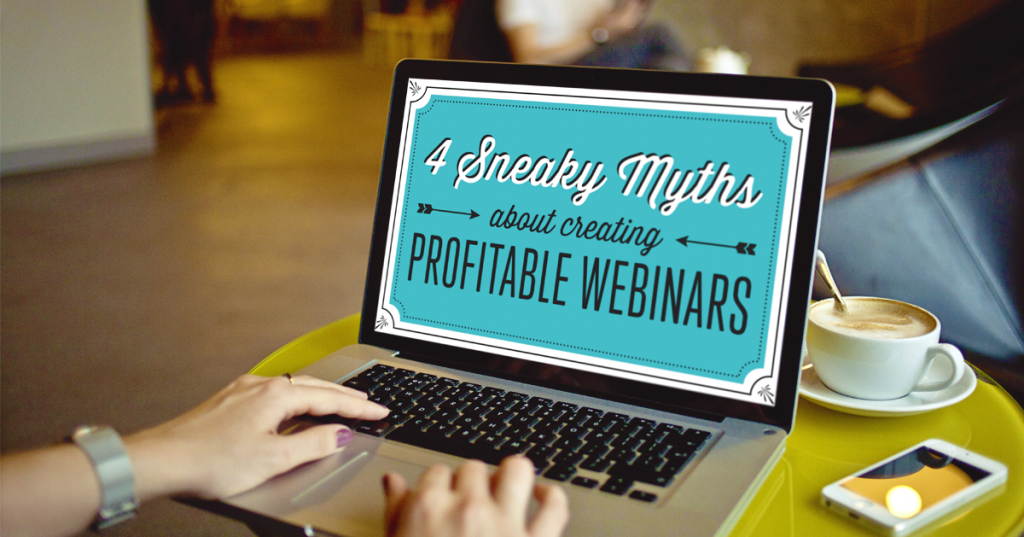
4 Webinar Myths and How to Avoid Them

WTC_FBad1_v1 (1) (deleted 0e480c907ab85ecec0d567116e9d1cf6)If you’ve sought out training to help you build your business, or tracked the success of other entrepreneurs, you have firsthand experience of the power webinars have to not only engage and excite an audience, but to convert them to into paying clients.
Maybe you’ve even been one of those people who signed up for a webinar to get a little free education, and ended up making a purchasing decision that you were genuinely excited about!
So why does the idea of putting on your own webinar have you quaking in your boots?
Let me guess…
  • You don’t mind a little grunt work, but you doubt your ability to string together all that technology.
  • You love the idea of delivering content in a highly personal way to your audience, but you hate the idea of a sales pitch at the end.
  • You’ve got a foolproof concept in mind . . .  however, you’re not sure how you’ll pull together an audience since your email list and sales funnel are still a work in progress.
Busy entrepreneurs (like you and me) don’t have a SECOND to waste on activities that aren’t directly linked to profit. If you’ve ever tried creating a webinar before, you know that sinking feeling of waiting, as the seconds tick by, for your sales to pick up speed. (Ugh! It’s the worst, isn’t it?)
In my experience, I’ve found that four major myths are to blame for a poor conversion rate.
I’m going to debunk those myths for you, and show you how to replace them with truly effective practices that will not only reward all your hard work, but have you out of your chair with excitement.

Myth #1: Webinars are just a marketing strategy (and not a whole system).

What most entrepreneurs think of as “webinars” is really just a small fraction of what theyreally entail.
Most view webinars as just the presentation component. In fact, the presentation constitutes no more than 15% of an entire, well-integrated webinar STRATEGY.
A truly effective webinar strategy involves 5 Key Stages (planning, pre, live, post, automated), all of which MUST be executed in perfect harmony in order for cash to change hands at the end of your presentation.
In short, a webinar isn’t a single tactic, but an entire system with many moving parts, specific timelines, and delicate levers to pull.
My webinar system is so much more than just a set of slides pulled together in a presentation deck.
Specifically, my webinar system includes strategic content designed to be precisely aligned with my paid program.  It also includes a list building component, an email marketing plan, a technology strategy, a focus on scarcity and engagement, special Q&A sessions to eliminate objections and so much more.
And when everything lines up perfectly, your business grabs hold of an effective, efficient sales machine that acts as the backbone of your business and gives you the opportunity to grow, scale and automate at will.

Myth # 2: Webinars are a TON of effort and involve too much expensive technology.

True. Webinars AREN’T simple.
But that doesn’t mean they can’t be relatively easy when met with the right A-Z blueprint that leaves nothing to chance.
From pairing together the most affordable/reliable technology to knowing exactly how many email follow-ups to send to maximize conversions, a step-by-step blueprint can take an otherwise COMPLEX strategy and make it attainable for even the most time-starved solopreneur.
And for the business owner that possesses such a blueprint, the “complexity” of running a profitable webinar actually becomes a huge competitive advantage, giving them the unique chance to be the FIRST in their space to use webinars effectively.
Just to name a few, some of the best webinar platforms (for both live and automated webinars) include GoToWebinar, Google Hangouts, Easy Webinar, Webinar Jam, Stealth Seminar and Evergreen Business Systems. I want to engourage you to check a few out to see what might be a great fit for your webinar plans.
And on a final note, YES, executing a webinar strategy requires effort…but you’ve already proven that you’re willing to put in effort–you just need the reassurance of knowing that every bit of energy you put into your business will come back to you tenfold.
What you CAN’T afford to do is waste time and energy in perpetual “figure it out” mode.

Myth #3 – I’m fine; I learned about webinars a few years ago.

While it’s awesome that you got a head start on webinar marketing a few years back, the very same early mover advantage can EASILY become a major detriment to you and your biz if you fail to embrace the MANY factors of success that have changed over the years.
Audiences have changed…
Attention spans have changed… (Thanks, Netflix.)
Technology has changed…
Customer buying habits have changed…
Presentation practices have changed… (There were a few things you were taught to say on a call a few years ago that are now surefire ways to make your viewers hit self-eject.)
And how we go about GETTING people to show up on the call (and buy after the fact) has changed as well.
Hint: It’s not enough to just invite your audience to the webinar and hope they show up. There are very specific things you MUST do to not only make sure they show up, but show up in a highly focused and engaged state. (Click here to download my freebie and discover exactly what I do to ensure I always get a strong webinar turnout when I go live on my webinars.)
So when you add it all up, there’s very little you can bank on from the tactics of years past if you want to succeed in the shifting paradigm of webinar strategy.
Which quickly helps us dispel our next myth…

Myth #4 – It’s too late. I already missed the boat on webinars.

Sure, you missed the boat on webinars as a tactic…
…but there’s always another boat coming!
And that next boat is…wait for it…

Webinars as a COMPLETE sales funnel.

And if you’re reading this post RIGHT NOW, then you’re in a unique position to catch wind of this new strategic approach before anyone else in your niche does, and in doing so, claim your stake in the rich blue ocean ripe with sizeable and scalable profits.
So chances are that even if your competitors are already using webinars (the old way), you can gain a competitive advantage by being the FIRST to build a complete webinar funnel based on the proven frameworks, techniques, and strategies that are currently working every time. 
If you have any other webinar myths you'd like to add please do in the comments below. 
To view the original article Click Here

Friday, 10 July 2015

14 Steps to Hosting a Successful Webinar

14 Steps to Hosting a Successful Webinar
Image via BigStockPhoto.com
Following is a step-by-step list of how to host a memorable, interesting, and useful webinar. Of course, this list may change, depending on your business and your industry, but it provides a good place to begin thinking about how to generate good, qualified leads from content.
  1. Choose a topic and a headline that has great search potential. For instance, we did a webinar about Google analytics. Rather than call it “Advanced Analytics,” we called it, “The Lies and Truths of Google Analytics.” The difference is the second one is much more compelling to someone who doesn’t know what great content you offer.
  2. Set up the webinar with your provider (brightTALKGoToWebinarAdobe Connect, and WebEx are some of the favorites) and grab the registration link they provide. You’ll include that in the email they get after they’ve registered.
  3. Create a landing page on your website or blog (you can use HubspotFormStackImpact, or Landerapp) that requires a name, company name, and email address to register and has all of the information about the webinar.
  4. Create a list of tactics you’re going to use to distribute information about the webinar: News release, social networks, email, blog, Facebook ad, Google ad, and postcard.
  5. Using the URL of the landing page (not the URL of the webinar software registration),create a different link for each of the tactics using the Google URL Builder.What this does is create a campaign in your analytics under traffic sources > sources > campaigns. When you open that tab, it’ll list the visitors per tactic. It will list in there, “March 28 Webinar from Newsletter,” “March 28 Webinar from Social Media,” “March 28 Webinar from News Release,” etc. This gives you data to use so you know which tactics work best for your audience.
  6. Shoot a one minute video to describe what people will learn in the webinar. You can house this on your website and/or blog, distribute it through the social networks, and use it in email marketing. Human beings are visual creatures. You’ll be amazed at how well this one thing works.
  7. One month before the webinar, distribute a news release (using your media relations URL in the body) on the wire (PR NewswirePR.comBusinessWire, or Pitch Engine, depending on your budget). Also upload the release to the newsroom on your website.
  8. If you have a newsletter, include the webinar in the email one month prior to its date.
  9. Now you want to think about email marketing, separate from the newsletter. If you have a newsletter, you’ll have three other emails. If you don’t, you’ll do four emails. Do one a month before, one three weeks before, one a week before, and one the day before. It will seem like a lot of emails to you, but most people get the information and sit on it and then register the day before the event. The URL you use in the emails will be different than what you use in the newsletter so you can track the effectiveness of each.
  10. A week before the webinar, you want to think about social media and about a blog post (if you have a blog). Because we have a crazy, fun community at Spin Sucks, it is our most effective marketing tool for webinars. But most of our clients find success in the email campaign. Test, test, test and measure, measure, measure.
  11. Using the social media URL you created, begin to post the webinar on your social networks. Ask your team to do the same. If you have a guest speaker for the webinar, have them share it. If you have a LinkedIn company page, share it there and ask people for recommendations so it rises in search results inside the social network. Fair warning: Most registrations do not come from the social networks so use this tactic with that expectation.
  12. If you have a blog, write a blog post about what people can expect to learn if they attend. This is not a sales pitch. It’s valuable and educational content that motivates people to register. When we did the Google analytics webinar I mentioned above, I wrote a blog post about what *I* learned by watching it ahead of time and why I was excited to share it with our community.
  13. If you want to test Facebook or Google ads, they’re both very inexpensive ways to see if you can attract new visitors who don’t already know about you and your business. Do this two weeks out.
  14. You can also go really old school and send a postcard to your database. Because that’s rarely done anymore, it can be pretty effective. Do this a month out and make sure your URL is specific to direct mail so you can track whether or not it works.
Now it’s time for the webinar. Make sure you record it because a good 50 percent of those who register will not show up. After the webinar (we like to do the next day, but many do it same day), send an email to everyone who registered with a link to the recording. Put the recording on your website so you can track who visits and downloads. You can also put it behind a landing page so anyone new has to enter their email address to download it.
For the most part, the people who register for your webinar are qualified leads.Some will be competitors because they want to see what you’re up to and will want to copy you, but most will be people who want to do business with you.
At this point, you can decide if you hand those leads over to your sales team or, if you have a lead nurturing program, if they go into your system for follow-up content to push them through the marketing funnel to a decision.
To view the original article Click Here
Sunday, 14 June 2015

Webinars: 15 Tips to Massively Increase Webinar Registrations

Webinars- 15 Tips to Massively Increase Webinar RegistrationsWhy is it that webinars are so effective at acquiring customers?
Which is more social, educating people through an interactive webinar or sending a tweet and not getting any responses?!
With webinars, you get a chance to talk to your audience and they can interact with you in real time.
How social is that?!
There are even some brave people, like Nathan from Heyo, who hand over the mic to the audience and let them take the floor!
So, don’t think for a second that webinars are not social media tools because they certainly can be!
Here are 15 tips/tools for improving conversions on your webinars.

1. Pick the Right Webinar Software

To host a webinar, you’ll need to sign up with a webinar provider, unless you decide to do it yourself and use something like Google Hangouts.
The most popular webinar software amongst digital marketers is GoToWebinar.
It’s not cheap but it does work and it’s really reliable.
An up-and-coming provider to watch out for is WebinarJam.
WebinarJam hasn’t been around for too long but it’s growing like crazy, it has some great functionality, and it’s much cheaper than GoToWebinar.

2. Start Off With a Great Landing Page

You need to have a high-converting landing page to encourage people to sign up to your webinar.
You can take the risky approach and ask your web designer to create a new design…
or…
… use a proven template that achieves high conversions.
We use LeadPages, which provides templates that don’t look amazing but convert really well.
For our last webinar-registration page, 80% of people who arrived on the page signed up.
Not bad, eh??
Leadpages webinar page
An example LeadPages page

3. Split Test Your Landing Page

Even if you have a great landing page, you still want to change aspects of it to see if you can improve its conversions.
This is another reason to use a tool like LeadPages, where split testing is built in.
Split Testing
Present 2 different versions and see which performs best
You can make a change to your landing page and test two different versions to see which one performs the best.
This video shows you how to set up LeadPages and do split testing.  Thanks to Matthew Woodward!
4. Create Promotional Images With Canva
When you start promoting your webinar, you’ll need to create a variety of images.
The best tool for doing this is Canva.
Even though you may have to create a lot of images, most of them will be in similar formats.
Here’s an example of the type of images you may want to create:
  • Facebook cover photo
  • Twitter cover photo
  • End-of-blog-post promotional image
  • Facebook ad image
  • Image for sharing on Twitter/Facebook etc.
Before you start any promotion, make sure you have the images created.

5. Encourage People to Share After They Sign up

Once someone signs up, you’d ideally like them to tell all their friends that they have signed up to a cool new webinar.
With LeadPages, you can set up a custom thank-you page with sharing options on it.  This kicks off the sharing.
If you want to incentivize people to share, maybe you could run a competition?
If they share a promotional message to their social networks, they are entered into a competition to get a free download of a a very useful and relevant guide.
Now, it’s not difficult to get them to share…
We set this up a couple of times using the tool Paywithatweet.
Despite the name, it does also work with Twitter, LinkedIn, Facebook etc.
A further 5% of registrations came from people signing up through this competition, and we only gave out a free guide as the prize.

6. Kick off an Email Sequence When People Sign up

If you get people to sign up and the webinar is still a few weeks away, they may easily forget about it!
So, ideally, you need to have an email sequence that promotes the value of the webinar and, closer to the time, warns them that the webinar is coming up.
Amy's Quiz
Amy Porterfield shares emails to encourage people to go to the webinar
One way you could promote the value of the webinar is to share some really useful information, related to the webinar topic, that they can implement immediately.
If you can get people who are registered to implement a cool tip, that’s going to encourage them to come because they will see the value of the information you are teaching.
To set up these sequences, you can use email marketing tools like AWeber or MailChimp ormarketing automation tools like Ontraport or Infusionsoft.

7.  Get People to Check In

Kick off the webinar about 15 minutes before the event with a screen that encourages people to go to a check-in page on your website.
This is a tip I got from Nathan from Heyo and it works really well.
Here’s an example screen we use, when waiting for the webinar to start.
Webinar Checkin
The screen that appears before the webinar starts
This page should have a prepared tweet that they can share with their friends, telling them they are now going to be on the webinar.
Here’s what’s displayed when you go to the check-in page:
Webinar Checkin Tweet
The tweet you’ll get people to send out
This can encourage more of their friends to join in.
To get this working, you need use a tool called ‘Clicktotweet’.

8. Track all Your Results

If you don’t know what is working, you can’t make improvements the next time you run the webinar.
Every time you share a promotional link, you need to know if it’s generated any webinar registrations.
For example, if you share a Facebook post and run a Facebook ad, which one generated the webinar registrations?
The best way to do this is to use the Google URL builder.
Using this, you can create a web address with additional information tagged on it and then, in Google Analytics, you can see where your traffic is coming from.
Useful?
You bet.
When you start using these, you can go to Google Analytics and see where your conversions are coming from.
Check out this post, which explains how to set up UTM tracking codes.

9. Retarget Your Website Visitors with Ads

Your website visitors are a great audience for your webinar.
You can place some images on your website to promote the webinar, but you could also retarget your site visitors.
For example, when someone visits your website, you can then display an ad to them that promotes the webinar when they next go on Facebook.
To set up retargeting, you need to put a piece of code from Facebook onto your site (a tracking pixel).  Facebook will then follow these visitors to Facebook and start showing them ads.

10. Pin Your Tweet and Facebook Update

When you share a post on Twitter or Facebook about the webinar, you can ‘pin’ the updates to the top of your feeds.
Here’s an example of Donna promoting a webinar.  This is pinned to the top of her Twitter feed.
Webinar Pinned Tweet
A pinned tweet at the top of Donna’s feed linking to a webinar-promotion page
This means that people visiting your profile on Twitter or Facebook will see the webinar promotion at the top of your feed.

11. Run a Promotional Campaign on Social Media

When you create your imagery and promotional text, it’s time to start scheduling your updates on social media channels.
Try and adjust your messaging and your imagery but make sure you send out updates regularly.
Schedule your updates across Twitter, Facebook, Google+, LinkedIn and other channels.
Use your UTM tracking codes for anything you share, because you can track all of this in Google Analytics.

12. Run a DM Campaign on Twitter

Direct messages are a 1-to-1 message between two people on Twitter.
They have a bad name because there is a lot of spam sent this way.
But we have found that, if we send a highly targeted and personalized DM, we get great responses and sign ups!
Here’s an example of some of the responses.
Twitter DM Responses
Example responses from a DM campaign
We use SocialBro, which enables us to run this campaign.  Consider DMs for your next webinar!

13. Encourage Sharing In Your Email List

When you email all your subscribers, provide an easy option for them to share out details of the webinar to their friends.
For example, if you use MailChimp, you can easily embed buttons that make it easy for people to share.

14. Retarget Previously Registered People

If you ran previous similar webinars, how many people registered but didn’t turn up?
They expressed an interest before, so there’s a good chance they will be interested this time.
Promote to them with targeted emails and/or retarget them with ads.

15. Provide a One-Click Registration

LeadPages recently announced the release of LeadLinks.  With LeadLinks, you can send an email to your subscriber database with a link to the webinar registration.
When they click on the link, they are automatically registered without going to any landing page.
Sweet…

Summary

Webinars are a hugely powerful tool to grow your business, but there’s a lot of preparation involved with setting up and running the webinar.
In this article, we outlined some key ways of getting more registrations for your webinar.
I’d love to hear your feedback – please share any further tips you may have.
p.s. We’re running a social media workshop (webinar) coming up soon.  It’s a paid event but there is a great early bird offer at the moment (30% off).
To view the original article Click Here