Showing posts with label pay-per-click. Show all posts

Thursday, 18 February 2016

29 Super Useful PPC Tools You Need to Try This Year

29 PPC tools


Since the dawn of mankind – and since the dawn of pay-per-click marketing – we have been inventing new tools to help us survive and overcome challenges. All our tools began as very primitive and basic, but have evolved greatly as time went on.
Now in 2016, tools are essential for professional marketers. The right PPC tools will save you time, provide crucial insights, inspire you, and ultimately make more money for your company or your clients.
If you’re ready to take an evolutionary leap of your own, check out this list of 29 amazing PPC tools you need to try this year.
Note: These are all tools that I use and recommend. Some I use daily, others less often or I have used in the past, but each tool on this list is valuable and useful. None of the creators of any of these tools asked to be included on this list or paid for the privilege.

PPC management

1. AdWords Editor

If you regularly work on large campaigns or campaigns across multiple accounts in Google AdWords, then you need AdWords Editor. It has almost everything you need for bulk edits and optimizations. Although it looks similar to the AdWords you’re used to online, the desktop version is probably about three to five times faster. Essential!

2. Bing Ads Editor

If you’re using Bing Ads (and you should be), then Bing Ads Editor is a must-have. It’s a solid all-in-one tool for managing your Bing Ads campaigns.
bing-ads-demographic-targeting

3. Optmyzr

At the U.S. Search Awards, Optmyzr won for having the “Best PPC Management Software” and for good reason. Optmyzr offers a variety of tools (optimization suggestions, data visualizations, advanced reporting, and scripts) to help you manage AdWords and Bing Ads campaigns. Plans start at $116 a month, and you can try it out for free for 14 days.

4. Free AdWords Performance Grader

Get a thorough audit of your AdWords account in 60 seconds or less with the Free AdWords Performance Grader from WordStream. Full disclaimer: I’m the CTO of WordStream. So seriously, don’t take my word on it. Here’s an actual review from Sharon H. on G2Crowd:
“WordStream makes sense out of Adwords and goes a long way to eliminate the frustration and cost. WordStream gives me important feedback on critical performance factors, and makes it easy to adjust and improve campaigns.”

5. AdEspresso

AdEspresso is a great tool for Facebook advertisers to create, optimize, and analyze campaigns. You can check it out for free with a 14-day trial; monthly pricing starts at $49.

AdEspresso

Keyword and competitor research

6. SEMrush

Need to gain insight into your competition? SEMrush is one of the best tools to find valuable, detailed keyword and domain data. It costs $58 per month if you sign up for their annual plan.

7. Spyfu

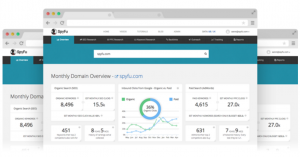
SpyFu has some really cool features other tools lack, such as the ability to download all of your competitors’ keywords. It also has a slick interface with plenty of important at-a-glance information easily available. Annual plans start at $49.
spyfu

8. iSpionage

ISpionage is easy-to-use competitive intelligence tool. It provides accurate, up-to-date competitive intelligence information and is a great way to size up competing websites and their online marketing efforts. Plans start at $59 per month.

9. Google Keyword Planner

I’d be shocked if you aren’t already using Google’s Keyword Planner. It’s an essential PPC tool for keyword research.

10. Google Trends

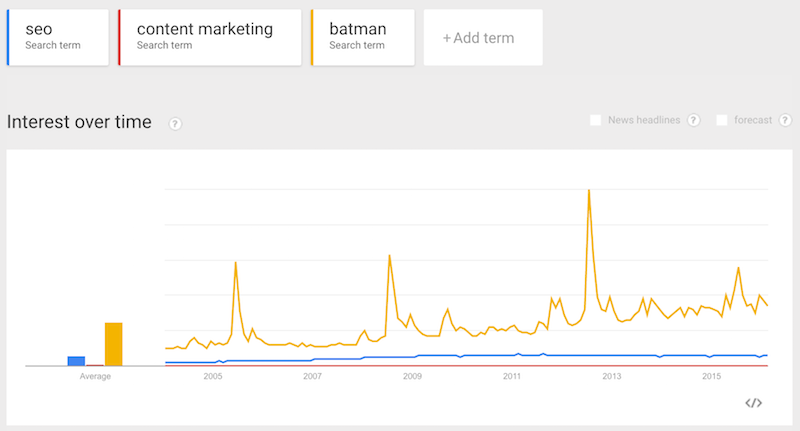
Search trend data can be incredibly valuable when adjusting campaigns to match seasonal demand.Google Trends is an essential free data source smart PPC marketers should be consulting.
Google Trends

Call tracking, analytics, and conversion rate optimization

11. Invoca

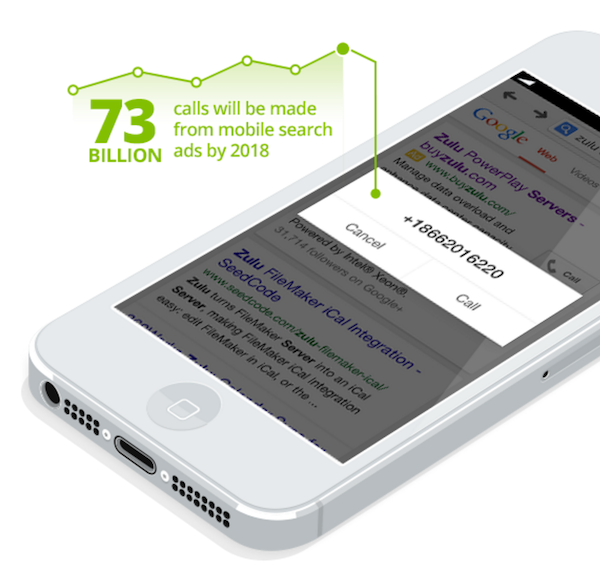
Phone calls are incredibly valuable to businesses. You need to understand who is calling and why.Invoca provides an solution to capture, manage, and track those all-important calls. It integrates with 30 platforms. Pricing starts at $1,000 per month.

12. Twilio

Twilio is a great option for call tracking and analytics. You can cheaply and easily buy phone numbers (local or toll free) and record phone calls to those numbers. Pricing is on a pay-as-you-go basis.
Call Tracking

13. Call Rail

CallRail is another option for phone call tracking, recording, and analytics. CallRail features Google Analytics and AdWords integration. Pricing starts at $30 per month, with a 14-day free trial.

14. Google Analytics

Google Analytics provides everything you need to track the effectiveness of your PPC campaigns and website performance. It’s free, but there is a Premium option for large enterprises.

15. Twitter Analytics

Twitter Analytics provides a wealth of data. I won’t lie, I’m a bit obsessed with Twitter Analytics data. You can discover how many people are really seeing and engaging with your tweets, whether your campaigns are effective, and all sorts of valuable demographic data about your followers.
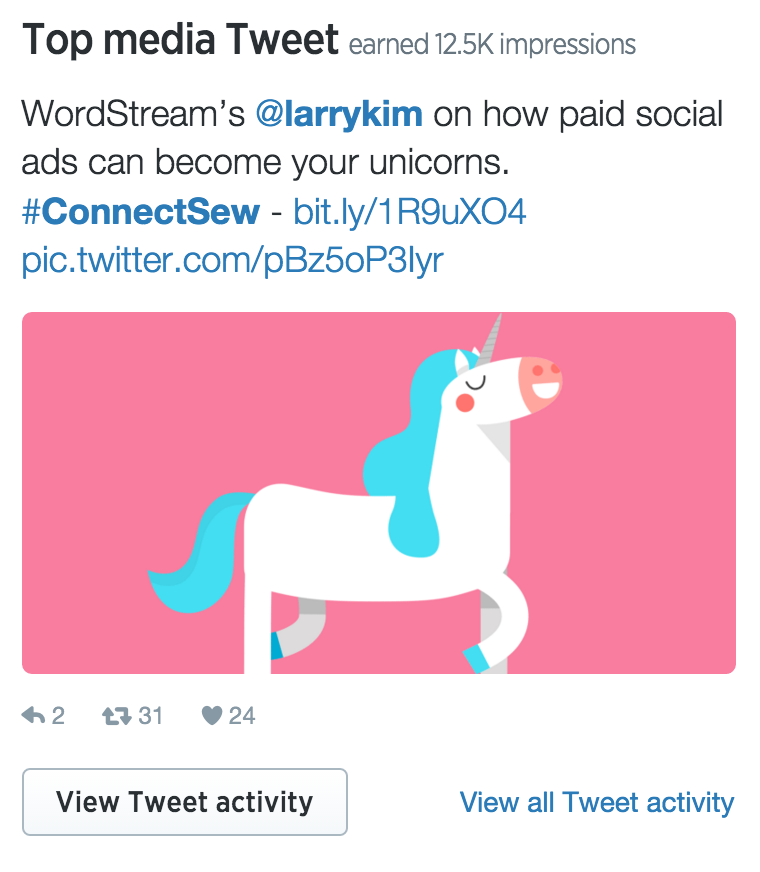
Twitter Analytics account overview

16. Certified Knowledge

Brad Geddes has a nice suite of tools at Certified Knowledge that will help you analyze data, create tons of ads; and optimize your quality score. Prices start at $79 per month.

17. Unbounce

Need to build a landing page? Meet Unbounce, which offers more than 80 templates for just about every type of landing page you need (products, sales, lead generation, eBooks, etc.). Pricing starts at $49 per month, but you can sign up for a free trial.
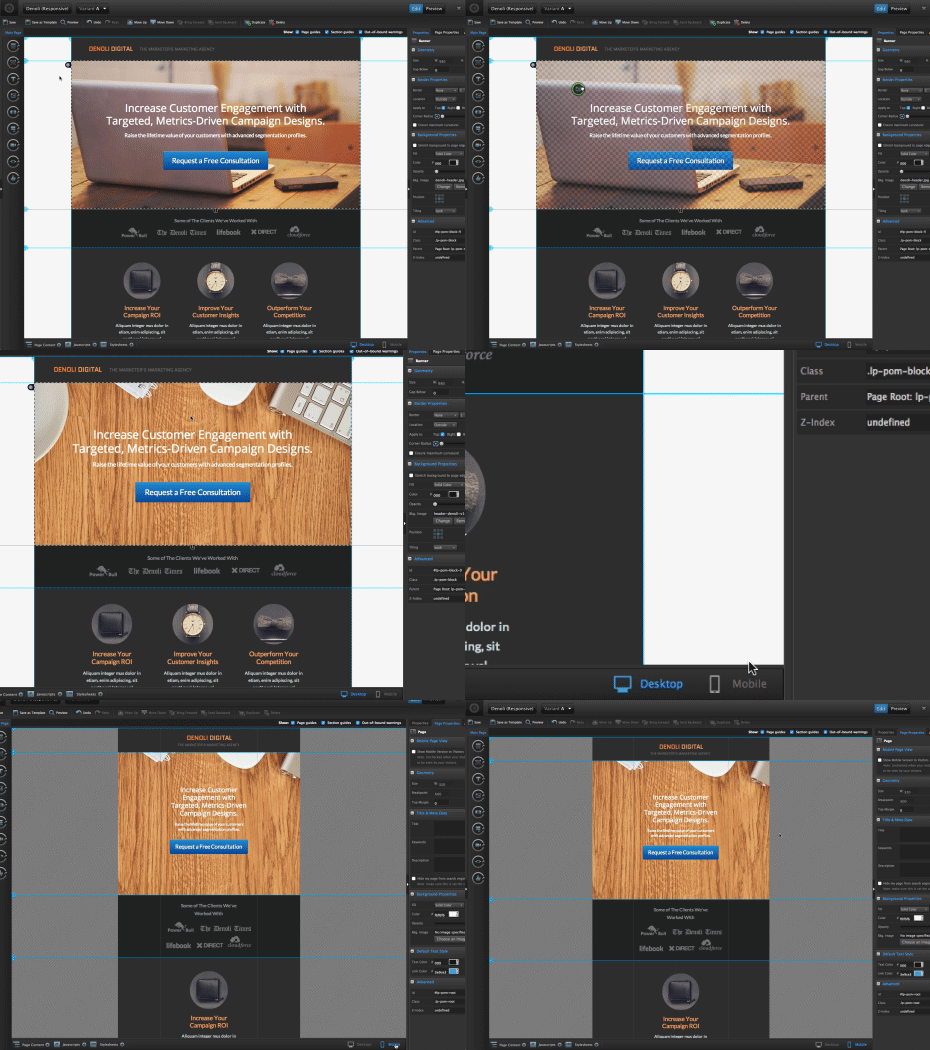
unbounce

18. LeadPages

LeadPages offers a simple landing page builder, as well as dozens of landing page and minisite templates to choose from. Yearly packages start at $25.

PPC ad copy inspiration

19. BuzzSumo

BuzzSumo is all kinds of awesome. It shows you the most shared content. Catchy article headlines (the type that get tons of shares and links) will also make catchy PPC ad headlines! BuzzSumo plans start at $99 per month.

20. Ubersuggest

You can get some good keyword ideas from Ubersuggest. This popular free keyword tool offers thousands of suggestions based on the keywords you type in.

Display ad image inspiration and creation

21. Share as Image

Share as Image is mainly touted as a tool for content marketers, but you can also use it to quickly create awesome display ads. Just be sure to check image copyrights before taking your ad live! Share as Image offers a free account, as well as a monthly plan starting at $8.
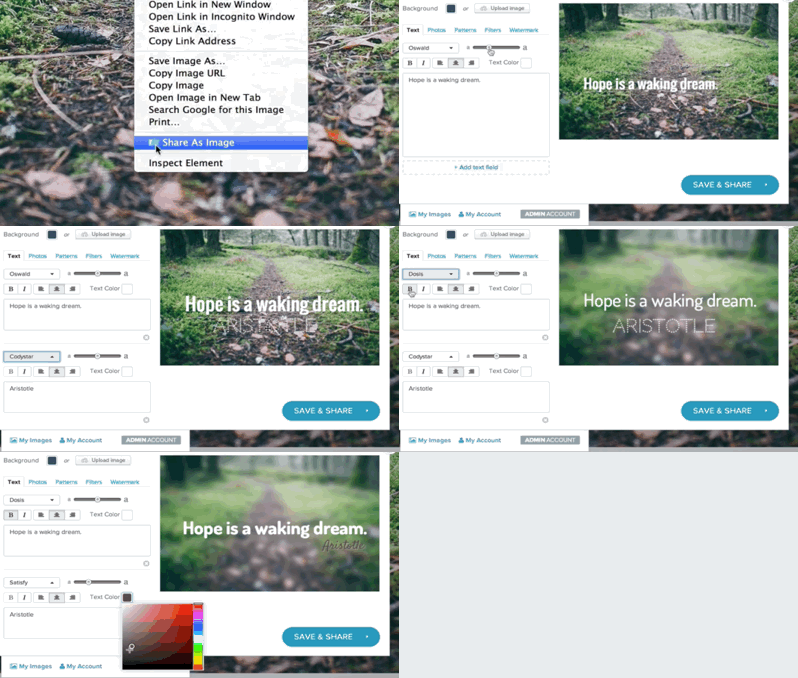
share as an image

22. Canva

Canva is another tool that you can use to easily create striking display ads with their drag-and-drop interface. Upload your own assets to work with (for free), or pay a small fee to use images from their library.

23. Pinterest

Need some inspiration for display ad images? Spend some time browsing on Pinterest. It’s a fantastic tool for saving, organizing, and discovering amazing visuals to get your creative juices flowing.

24. Facebook Text Overlay Tool

Facebook has a frustrating rule that your ad (images and video thumbnails) can’t contain more than 20 percent text. To make sure you’re compliant so your ads can run on Facebook (and Instagram), use the Facebook Text Overlay Tool. If your text spills into 6 or more boxes of their grid, you’ll have to edit your ad and check it again until you get it right.

25. gifntext

Gifntext is so baller – and non-obvious. You can use it to create amazing GIFs for use in social and display ads! I almost hate to give this one away because I love that nobody is using it. So seriously, don’t use it. :)

doge

PPC Automation

26. AdWords Scripts

Love AdWords Scripts? Who doesn’t? Scripts let you automate nightmarishly time-consuming tasks. Daniel Gilbert and Brainlabs have an insanely awesome collection of AdWords scripts – everything from advanced A/B testing, to close variant matching, to competitor tracking. Amazing stuff here!

Apps

27. Google AdWords App

If you ever need to do some AdWords campaign management in a taxi/Uber/whatever, you’re in luck. This beautiful and fast app for Android and iOS lets you adjust keyword bids, enable/disable AdWords objects (e.g., campaigns, ads, ad groups), and act on various recommendations from AdWords. You can’t create new text ads or campaigns or add keywords manually, however.

28. Facebook Ads Manager App

The Facebook Ads Manager App (for iOS and Android) lets you manage your campaigns. You can track the performance of your ads, edit ads, adjust your budgets, and even create new ads – all from your mobile device.

29. Google Analytics App

The Google Analytics is a bit limited – and by a “bit” I mean a “lot”. But if you’re on the go and need to quickly check on your stats or reports, this app will let you do just that.
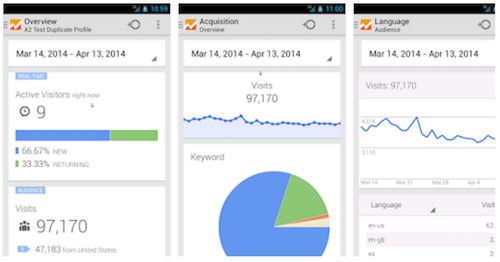
Google Analytics app

What’s your favorite tool?

What PPC tools from this list do you use and love? Any tools I missed? Share your recommendations in the comments.

To view the original article Click Here

Saturday, 18 April 2015

6 Sins You’re Committing on Bing Ads

Did you know that when you think you are "Googling”, you might actually be "Binging?" In addition to bing.com, yahoo.com, and msn.com, Bing powers Web search on Apple’s Siri, Kindle Fire, Amazon Fire Phone, Xbox, and many others. This also explains how Bing has quietly reached 31 percent search market share on desktop in the US., according to comScore.
Bing Ads sees a fair share of advertisers getting the most out of their paid search dollars. One of the benefits of being such a massive search engine is that Bing becomes simultaneously a data powerhouse – all those advertisers leave a trail of habits that can be analyzed.
Today we’re looking at the sins that are consistently committed by advertisers on the Bing Ads platform. Are you committing them? The sins are:

1. Assuming You Can Get Bing Searchers on Google

For example in retail alone, there are 40 million searchers found on Yahoo and Bing, but not found on Google. Turns out, not everyone uses Google. You’re missing out if you’re not going after the Bing audience, because exclusive searchers are not limited to retail, it’s across verticals. In the chart below, the orange parts show the Bing audience who doesn’t use Google and can’t be reached there.
audience-chart

When you assume that the Bing audience can be caught on Google, you neglect to allocate an appropriate budget for your Bing Ads campaigns.

2. Not Changing Your UTM Tags From Google to Bing

If you don’t, your metrics are going to be inaccurate and will not reflect the truth of your Bing traffic. Until June of last year, changing the UTM tag upon importing your Google campaigns was a pain in the PPC – but now Bing has auto-tagging. Not only does this save you time, it keeps your metrics accurate. Slam dunk.

3. Thinking the Targeting Options on Bing Are the Same as Google

  • Time zones for Bing Ads are different than AdWords. On Bing Ads, the time is set to the time of the user, not the business. So targeting an ad at 7 a.m., means 7 a.m. everywhere. And you can set different time zones for each campaign when you create them.
  • You have more flexibility with targeting on Bing Ads because the setting is on ad group level, not campaign level, like Google. This also gives you more options for testing.
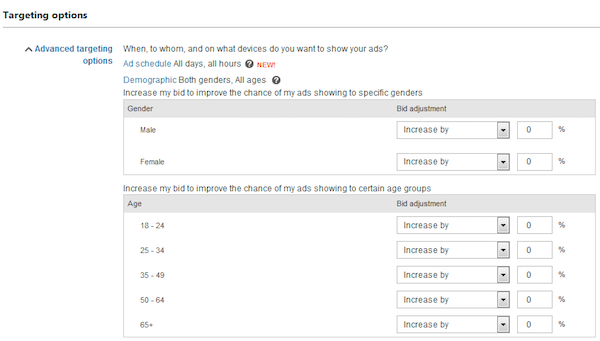
    • Incrementally bid up or down by demographics
    • On the ad group level, you can start/stop ads differently
    • Adjust bids by geography
When you import to Bing Ads from Google, check the targeting right off because you can suddenly be more sophisticated with your ad scheduling.

4. Not Using the Latest Conversion Tracking

A full picture of where conversions come from is important. Getting it wrong means you’re spending money in the wrong places. Bing Ads just gave its conversion tracking system a major upgrade with the release of Universal Event Tracking (UET).
  • The original campaign analytics tags stopped being support at the end of March this year. You can continue to receive historical data via those tags, but no conversion data. So now’s the time to update to UET on Bing Ads.
  • UET goes beyond tracking conversions. It is the basis for search remarketing with Bing Ads.

5. Thinking Bing’s Search Partner Targeting Is the Same as Google’s

With Bing, you can target just Bing and Yahoo, just search partners, or both, at the ad group level. This is different from Google. You can also run a report on Bing to see which search partners are sending traffic to your site. If you see something you don’t like, you can exclude the search partner without opting out of all the other search partner sites. BOOM.

6. Not Using Tablet Modifiers

With Unified Device Targeting, Bing brought device targeting in line with Google’s Enhanced Campaigns. The difference between the two is that Bing’s tablet targeting can be modified – from -20 percent to +300 percent.
So are you a sinner or a saint? Either way we’d like to hear from you – what sins have you committed and which ones have you avoided?

To view the original article Click Here

Tuesday, 20 January 2015

8 Steps To An Effective Pay Per Click (PPC) Advert

Pay per click advertisingPay-per-click adverts look simple but the best examples use every trick in the book in order to stand out. Business writer Rachel Miller explains how a simple title, copy and link can become a powerful advertising tool
Pay-per-click ads are also known as sponsored links. They appear next to search results on Google and Yahoo — on the right hand side of the search results page and sometimes also at the top.
Pay-per-click adverts have three main components: a heading, a short piece of copy and a link. Despite their apparent simplicity, each of these elements must work hard to ensure the advert stands out from the rest.
1. Use keywords to show relevance
Make sure your ad uses your keywords in your ad title and text — preferably at the beginning. If you haven’t chosen your keywords, then do this first — it will help you write your ad.
There are two good reasons to include your keywords in your ad — firstly, it makes your ad look relevant. So if someone has searched for oak flooring, they’ll look for the ad that has that phrase in the title rather than a general flooring company. Secondly, if the words used in the search are in your ad copy, then they will appear in bold, making your ad stand out.
2. Write a compelling heading
Most people look at the heading first so it has to be good. Headings are usually descriptive phrases that highlight your product or service, such as "Edinburgh Double Glazing". However, the heading can also convey benefits, such as "30% Off Sofa-Beds" or "Award-Winning Italian Restaurant".
If you’re looking to build your brand or have a well-known company, it could be worth putting your company name in the heading — "Laptops at John Lewis", for example. However, it’s usually best to avoid using your company name in the heading. Firstly, your company name already appears in the URL at the bottom of the ad and secondly, most searches are for products and services, such as “plumbers in Leeds”, rather than specific company names.
3. Have a clear call to action
A call to action encourages people to click on your ad. Compelling words and phrases include: "Buy now", "Sign up today", "Order" or "Get a Quote". This gives people a clear idea of what they can achieve when they click on the link that will take them to the landing page on your website. Your call to action should be compelling and specific — "50% Off All Children’s Shoes"; "Buy Valentine’s Flowers"; "Cheap Cameras & Camcorders".
4. Include key information
It’s worth including some key offer details in your ad. By including prices in your ad text, for example, you know that anyone that clicks through is interested in your product at that price. As a result, more clicks (which you are paying for) become customers.
5. Stand out by being different
It’s vital to differentiate yourself from your competitors. Highlight your unique selling points — the products, prices or services that make your business different and better. Analyse your competitors’ ads to ensure that you stand out from the crowd.
6. Exploit the power of capital letters
Using capitals on the initial letters of every word can make your advert stand out. “On Sale Now”, for example, is more noticeable then “on sale now”. This applies to the link as well as the text. By capitalising the first letter of each word in your link, your web address instantly becomes easier to read. For instance, www.FlowersOnTheHighStreet.com is much clearer than www.flowersonthehighstreet.com.
7. Link to a relevant landing page
Many online advertisers spend a lot of time developing a great pay-per-click campaign, only to neglect their own website. Pay-per-click advertising is about taking potential customers through key steps — the search, browsing the results, clicking on the link, taking action on the company’s website — and each one is equally important.
Your website landing page — the destination for anyone that clicks on your ad — must be relevant to the ad and must encourage visitors to take the next step. That could be making an enquiry, signing up to a service or putting in an order. One click should take prospects to the right place, so don’t link to your home page.
8. Test your ad copy
It’s hard to predict how effective different advertising messages will be. So it’s worth testing different titles or calls to action. If you are advertising on Google AdWords, for instance, you can run three or four different ads in one ad group and AdWords will rotate your ads, analyse your 'click through rate' (CTR) and highlight the best performing ad.
To view the original article Click Here

Tuesday, 6 January 2015

11 Tips To Stretch Your Pay-Per-Click Budget


At least once in your professional life you tried using Google Adwords as part of your marketing activities. It might have gone well for a while, it might have failed right away. However, I’m quite sure you have this internal feeling you cannot ignore. Without noticing you became part of the Google Adwords religion.
I was one of those lucky ones to hear a voice showing me the way. OK, I’m slightly exaggerating. A nice account manager from Google called me and though I was skeptical about it, I got some really good advice.
I’m not going to preach you about this religion, but if you are already part of it, I’m going to help you in stretching your PPC budget and show you the way by sharing some very interesting tactics.

#1 Focus 

Using Adwords you can reach your target audience on Google Search (or the Search network as they call it) and on the Display Network (any site using Google Adsense). 
When you get started you won't necessarily know which might drive better results, however it is highly recommended to focus on one in order to avoid spreading your budget, which could lead to poor results. 
You should also focus on one territory at a time and try to conquer that territory first. To do so you can choose the country (or even state and cities) you would like to target. That would help you to increase the efficiency in optimization.

#2 Building campaigns correctly

Google scores your campaign pretty much based on first impression. That means that Google measures key parameters of your newly launched campaign to sentence you to life or to death. Meaning, if you will get low scoring for many parameters your chances to improve your campaign and further optimize it are low. You should create Campaigns wisely. 
For example, if you want to create a campaign that targets people who search your competitors brand – you can expect low click-through-rate (CTR) no matter what you will do (especially with Adwords strict restrictions), thus you should create a separate campaign for keywords related to your competitors. 
The same goes for terms that are close to your core business (like relevant marketplaces). For example, a competitors’ campaign CTR can go lower than 0.20% while your core campaign should be at least 1.30% and even higher, as it should be super relevant for your target audience. Obviously, combining them into one campaign would dramatically affect your campaign’s CTR. 
Also be sure to target people on certain devices. Adwords default mode is to mix desktop, tablets and mobile. I’d recommend you to start only with the most relevant device for you (e.g. which typically leads to higher conversion rate for your business).

#3 Getting great ideas for relevant keywords

After creating your own list of relevant keywords, go ahead and type them in the Keyword Planner tool in Adwords to get some fresh ideas of some additional relevant keywords in the space. You can also use your competitors site URL when using the tool to get ideas for keywords based on their site. You can also use Spyfu.com and Similar Web to see which keywords your competitors are targeting.

#4 Start broad but not too broad (Hint: use +)

In order to really crack it you should leave room for learning what your audience is actually looking for. Targeting Broad Keywords e.g. Personalization means that everyone that search for something including the word Personalization would potentially be exposed to this ad. But here’s the trick, if your keyword is Personalization that means that even people who will search for a close term could be potentially exposed to your ad. 
For example, our ad was triggered for someone searching for “personalized christmas ceramic websites” which is obviously not relevant to our business at all. So how do you solve this? simply ad + before any of your broad keywords in order to tell Google to have the campaign triggered ONLY if it matches the exact term and not any synonym or any conjugation of that word.  E.g. +personalization.

#5 How to easily choose negative keyword

When you were using the Keywords planner earlier in order get some good ideas, I can imagine that some of the ideas weren’t good or relevant at all. It means that Google finds those keywords relevant to your terms and potentially your ads will be triggered to a less relevant audience. 
Another way to define negative keywords is by checking for the actual search terms, then sort it by cost/impression and check those keywords you would like to remove. If it is a broad keyword the repeats itself make sure to add + before defining this keyword as a negative one. The rest of the terms (typically including more than one keyword) should be excluded as exact match by using square parentheses. e.g. [website personalization].

#6 Start with relatively high bids

As mentioned before, Google scores your campaigns based on “first impression”, thus you want to make sure to give a really great first impression. That means get high CTR for your ads, be very relevant for your target audience etc. In order to get high CTR not only your ads should be awesome but you should also try and have your ads displayed at one of the top placements (1-3). In order to increase the chances for that to happen you should increase the bids on your keywords.

#7 Bidding’s rule of thumb

It doesn’t matter if you separated your exact match, phrases or broad keywords to different campaigns or they are all part of one campaign you would like to make sure to differentiate the bid for each type. Broad keywords should receive the highest bids, and then you should reduce 20% for phrases and additional 20% for exacts.

#8 Bids are too high in your space? Try the display network

In some industries there’s high competition and bids could get really high. Instead of fighting your competitors who might be wealthier than you are, try to find good alternatives. For example, try using the Display network. You can either run textual ads or display banners you can easily create using Adwords’ automated tool or your favorite designer. Be sure to be very concrete and have a decent call-to-action button.
You can choose placements based on the popular blogs/magazines/forums relevant to your target audience, and also by targeting specific keywords or interests and also demographics and more.
In case you choose to target only desktop visitors, you will notice that you would still get traffic from mobile apps, and mobile devices.

#9 The special secret for completely avoiding targeting of mobile users

Finding out that although you excluded mobile traffic you still received lots of irrelevant traffic from mobile which also wasted lots of you budget can be very frustrating
The account manager at Google which I discussed that with, was aware of this phenomenon and suggested to exclude the following link in order to reduce that undesired mobile traffic: adsenseformobileapps.com
You should also go ahead and scan the list of placements, and search for keywords like “game” and “mobile” and exclude any domain that includes those keywords.

#10 Be consistent and avoid lousy tricks

Part of the quality score Google gives you is related to the ad relevancy which is measured by comparing keywords on your site, the keyword you are targeting, possibly your competitors keywords etc. You can use Quicksprout.com to analyze the top keywords on your site. In order to improve relevancy, make sure that the most relevant keywords will appear at your H1, H2 and also possibly in the HTLM title and description. You can also add links from your site to your blog containing the most relevant keywords.
Be sure that the Ads you create include the keywords from that ad group. You will be rewarded not only because Google will give you higher scores, but also because search terms that appear in the ad will be highlighted (become bold) and would drive more attention to your ad. Also psychologically people will be more likely to click on ads that are more related to the search terms. Please make sure to avoid (at least at the beginning) any tricks you believe would increase your ad’s visibility. E.g. Do not use any special symbols like Stars, Thumbs up etc. as google won’t tolerate that and will disapprove your ad from being displayed.

#11 Increase your landing page’s conversion rate

After all the hard work, you need to make sure that your website or landing page you are directing the traffic to is actually converting, and drives you positive ROI. In order to achieve that, you can start A/B testing your site’s layout, messaging etc.
As A/B testing requires a decent amount of traffic, patience and time (you can learn more about common A/B test pitfalls here), in order to move fast and increase your site’s efficiency you can start adding real-time targeting to your site and target all of your PPC campaigns traffic with a personalized message. For example, you can offer 10% discount for people that used the word “discount” as part of their search term, or simply provide them with a personalized content. E.g. target a visitor from NYC and mention that you offer “Free Shipping to New York area”. That would increase the chances to draw the attention of the visitor to that message, and also to provide him a better experience than the “Free shipping to continental U.S.” ordinary message.
A quick hack could be adding a “net” to your site and as a last resort try to capture emails from people that are going to leave your site without converting by offering any additional promotion or added value.
To view the original article Click Here 

Tuesday, 23 December 2014

Pay-Per-Click Advertising Tips

Pay-Per-ClickThere are several ways to go about attracting traffic to your website; Pay-Per-Click is one of the options you can choose from, along with developing an SEO, or search engine optimization campaign.
Both pay-per-click and SEO are targeted to get your website placed as close to the top of search engine results as possible. One of the differences is that it takes minutes to set up a pay-per-click campaign versus months for a good SEO campaign.
Pay-Per-Click is a simple type of paid advertising that
most search engines, including some of the largest ones, now offer. It requires a bid for a “per-click” basis, which translates to your company paying the bid amount every time the search engine directs a visitor to your site.
There is the added bonus that when a per-click site sends your website traffic, your site often appears in the results of other prevalent search engines.
As with all marketing campaigns, there are advantages and disadvantages. If you understand the process and monitor your pay-per-click campaign frequently, it can be very effective.
One of the greatest advantages is that you never haveSEO to tweak your web pages to change your position in
search engine results, as you must do in a typical SEO
campaign. What you do have to do in a pay-per-click
campaign is pay a fee.
Another advantage is the simplicity of the pay-per-click process. You just bid and you’re up and running. It doesn’t demand any specific technical knowledge, though the more you know about search engines and keywords, the easier – and more effective – the process will be.
The downside is that pay-per-click is essentially a bidding war. A higher bid than yours will lower your position on search engine results. This means that you will have to raise your bid to regain your position – which can obviously become quite expensive, especially if you are bidding on a popular keyword.
What's Working Now
In order to determine if pay-per-click is a cost effective form of marketing for your business, you must do some computing to figure out how much each visitor to your site is worth.
You can compute this value by dividing the profit
you make on your website over a given period of time by the total number of visitors for that same time period.
For example, if your site made $5,000 in profits and there were 25,000 hits, each visitor would be theoretically worth 50 cents. The basic formula is profits divided by visitors.
The figure of 50 cents per visitor is the point at which
your business breaks even. The idea, of course, is to show a profit, not to merely cover your costs. Therefore, you are aiming at a figure less than 50 cents per click.
Be aware that the most popular keywords often cost
considerably more than 50 cents a click. The only way
around this is to bid less for these phrases or you will be paying too much for each individual hit.
The key (pun intended) to success is to learn everything you can about search engine keyword research. The good news is there isn’t a limit to the amount of keywords you can add to your bid because additional keywords do not add additional cost.
This translates into a lot less hassle for you because there is no need to optimize your site to index a particular set of keywords.
Obviously, some keywords are much more effective than others are, but they will not cost you anything except time to set-up your account in your pay-per-click bid.
Of the popular search engines that offer pay-per-click, one now called Microsoft Ad Center/Yahoo provides an online tool that will give you the data on how often particular keywords are entered into their search engine.
I have effectively used Microsoft Ad Center to get instant results and generating hundreds of leads and sales using this method.
I highly advice in investing in a training course or membership that offers you a step by step training that walks you through the setting up and placing your PPC Ads because if you don’t know what you’re doing you can easily blow your entire budget and not get results!
They also offer suggestions for keywords after you enter a description of your site.
Number one crucial part of your pay per click ad is, ” Your Headline “. If your headline is not enticing enough then they will not bother reading the rest of your Ad.
I have tested this extensively to tell you without a doubt that your headline needs to have to right message to attract people to read more.
In pay-per-click, the written description is also crucial. You must understand that the objective of your description is not to generally attract visitors, but to be as specific as possible so that only those visitors who are likely to buy your service or product go to your site.
You must use expert marketing copy to guarantee that your description is both precise and enticing to attract the most ideal candidates to your site. This description is your most powerful tool to insure that your bid is profitable.
Another essential element of pay-per-click advertising is that you constantly monitor your bid. It is very important that you bear in mind that the results of the top search engines providing pay-per-click advertising, which are Microsoft and Adwords, usually appear on other popular search engines.
Because of this, the competition for top ranking is intense, and very often you will find that the bidding price balloons too high for pay-per-click to yield a profit.
If this happens, it is advisable to withdraw your bid on
that particular keyword and try another one.
Remember: when you pay too much per click to make a profit, you are in essence losing the bidding war.
Since losing is not acceptable, you must have a plan in
place to closely track the effectiveness of your keyword. It is advisable to monitor your keywords on at least on a daily basis until you have a winning keyword that is profitable for you and your business.
Not only is careful monitoring important, but the analysis of visitor behavior can produce invaluable knowledge about consumer motivation, habits, and trends.
Expert monitoring and consumer analysis is essential to your overall business needs, and will also insure that your pay-per-click campaign is a success.
It is also important to know what’s working now in pay per click whether you are using Facebook PPC or Microsoft Ad Center to place your paid advertising.
Share this with someone who deserves more success and you care about, let’s help some more people!
If you liked the blog post click the Google Plus below…
To Your Abundance!
Did This Help You? If so, I would greatly appreciate if you commented below and share… Thank You!
If you enjoyed this article you may also like:
To view the original blog Click Here