You’ve seen it… over, and over, and over again:
“The only thing readers read are the headlines.”
“The headline is the most critical part of any post.”
“You should spend 90% of your time on the headline; 10% on everything else.”
In fact, pretty much every article you’ve ever read on epic, click-inducing, page-one-of-Google-ranking blog posts have one thing in common: it all comes down to the headline.
And so you buy in.
More than that, you slave. You sweat. You swap. You steal. And finally, after hours churning out duds, you arrive at that wonderful moment: the perfect headline, one that even Gawker and Mashable would be proud of.
You’re sure nobody could resist it. And, in fact, nobody does. The clicks start pouring in.
There’s just one problem.
Those clicks are all you get.
No comments. No signups. No shares. No scrolls.
The question is: Why? What went wrong?
How Popular Headline Advice Can Lead You to the Dark Side
So what did go wrong?
After all, you followed the golden rule of blogging stardom.
You poured yourself into your headline — just like they told you — and tossed your leftovers into “everything else” — just like they told you.
At the risk of being sacrilegious, the cold hard truth is that there’s a name for what you just did and a reason why your readers won’t be coming back.
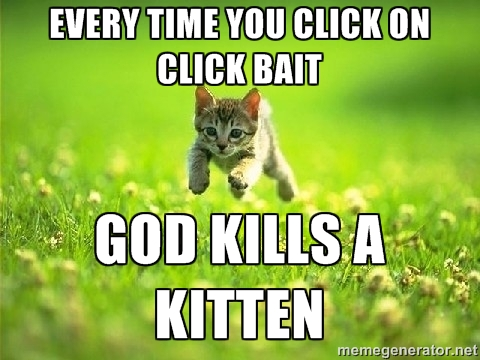
It’s called click bait — and it’s what happens when your headline is by far the best thing about your post.
The world of online writing is a scary, unforgiving place and nothing is more unforgivable than following up the perfect headline with crap.
That’s why this post isn’t about headlines.
Why Fear Is Your Best Friend If You Want Readers to Keep Reading
Your headline is important — no doubt about it.
But once it’s done its job — luring readers to click on your post — you’re playing a different game altogether.
Then it becomes about what’s next: your post’s opening lines.
Get those wrong and your impressive click-through rate will be rivaled only by your disastrous bounce rate.
How can you save yourself from the Internet’s collective hatred of empty follow-through and all of its inevitable consequences?
In a word: fear.
Fear is the most universal, dominant, and primal human motivator.
And the key, as counterintuitive as it sounds, is to stop hiding from your fears and embrace them.
Why?
Because your own fears are the most powerful connection points you have to reach the very people who scare you the most: your readers.
So, to help you grab your audience by the throat right from the start, let’s look at the ten most common fears we as humans face and exactly how the opening lines of Boost Blog Traffic’s ten most terrifying posts evoke them.
1. The Fear of Failure
Let’s kick this off with a doozy.
We all fear failure.
Why?
Because deep down in our souls lies the belief that our failure to overcome a problem — be it personal or professional — means that we ourselves are failures.
This is precisely why the problems that beset us are so fear-inducing.
We’re afraid that a failed pitch will reveal we’re failed entrepreneurs.
We’re afraid that a failed article will reveal we’re failed writers.
We’re afraid that a failed project will reveal we’re failed leaders.
This fear of failure, however, is what makes — in the words of copywriting legend Dan Kennedy — the “Problem-Agitation-Solution” formula “the most reliable sales formula ever invented.”
The structure is simple.
First, define the problem in simple and straightforward terms.
Second, agitate the problem. As Kennedy explains, “You should have readers mentally wringing their hands, pacing the room, saying, ‘This has got to stop! I’ve got to do something about this! What can I do about this? If only there were an answer!'”
Third, reveal the solution.
Article: Why Your Blog Doesn’t Stand a Chance in Hell of Succeeding (and What to Do About It)
Whether she meant to or not, Leanne Regalla’s post follows Kennedy’s formula perfectly.
She opens with a simple presentation of the problem:
You want to be as successful as your idols, changing the world and even getting paid to do so.
But you know you haven’t got a chance in hell of seeing that kind of success unless you can truly engage your readers and keep them interested over the long haul.
Of course, the big question is how? Engagement is an elusive creature.
Then she agitates:
Sure, you get the occasional nice comment, but it’s not like people are raving about your blog, or tripping over themselves to share your content.
You worry that you’re not connecting, that your words don’t resonate deeply with your readers, but you’ll be damned if you can figure out the magic formula.
And the truth is, unless you can find a way to connect powerfully with your readers, your blog is doomed to failure.
Notice Leanne’s word choice: “you haven’t got a chance in hell,” “but you’ll be damned if you can figure out the magic formula,” and “your blog is doomed to failure.”
The most common mistake writers make when trying to evoke fear is not driving the problem home.
We assume that our audience already feels the fear… but they don’t. Most problems are merely complaints. They’re neither top of the mind nor top of the heart.
That’s why Leanne’s post is so masterful.
She doesn’t assume her audience feels the full force of what failure entails, so she exposes them to its consequences.
To do this in your own opening lines, think about agitating in terms of what I call the “it gets worse, much, much worse” principle. Make a list of everything that failing over the problem will cost your reader: personally, professionally, financially, and (as our next fear focuses on) relationally.
Only after exposing them to the full consequences of failure are you then ready to move on to the solution.
2. The Fear of Rejection
Fear of failure is all about not overcoming specific problems — or rather, being overcome by those problems.
Fear of rejection, on the other hand, isn’t about problems. It’s about people.
As PsychCentral explains, “On a cognitive level, we may be afraid that rejection confirms our worst fear — perhaps that we’re unlovable, or that we’re destined to be alone, or that we have little worth or value.”
In other words, our fear of rejection stems from an underlying, deep-seated belief that other people’s rejection of us will reveal the fact we’re fundamentally unacceptable.
This plays itself out in myriad ways and is the primary reason why the $2.2-billion online dating industry is dominated by articles promising to relieve the fear of rejection.
At the professional level, Inc.’s Geoffrey James nails it: “Rejection is just an event that’s quickly over. But the fear of rejection… ah!… that can last a lifetime.”
Article: How to Build Relationships with Popular Bloggers (Even If It Scares You Silly)
Naturally, Katharine Di Cerbo starts with the problem:
You know you’re supposed to be reaching out to popular bloggers.
After all, without help, how will you compete with the Internet’s 150 million other blogs?
Popular bloggers already have large audiences. They can introduce your content to thousands of readers you’d never otherwise reach. They can introduce you to other powerful people online.
But something has been holding you back.
Then she reveals the deeper, more existential reason behind it:
Every time you think of reaching out, it kicks in…
The fear of rejection.
“Why would famous bloggers pay any attention to me?”
“They’ll know I’m a newbie and scoff in disgust!”
One of the best ways to evoke the fear of rejection is to give it a voice — and not just any voice, but your reader’s own voice.
Articulating their fears vividly evokes them and — at the same time — develops empathy and connection by showing you understand.
This is one of the tactics I used in this post’s opening lines.
Once you’ve given verbal life to something like the fear of rejection, be sure your hinge to the solution offers a way forward:
Don’t worry — these feelings are common. It’s freaking awkward to throw yourself in a total stranger’s face and ask them to help you.
Fortunately, though, there is a way to befriend influencers and get them to promote your work without straying too far from your comfort zone.
In fact, if you do it right, outreach can easily feel less scary, more natural, and even invigorating.
3. The Fear of Missing Out
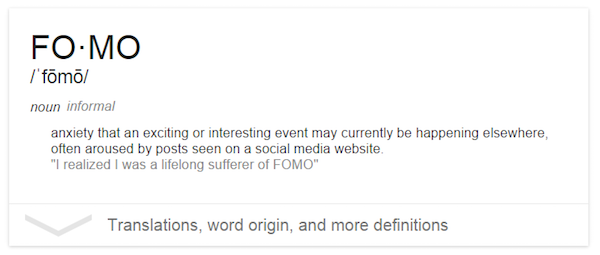
The fear of missing out is so common that it even has its own acronym: FOMO.
Given its link to social media, you might think that the fear of missing out is petty compared to our first two fears.
But do not underestimate FOMO’s audience-grabbing power.
Beneath its banal surface, FOMO is driven by what persuasion expert Robert Cialdini calls the principle of scarcity. Basically, the harder it is to get something, the more we want it.
When this want is coupled with the impression that other people — lots of other people or people you admire — are getting the thing you can’t, the fear of missing out goes into overdrive.
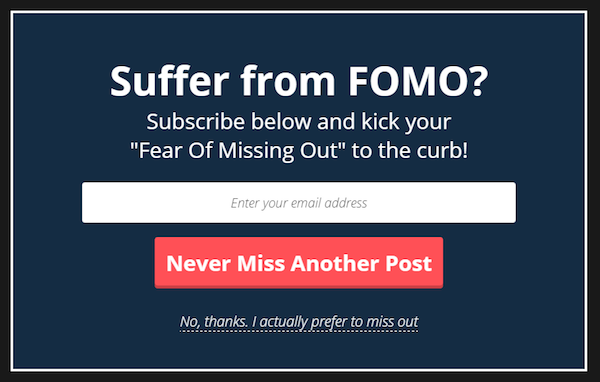
Naturally, FOMO works wonders when it comes to making offers and crafting opt-out buttons with “negative consequences”:
But how do you incorporate it into your blog post introductions?
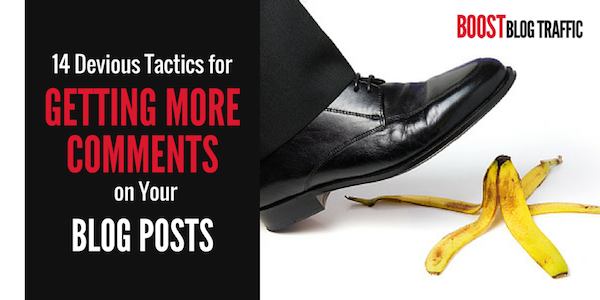
Article: 14 Devious Tactics for Getting More Comments on Your Blog Posts
Jon Morrow’s post opens with a congratulatory tone, and then turns the corner into what many might consider a shallow problem:
You have a lot to be proud of, you know.
Most folks who start a blog quit within a few weeks, their dreams of fame and glory crushed by a cold and uncaring world who doesn’t give a damn what they think.
But you?
You hung in there. You kept writing. You’re even managing to get a little bit of traffic.
And you’re pleased with your progress. Rightfully so.
The only problem:
You’re not getting many comments.
The issue isn’t glaring; it’s not life and death.
But it is incredibly frustrating — most notably because other people are succeeding.
And that’s exactly what Jon sketches next:
Sometimes a post collects one or two. Sometimes none. Occasionally, you strike a nerve and get a handful of readers to say something.
But never dozens or hundreds of comments like some of the big blogs.
Granted, you’re probably not getting anywhere close to the traffic they are, but you can’t help wondering…
Are you doing something wrong?
Is there some trick you’re missing?
And most importantly, what can you do to get more comments?
Well, let’s see if we can help you out.
Notice two things.
One, when dealing with the fear of missing out, getting nitty-gritty is paramount.
Two, once again putting words in your readers’ mouths — in this case, the questions behind their FOMO — not only hooks them, it functions perfectly as a segue into your solution to their fear.
4. The Fear of Not Knowing
Despite what you’ve heard, ignorance is not bliss.
In fact, not knowing is especially painful when it comes to being confused about existential questions like, “Who do I want to be?” as well as practical questions like, “What should I do next?”
With the former, we’re afraid of not knowing who we are… or even who we want to be. This lack of a personal foundation is precarious.
With the latter — “What’s next?” — we’re afraid of not knowing the path forward.
Together they form a terrifying and bewildering one-two punch.
Kevan Lee stresses just how dominant this fear is in How “I Don’t Know” Can Make You an Authority in Your Industry:
Psychologists call this impostor syndrome, and it applies to those of us who are unable to internalize accomplishments. Despite outward evidence that we’re great at what we do, we’re convinced that we’re frauds and undeserving of our place.
How do you deal with this fear? More importantly, how do you grab hold of a reader struggling with not knowing?
Article: 21 Posts That’ll Help You Decide What Type of Writer to Be
Just like Glen Long does, you should start with common ground:
You passionately want to be a “real” writer.
A writer whose work is an authentic expression of your true self.
Then turn toward the fear-inducing question mark holding your audience back:
The problem is, you feel disconnected from everything you write. It’s like you’re the ghostwriter on a project nobody commissioned.
And sometimes you wonder if you should just give up.
After all, if you were destined to be a writer, it wouldn’t be this hard, would it?
Glen gets right to the point: the feeling of confusion is palpable.
What’s unclear is the cause.
That’s why, next, he identifies the root issue:
But in truth, it just means you haven’t found your groove.
More specifically, you haven’t decided what kind of writer you want to be.
Quite often, your audience doesn’t know why they’re confused.
After all, that’s the nature of not knowing. They’re missing some vital piece to the puzzle, and this is where you get to not only leverage their fear but demystify it and move toward an answer.
5. The Fear of Obscurity
Growing up, none of us wanted to be picked last for kickball or, even worse, get forgotten on the playground after school.
As we get older, this fear of obscurity — of being forgotten — does nothing but intensify. As adults, we still dread the thought of being left out or left behind.
In truth, our fears grow as we do: we don’t just want to be invited, we want to make such a big impression that we’re remembered by others even after we’re gone.
Feeling obscure sucks, especially when that obscurity is holding us back from professional and financial success.
But it is profoundly universal. Even the most successful people fear being alone and feel more than a little insignificant now and again.
Here’s how Jon Morrow taps this universal fear.
Article: How to Be Unforgettable
Can I tell you my worst nightmare?
I’m lying in bed in a nursing home, sick and dying, gasping for breath, knowing that any minute now I’ll be passing into the great beyond. And I’m scared, really, really scared, because I’m all alone, and I don’t know what’s going to happen, and oh God, it hurts so much…
But then it stops. My body goes limp, my last breath rattles from my lungs, my bowels release, and the heart monitor beside the bed flat lines, loudly proclaiming the end of the great and mighty Jon Morrow.
Jon wastes no time getting to the meat of the matter.
To do that, he uses a strategy that works well for many other fears… but arguably best for obscurity.
Humans don’t remember numbers, facts, or statistics.
Data has little bite to it.
What we do remember are stories, the human element.
This article hits obscurity on the head by telling a very real, very human story right off the bat.
What’s more, it digs deep into the fear of being forgotten:
It’s not just dying, although that’s certainly gruesome. It’s being forgotten. Down deep, I believe all of us have a primal need to be remembered, to pass something on to future generations, to leave some mark on the world saying, “I was here.”
If we’re being honest, I think maybe that’s one of the reasons many of us start blogging. There’s something immensely comforting about knowing your thoughts are out there for the whole world to read. You could kick the bucket tomorrow, but your words will live on, teaching, inspiring, and taking root in the minds of readers for generations to come.
Not only does the article begin with a memorable story, Jon immediately clarifies exactly what the moral of the story is… what the reader is supposed to remember.
Being memorable yourself is the best and sneakiest way to reach an audience who themselves fear obscurity.
6. The Fear of Looking Stupid
Of all the fears we experience, looking stupid is relatively silly.
Whether you call it pride or ego, we all want to appear smart, not just in front of the people we admire but even in front our own inner critic. That fear takes shape in an all-too-common refrain: “Don’t publish this. It’s stupid. People might think you’re crazy.”
Even more than wanting to look like we have all the answers, we dread making mistakes.
Unfortunately, we are only human. We all make mistakes, and sometimes, they’re — yes — pretty stupid.
So how do you empathize with a reader who’s feeling dumb?
You start by letting them off the hook. But just a little.
Article: A Crash Course in Google Analytics for Anyone Who’s Sick of Feeling Like an Idiot
From the headline to the first subhead — “The Reason Most Bloggers Secretly Hate Google Analytics” — Casey Kluver focuses on feeling stupid.
Most bloggers hate Google Analytics.
Why? Because it makes them feel dumb.
Maybe you feel the same. You look at the dashboard with all of its tables and figures and charts and you don’t have the first clue what most of it means. You poke around for a few minutes hoping it will all suddenly become clear, then you just shrug and give up.
Let’s face it, you probably didn’t major in data science, and you probably don’t get excited about numbers or data — particularly when you can’t connect them to something you care about.
And there’s the free pass. We’re given, “Yes, it’s confusing, but it isn’t entirely your fault,” and that’s where you hook your reader. We don’t like feeling dumb, but we like it even less when our stupidity is our own fault.
After exposing our secret hatred, Casey goes after the real culprit: “Nothing is more mortifying than a stupid mistake you were entirely responsible for.”
The article then offers a life-preserver that’s meant to relieve the reader’s sense of stupidity.
All you need to do is get over that initial learning curve. And the best way to get comfortable with the tool is simply to start using it.
By first illustrating and then giving your reader a break about how stupid they’re feeling — notice, not how stupid they are — they’re far more likely to keep reading.
You see, while relentlessly driving the point home works well for some fears, giving your reader a hard time about their stupidity without cutting them some slack leads to alienation.
Lastly, when it comes to the fear of looking stupid, be sure to stress that you are or were in the same exact boat. That shared experience isn’t just another meaningful point of connection, it makes turning toward your solution feel authentic.
7. The Fear of Inadequacy
Inadequacy is a close relative to stupidity, but it’s a little sneakier.
Whereas the fear of looking stupid shouts, inadequacy whispers.
After all, when you’re feeling dumb, you usually know you’re feeling dumb.
When you’re worrying about inadequacy, though, it often shows up subtly through little internal comments about how you aren’t enough. The fear of inadequacy raises its head with a snide remark or a queasy uncertainty about your ability to handle the task before you.
As a writer, this means that connecting to your audience through their fear of inadequacy demands showing them exactly where they’re falling short.
Article: Are You Damaging Your Email List with These 11 Rookie Mistakes?
Paul Jarvis’s article begins by touching on inadequacy before the reader even sees the first word of the post. Right in the title, its whisper makes an appearance as a haunting question… and you should do the same.
Paul then drills down.
Bloggers are so used to being lectured on the importance of having an email list that it achieves a kind of magical status.
It’s almost as if creating an email list is an instant cure for all blogging ills.
But in truth, most bloggers make some embarrassingly basic mistakes with their lists.
Any one of those mistakes could seriously damage your ability to grow your list.
Make a few of them, and you might as well not have a list at all.
The risk that the reader is inadequate is becoming real and tangible.
So let’s call out these rookie mistakes, one by one. Because when you know them, you can avoid them a hell of a lot easier.
Immediately, the article turns to address what causes inadequacy, and this is exactly what readers secretly seeking to feel adequate are after.
Next, they want a solution to their fear. And so the article goes on to list clear, specific things that cause inadequacy, and more importantly, how not to be inadequate.
But too many bloggers think getting into email simply means slapping a sign-up form in their sidebar and funneling their latest posts straight to their list.
It’s never that simple.
By avoiding the rookie mistakes laid out in this post, you can get your list working for you and start reaping the rewards you keep hearing about from other bloggers.
So choose a mistake to fix today. Fix another one tomorrow.
And before long, you’ll be the one raving on and on about the importance of email.
8. The Fear of Embarrassment
For all its apparent shallowness, the fear of embarrassment is a powerful motivator.
Embarrassment has similar roots to stupidity and inadequacy. It revolves around not wanting to look bad in front of others or feel bad about ourselves.
Embarrassment is the first internal blush we experience before the full public onslaught of humiliation and shame.
It makes us want to hide, withdraw, or never stick our necks out in the first place.
And this is precisely what gives embarrassment its power to hook.
It’s a precursor. It’s the thought, “I hope nobody ever finds out.”
Leaning on the fear of embarrassment is especially helpful when you’re writing about topics that have to do with appearance. But don’t limit yourself just to physical appearance. Embarrassment holds people back whenever they’re about to take something private and put it out there: a new post, a new website, a new social account, a new product feature, a new… you get the idea.
By outing that internal fear and what’s driving it, you form an emotional bond with your audience, one that’s incredibly intimate.
Article: Why Your Site Gets Such Pitiful Traffic (and What to Do about It)
What are you doing wrong?
The truth:
Probably a lot.
It doesn’t take much to strike the embarrassment chord. According to this post of Jon Morrow’s, not only is the reader doing something wrong, they’re doing a lot wrong.
The article creates the feeling that its reader is a real rookie, like they’re fumbling… and pretty soon everyone else is going to know.
Beginners make mistakes. Just a part of life.
The good news?
You know that darkness you’re stumbling around in? Well, I’m going to turn on the light.
Nobody in the world has the power to make all the obstacles disappear, but I can at least help you see what you’re tripping over. Some of the mistakes you’re making might surprise you.
If you’re not getting the traffic you think you should be, the following are 10 of the most common reasons why:
After starting with embarrassment, Jon turns around and gently nudges the reader in the right direction.
This is an excellent way to use embarrassment, as a lead into encouragement, a way into a solution.
But the embarrassment isn’t over:
When you want to write a post, do you just sit down and start writing?
Big mistake. Here’s why:
When you want to learn how to play the guitar, do you just sit down and start plucking strings until a song comes out?
Jon asks a leading question and his answer is both blunt and unexpected. So we keep reading, surprised and now more than a little embarrassed we’ve been so foolish.
However, he’s not done yet.
MY GOD. WHAT WERE YOU THINKING?!
*strangles you across the Internet*
Quick, before you do anything else, go read these posts:
It seems a lot like tough love, and it absolutely is.
Tone like this is hard to master, but Jon walks the line between embarrassing his audience – exposing their weaknesses — and insulting them.
Naturally, you want your audience to feel a little silly, maybe even a little bad. But don’t go too far.
To use the fear of embarrassment effectively, don’t overstep your boundaries (unless your audience comes to you specifically for written reprimanding). Instead, emphasize and play on how silly we can all be sometimes.
9. The Fear of Being Boring
With all the incredible content that’s immediately accessible to us, today’s reader has absolutely no patience for boredom.
Of all the fears so far, boredom — both being bored and being boring — is the most “first world.” After all, boredom requires a measure of safety and comfort.
However, whether or not we have a right to fear boredom doesn’t matter: it still happens… and we’d do anything to avoid it.
Don’t get me wrong. To infuse boredom itself into your post is a terrible idea.
Directly addressing the fear of boredom, though, is how you show your empathy with bored readers.
Article: 6 Quick Tricks to Transform Crappy Ideas into Gleaming Nuggets of Undeniable Genius
Glen Long goes right for the fear-of-being-boring jugular:
It’s a deeply troubling thought, isn’t it?
That even your best ideas might be a little… ordinary.
Particularly if you dream of online success. The Internet hates ordinary.
Actually, scratch that; the Internet totally ignores ordinary. It doesn’t even register on the chart.
So naturally, you feel envious when other writers get noticed with ideas that aren’t ordinary at all.
Surprisingly, the antidote for boredom isn’t found where most people look:
When you read a piece of writing that has a great idea at its heart, you can easily imagine that the concept popped spontaneously into the author’s mind, perfectly formed.
But most of the time, that’s not how the creative process works.
Great ideas don’t simply appear, like unicorns stepping out of the mist; they start out crappy, then evolve.
What’s really great about this post (apart from the wonderful imagery) is how it addresses the mundane versus the extraordinary.
It starts with a fundamental misconception about unboring ideas, and then reveals the truth.
Hardly a boring topic.
What’s more, the language isn’t boring either. Quite the opposite — it’s vivid, interesting, and driven by metaphors.
The search for great ideas is like any creative process — it’s a journey from where you are now, to where you need to be.
And if you wait for the perfect idea to present itself on a silver platter, you could waste a ton of time.
So instead, start with an idea that has a kernel of merit, even if it’s been explored by others countless times before, and make it the starting point for something great.
Boredom is like dirty snow after a long, bitter February or the cobwebs before spring cleaning.
To use the fear of being boring, you have to find the cobwebs, and then break out the broom and feather duster.
In other words, colorful language and vivid imagery are not only perfect ways to illustrate boredom and its traffic-killing dangers, they’re also the antidote to address it.
10. The Fear of Pain
Our last fear is a doozy: pain.
And not just any pain… agonizing pain; pain at its absolute limit.
Writing about pain is difficult.
Pain is uncomfortable. We don’t want to be in pain, and we definitely don’t want to be in so much pain we turn to words like “unbearable” to describe it.
That means if you’re going to evoke the fear of pain, your words had better have the same impact as a Mack truck.
Article: Suicide, Shame, and the Painful Truth about Accomplishing Your Goals
Waves of pain unimaginable shot down my spine, causing every muscle in my body to contract as if I’d been shocked with 20,000 volts of electricity. My back arched up at an unnatural angle. My arms and legs began to shake.
No wasted words here. No useless detail.
Every syllable of Jon Morrow’s creates a visceral picture of what this agony must have felt like. The pain was “unimaginable,” but you can’t help but imagine it… even if you don’t want to.
For the next several minutes, I just sat there, quivering and trying to catch my breath as waves of pain continued up and down my spine. Eventually, the pain receded somewhat, and I wiggled the mouse back up to the “Mute” button again.
“Sorry folks,” I said. “Looks like GoToWebinar is having some technical difficulties. Can everyone hear me now?”
They said they could. We finished the webinar. Immediately afterward, I went to bed and stayed there for the next 16 hours.
And the worst part?
It was a normal day. I’d nearly collapsed on several webinars, not just that one. You might’ve even been on one of them.
Part of me worried if I was about to die. Another part hoped I would, just to be free of the pain.
I was at the end of my rope. One way or another, things were about to change.
The contrast between the inner feelings and the outer appearance is equally uncomfortable to consider.
But the pain train doesn’t stop there:
Suffice it to say that it hurt. Bad.
Not just every now and again, either. I was in pain 24 hours a day, seven days a week.
And it was like kryptonite.
Where I used to have endless energy, I struggled just to stay alert for a few hours each day. Where I used to always be the smartest guy in the room, I went through the day feeling cloudy and confused. Where I used to have unshakable confidence, I was now afraid to get on the phone with a client for fear of falling apart in front of them.
Pay attention to the use of contrast. Before it was inner versus outer; this time it’s between the past and the present.
That’s one of the places pain’s power lies: the enormous gulf between how things should be and the way they are.
Exploiting the fear of pain and using it to connect with your readers takes vulnerability and honesty. It means exposing your own darkest moments and dragging them – in all their gory glory — out into the light of day.
It also takes time.
This is easily one of the longest introductions in Boost Blog Traffic’s history.
In fact, Jon doesn’t even mention blogging until he’s dragged you through 1,512 excruciating words tied together with subheads like “On suicide,” “On shame,” and “The painful truth about accomplishing your goals.”
Stoke Your Reader’s Fears and They Won’t Dare Look Away
The world of online writing is a scary place. And click bait – crafting an irresistible headline with zero follow-through to back it up – is the one unforgivable sin.
And yet, overcoming the urge to produce click bait as well as overcoming your fears both lie not in running from your fears, but embracing them.
Your fears are the most powerful, empathy-producing, audience-grabbing resource at your disposal.
Fear isn’t your enemy. It’s your ally, especially when it comes to your post’s introduction.
Take hold of your fears. Call them out by name. Unearth each one in all its unholy, detailed brilliance.
In other words, use them… unless, of course, you’re scared.