Showing posts with label Pinterest. Show all posts

Saturday, 23 April 2016

11 Tips on How to Optimise Pinterest Pins for SEO

Pinterest has evolved during the past few years from a trending social network to a powerful visual search engine, and as with any other search engine, you can optimise your presence to be discovered by other users.
With more than 100 million users who keep searching and pinning new content depending on their interests,Pinterest is probably an underrated platform, when it comes to its searching capability and the traffic it can drive to your site.
However, in order to create a successful profile on Pinterest, you need to make sure that your pins are easily discovered from other users and that’s when SEO optimisation for Pinterest is required.
Yes, there is SEO optimisation for Pinterest and it’s not as complex as it sounds.
Pinterest is not about quick return-on-investment, and you may be surprised about its evergreen value, so it’s time to start optimising your presence and help other Pinterest users discover your pins through searching.
Here’s a list of the tweaks that could improve your Pinterest presence:

11 tips to boost your SEO on Pinterest

1. Optimise profile

Before you even start pinning, you can tweak your profile and pick the right username. You can change it through your settings and use one that reflects your presence and the way you want to be discovered. The URL will serve as your keyword, so make sure you pick a clear, direct and memorable username.

How to optimise your profile on Pinterest

This also applies to your actual profile name, as it will serve as your identity on the platform.

2. Optimise boards

Your boards should be appealing and neatly organised, emphasising both on the titles, but also on the images of the boards.
Adore Me decided to create an interesting Pinterest presence by paying attention to the details, being playful both with the titles and the images.
From an SEO perspective, it is important to think like a user when picking a board’s title and name it the way it would be searched. Yes, a clever and funny title is great, but if you want to improve your pins’ ranking, you need to optimise the titles in a way that they can be discovered by other users.
Still, you don’t have to strictly focus on the use of keywords, feel free to mix creativity with effectiveness.
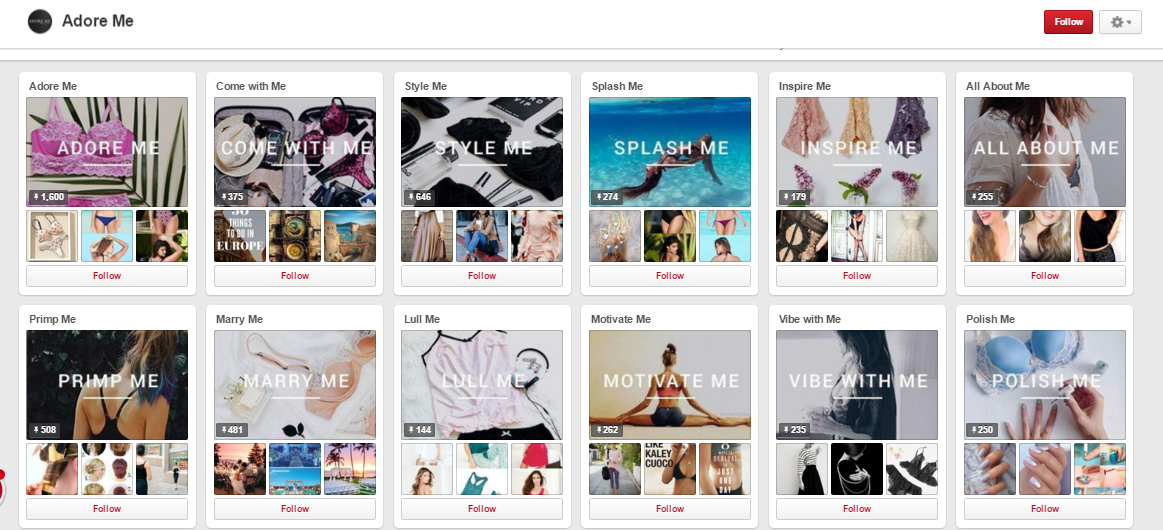
How Adore Me uses Pinterest

Nordstrom, for example, has a very successful presence on Pinterest, and heavily relied on the right optimisation to measure significant traffic from its pins.
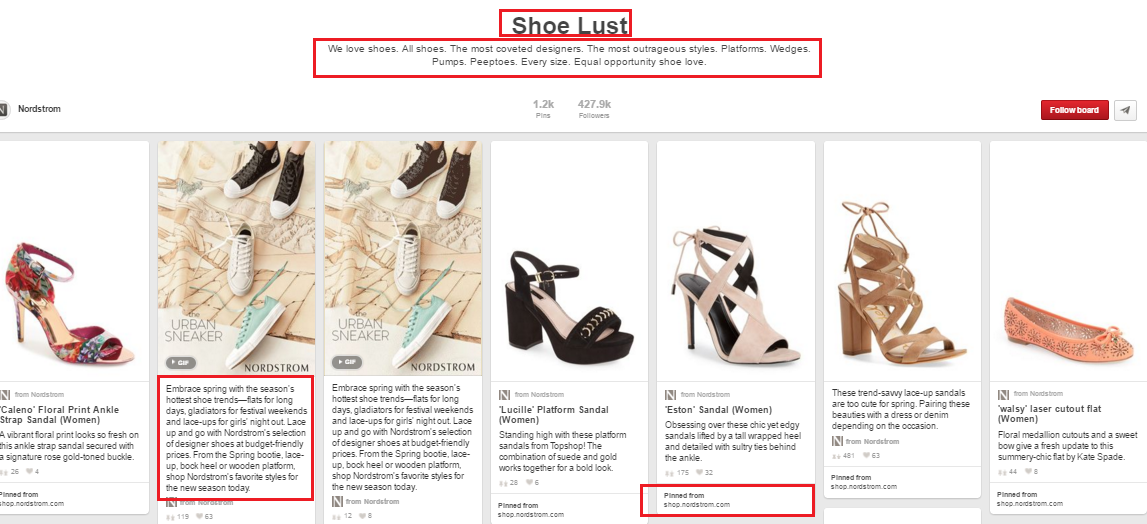
How to optimise your Pinterest boards for SEO reasons

3. Optimise pins

Every pin is the representation of your profile, which means that you need to optimise it as much as possible. Don’t be afraid to be descriptive, as this will help the search engine to discover your pins.
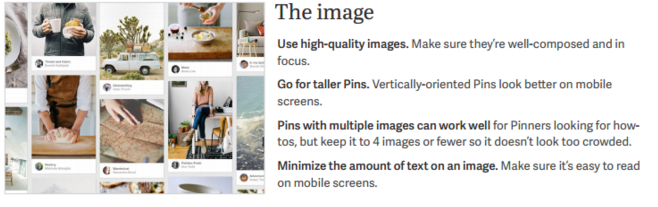
How appealing images improve your Pinterest presence
Image: Pinterest

4. Focus on descriptions

Not every user spends the right amount of time on the description of a pin and this ultimately affects the chances of having it repinned.
Pinterest favours the pins that provide a specific and thoughtful description, one that helps the users find the image they are looking for when performing a search. Add all the details that describe your image and create a natural flow of text that will favor your pin’s discovery towards others.
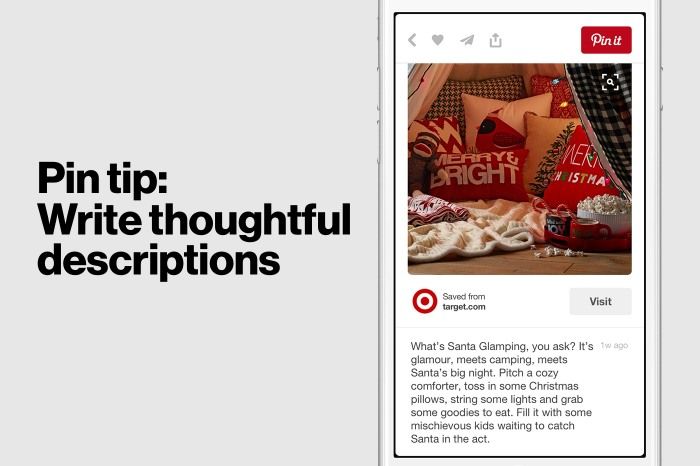
TIP: Always write thoughtful descriptions on Pinterest

Image: Pinterest

5. Avoid hashtags

When Pinterest created a guide on how to use the platform for your business, it mentioned among others:
Don’t just drop in keywords or hashtags. The description is an important part of captivating Pinners. Set a scene that incorporates the right search words, and you’ll help Pinners imagine themselves with your Pin.
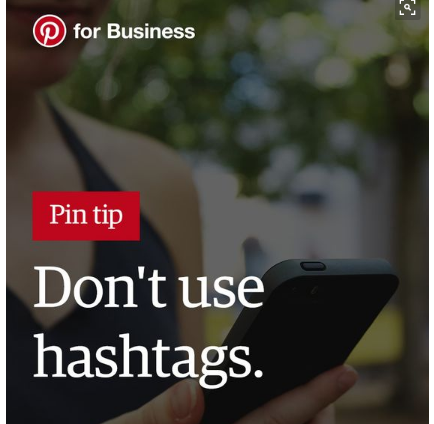
Tip #5: There's no use to add hashtags on Pinterest without context
On a ‘hashtagging’ scale from Facebook to Instagram, Pinterest is probably in between, as hashtags are not completely useless, but they are also not necessary to extend the reach of your pins.

6. Do keyword research

The best way to find the right keywords for your pins is to actually perform extended searches on your own. Try out how Pinterest searching works, which results show up first, how Pinterest organises the pins, the boards and the pinners in order to start understanding the platform at a deeper level.
Which keywords does the automatic suggestion bring together? Which keywords are relevant to your pins?
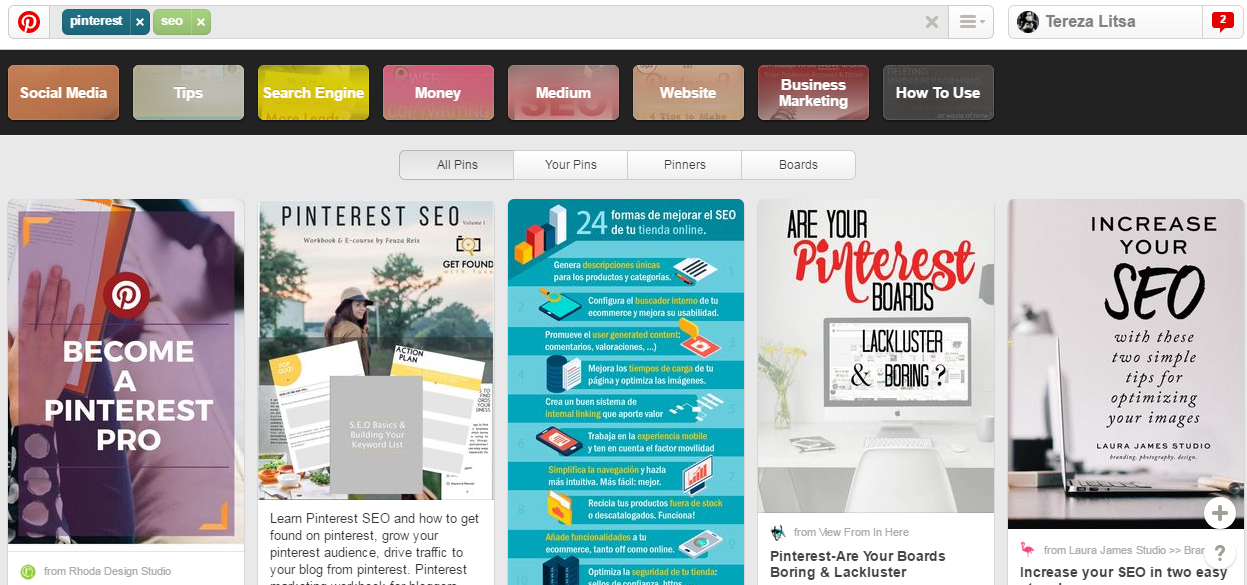
How to use Pinterest for SEO optimisation

Except for the desktop search, it might be a good idea to try out Pinterest’s mobile version, as there’s an increasing number of the audience using mobile searching for the sake of convenience.
As more than 75% of Pinterest usage takes places on phones and tablets, it’s important to understand the differences between the desktop and the mobile search, with Pinterest trying to make the mobile platform as functional as possible.
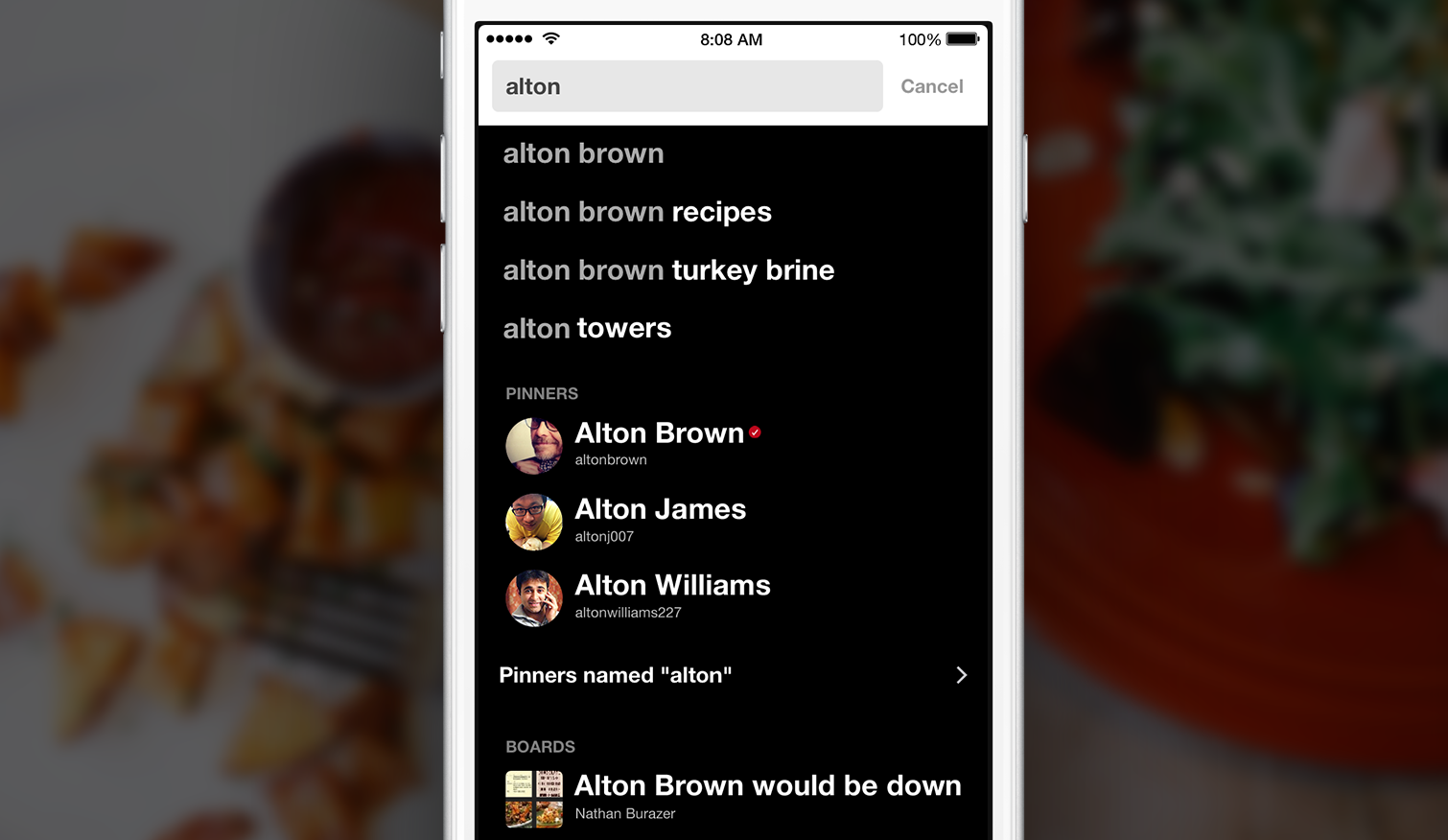
Pinterest mobile search for SEO optimisation

Image: Pinterest

Analysing Pinterest keywords

If you’d like to analyse the performance of specific keywords on Pinterest, then you can use Google, following this  formula:
site: www.pinterest.com “keyword”
This way you can analyse the most popular pins according to their search ranking and use the results to improve the optimisation of your own keywords.
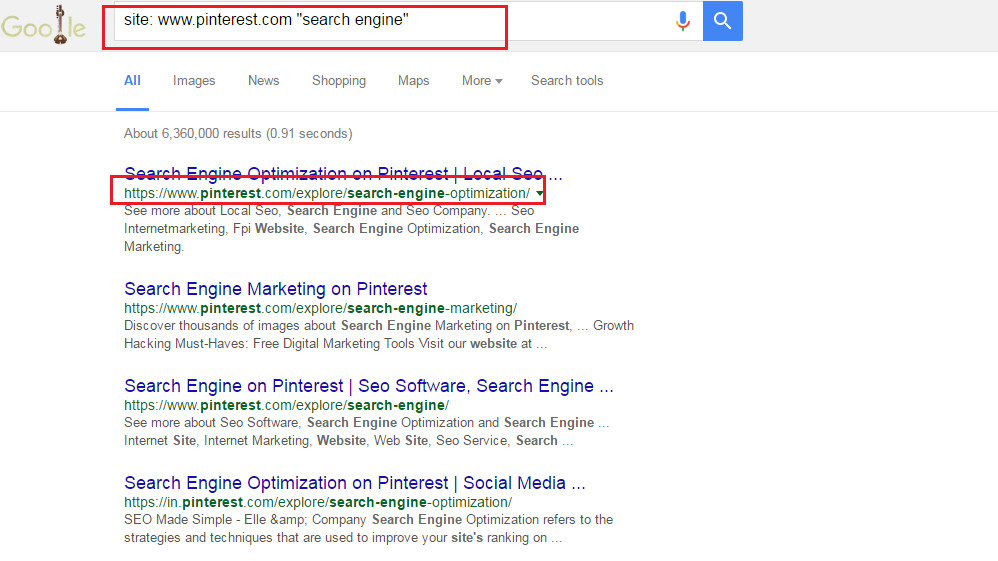
How to analyse Pinterest keywords for SEO optimisation

How to find who pins from your site

If you want to understand how pinners pin your content directly from your site, then all you need to do is use the url:
http://www.pinterest.com/source/[yoursite]
This is an easy way to understand what Pinterest users like pinning from your own content, but also the way it ranks in Pinterest’s platform.
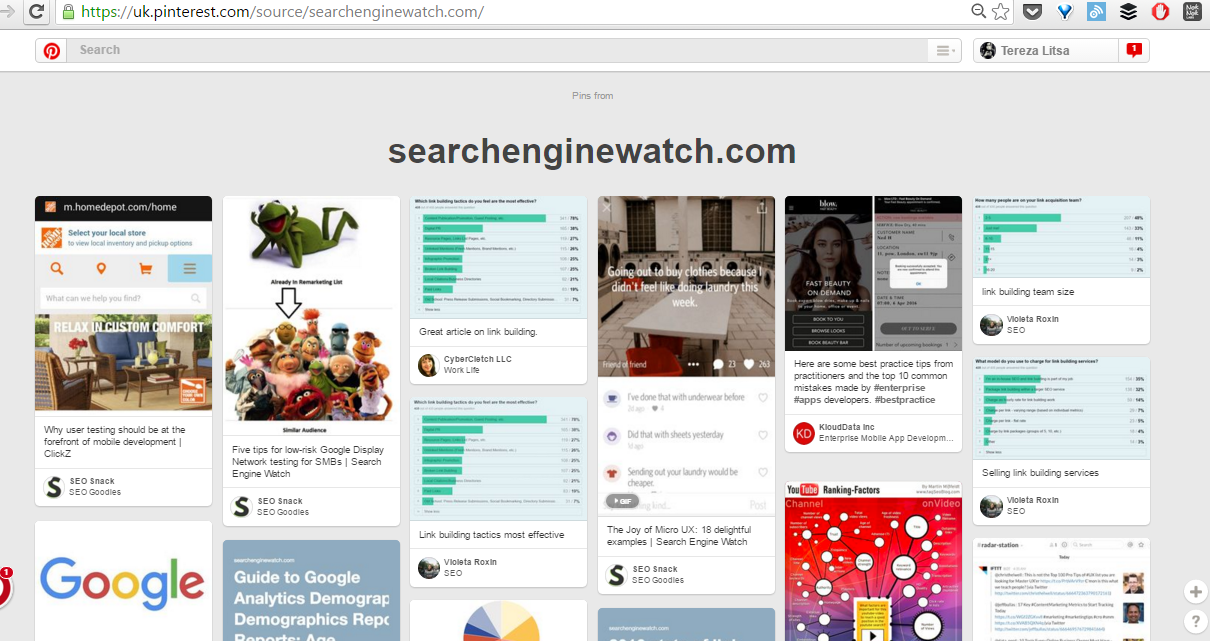
How to find who pins on Pinterest from your site

Analysing Pinterest’s referral traffic

Pinterest is among the social networks that may drive great referral traffic to your site, so it’s useful to measure the pages that attracted the biggest traffic, examining how pinners reached your page and whether you can further optimise the most popular pins, or even to upgrade your content with new posts.
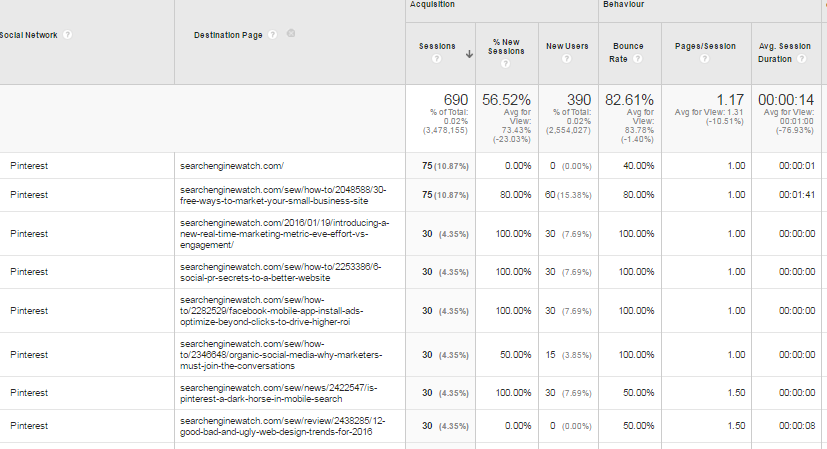
Using Google Analytics to spot the most popular pins and their referral traffic

7. Use rich pins

Rich pins are the enhanced version of the regular pins, providing more information about a pin. They can be used in six contexts (app, movie, recipe, article, product and place) and their effectiveness is significantly better than usual pins.
Whether it’s providing the price of the product, a full-recipe, or an article, rich pins tend to perform better in the search ranking and they are highly recommended if your presence can benefit from them.
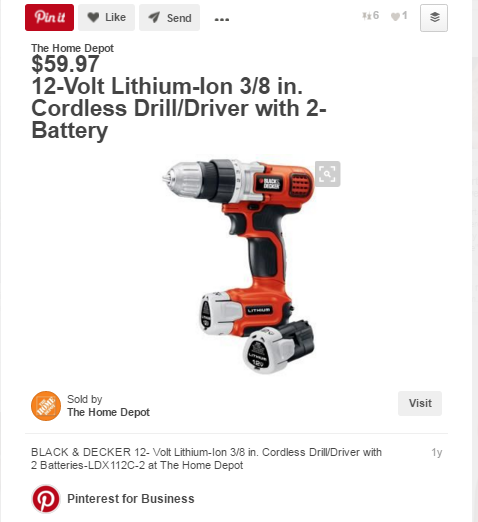
How rich pins boost your Pinterest presence
For example, About.com noted an increase of 70% on its traffic back to the site with the use of rich pins.
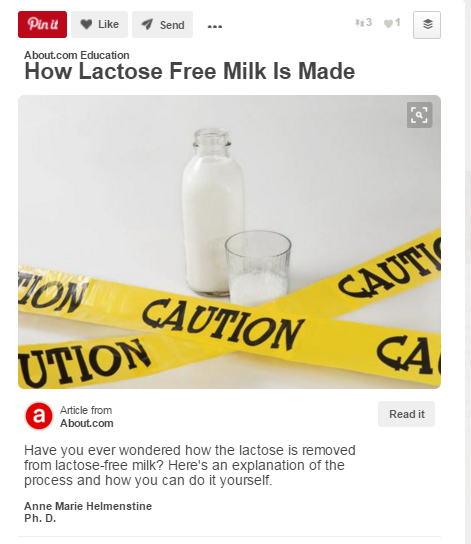
About.com saw impressive success with rich pins, how about you?

8. Verify website

Popsugar Fashion is among the websites that got verified

A verified website seems to be prioritised on the search results above the rest, increasing the pinner’s authority and eventually the ranking on the searches.
What’s more, the verification of your website on Pinterest allows you to access further details on your account in Pinterest Analytics, helping you understand the performance of your presence, from your most popular pins, to an analysis of your audience.
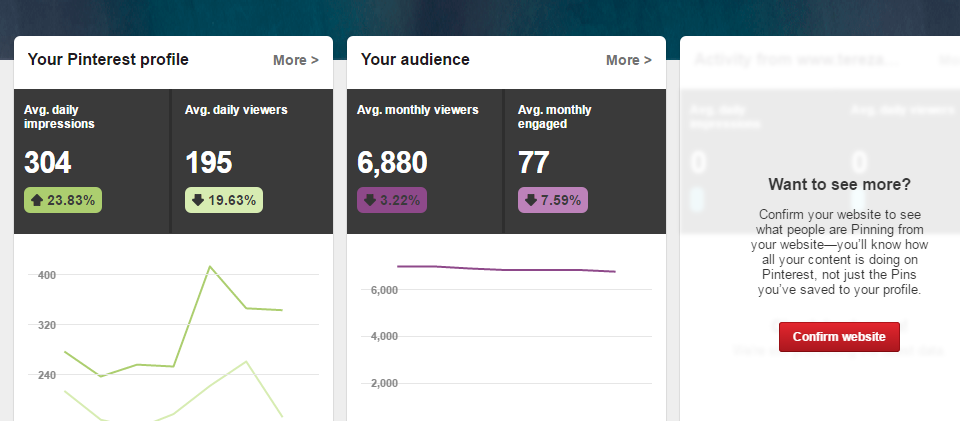
Pinterest analytics provide you useful insights on your pins' performance

9. Pin consistently

Pinterest is all about consistency. You don’t have to be obsessed with it, or look like a spam account, but you need to incorporate it in your content calendar and pin appealing content several times during the week.
What’s more, content curation is also important, which means that except for the content creation, you also need to spend the necessary amount of time to spot popular pins and users in your niche area, in order to repin what’s relevant to your audience (and the boards you want to create).
Remember, Pinterest is ideal for the circulation of evergreen content and this highlights even more the need to focus on relevance and quality.
Pins provide great value and long-term return on investment
Image: Pinterest

10. Focus on quality

Every image you’re pinning should aim to stand out from the rest, always while maintaining its relevance.
Quality is rewarded with better ranking in the search results and thus, with repins and traffic to your site. Pinterest users may not notice your description, but they certainly pay attention to the image and this means that every pin should be clear, have the right size (ideally at least 600 pixels wide), and balance the actual image with text overlays if needed to provide more context..
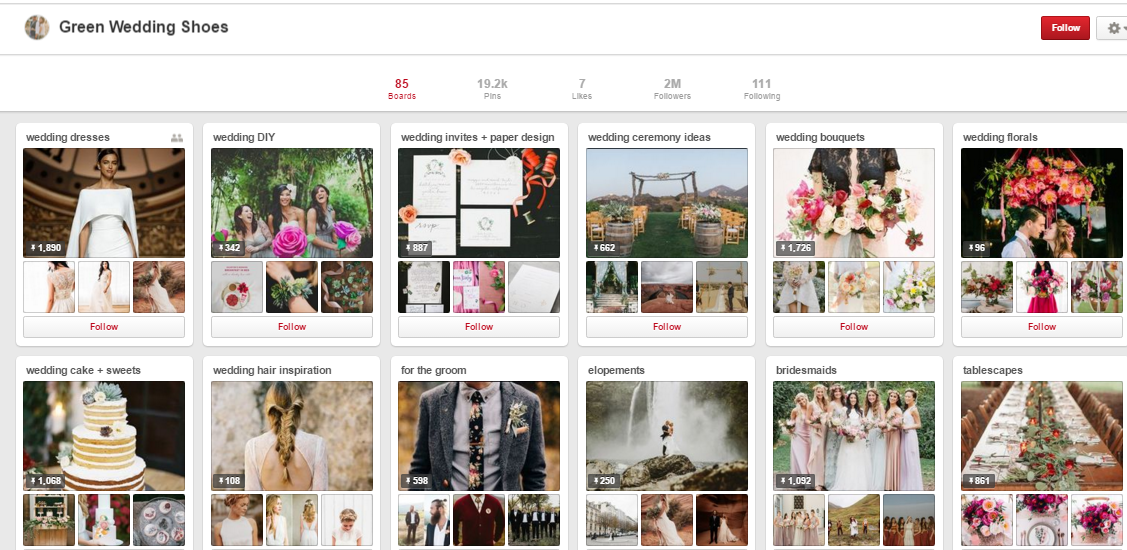
Always use high quality images on your Pinterest presence.
11. Pin vertical images

Every image can be pinned on Pinterest, but vertical images have more chances to be noticed, as they occupy more space in the feed.
What’s more, vertical pins are ideal for mobile devices, which brings us back to the importance of creating pins that are highly optimised for Pinterest’s mobile version.
An ideal size of a vertical pin should be close to 736px by 2000px, in order to take up the necessary space in the feed, but also to provide the necessary details when clicked.

Did you know: vertical images perform better on Pinterest's mobile searches.

Finally, here’s how a Pinterest pin of all the tips could look like, taking into consideration what we mentioned above:
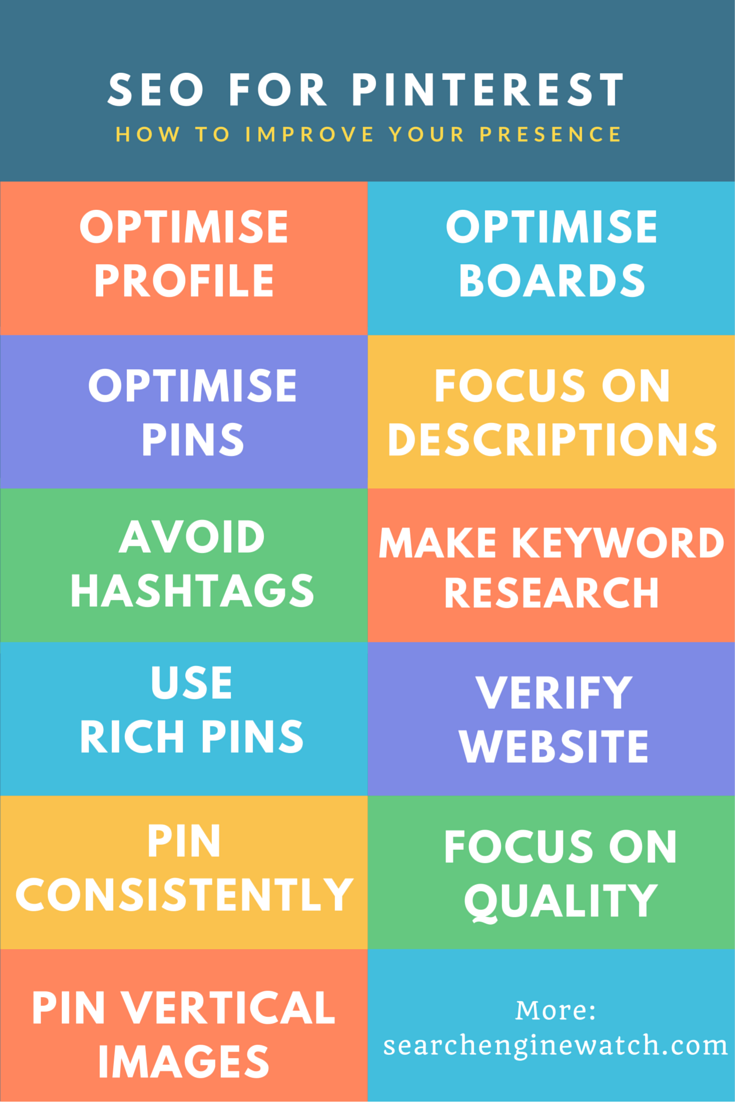
11 tips on how to optimise Pinterest pins for SEO
To view the original article Click Here

Wednesday, 23 March 2016

3 Things You Should Know About Pinterest According to an Expert

Pinterest is that magical corner of the web where we go for inspiration, ideas, planning, and a fair amount of good ol’ fashioned digital hoarding (or is that last one just me?).
But what you may not have realized is that Pinterest is about a lot more than wedding planning, DIY, and recipes. Pinterest is home to an astonishing array of content of different types (you can Pin GIFs, videos, geolocated Pins, and more) covering a variety of topics and industries. Brands that you wouldn’t think of as Pinterest-friendly—like Bank of America—are increasingly getting into the game and they’re doing an excellent job.
What’s the draw you might ask? In many cases, it’s longevity. Pins have a long-tail effect not seen on other social media. While a Tweet has a half-life of only 24 minutes, and a Facebook post lasts about 90 minutes, Pins have a half-life of 151,200 minutes.
In a Pinterest case study about BuzzFeed, the media site’s VP of growth and data explained: “Pinterest is BuzzFeed’s second largest social network referrer. It also has a much longer life cycle than other social networks, often driving traffic to posts months after publication. In fact, more than half of BuzzFeed’s traffic from Pinterest goes to posts published more than two months ago.”
Pinterest is the great (somewhat) untapped traffic driver of the web. Still not convinced? Check out these stats:
  • The average Pin is Repinned 11 times.
  • More than one-third of Pinterest users choose Pinterest over Google search.
  • Two-thirds of all Pins are from a business’ website.
  • Pinterest is the No. 2 source of social media traffic to Shopify stores.
  • People referred by Pinterest are 10 percent more likely to make a purchase on e-commerce sites than users of other social networks.
  • Pinners spend twice as much as users referred by Facebook.
  • In the past six months, 93 percent of Pinners shopped online.
  • Nearly 2 million people Pin rich product Pins every day.
  • The site serves more than 1.5 trillion recommendations annually.
  • More than 14 million articles are Pinned daily.
  • And, in case you’re concerned that you can only reach women on Pinterest—one-third of sign-ups are men.
Peg Fitzpatrick, social media marketing professional and co-author of The Art of Social Media: Power Tips for Power Users, joined us for a #HootChat all about Pinterest—how brands can optimize their website for Pinning, become power Pinners, and use Pinterest to drive traffic.

3 insights about Pinterest from Peg Fitzpatrick

1. Good imagery and thoughtful descriptions are key to searchability

3 Things You Should Know About Pinterest According to an Expert | Hootsuite Blog
“Pinterest is the place to showcase your products and help people discover your brand with visuals,” wrote Fitzpatrick in a series of Tweets. “Beautiful Pins should tell the story of your product or idea… Engaging pins have fantastic images that are high quality and well-composed… If you’re just starting on Pinterest, make sure to set your Boards and Pins up with keywords and good descriptions… Inspire people to Repin and click through.”
While it’s true that all social media is becoming increasingly visual, Pinterest has been that way right from the very beginning. It’s a highly visual platform on which aesthetics alone can make or break your strategy.
Arguably, the single most important element of any Pin is the image. That means crisp, eye-catching, high-quality images are critical. And not just any kind of image either. Unlike Twitter, vertical (portrait-style) images work best on Pinterest because they make the best use of real estate on the platform and are far more eye-catching than horizontal (landscape) images. Fitzpatrick says she uses images that are 735 x 1,102 pixels (though you can test to find the optimal size for your brand).
But you don’t have to stop with a nice picture. The addition of clear, concise, and value prop-focused text (i.e. what Pinners get if they click) can work wonders for your Pins. Keep in mind that Fitzpatrick cautions against including a CTA on the image itself.
Let’s say you wrote a blog post about how to create DIY wall art. You could simply Pin a picture of the piece of art (or one of the steps) and leave it at that. But imagine instead that you add a little text to the image, like “How to Create DIY Wall Art for Less than $10.” Now Pinners know what your Pin promises without even having to look at the description. Which one do you think Pinners would be more likely to click? You could even take things one step further and create an image collage featuring the necessary materials for the project, or even a few of the steps, alongside the finished product. Which one would you click on? Which one would you want to save for later?
Good images is key on Pinterest, but the image isn’t all that matters. Your Pin’s description is crucial to its overall searchability.
Fitzpatrick offers the following tips on how to craft good Pin descriptions:
  • Skip the jargon and stick to user-friendly language.
  • Include keywords in your description text. Think about the terms people might search to find your content and aim to work them in. Just be careful to avoid keyword stuffing.
  • Provide answers and ideas. Make sure the information is helpful, minimal, and appealing.
  • Don’t be too salesy.
  • Above all, use the description to tell people what they can learn from your Pin. Inspire them.
3 Things You Should Know About Pinterest According to an Expert | Hootsuite Blog
Image via Canva
You can also consider including a call to action (CTA) in your Pin description. According toQuicksprout, “there is an 80 percent increase in engagement for Pins that contain a call to action.”
Fitzpatrick listed a few options for simple Pin CTAs on her blog:
  • Share this post
  • Pin it for later
  • Click here for your free download
  • Register today
  • RSVP here
  • Sign up here
As you choose your images and craft your descriptions, keep in mind how your Pins will look on a mobile device and aim to make things as mobile-friendly as possible. More than75 percent of Pinterest usage takes place on mobile devices, such as phones and tablets. Fitzpatrick offers tips on how to optimize Pins for mobile on her blog.

2. Optimizing your website for Pinterest is crucial

3 Things You Should Know About Pinterest According to an Expert | Hootsuite Blog
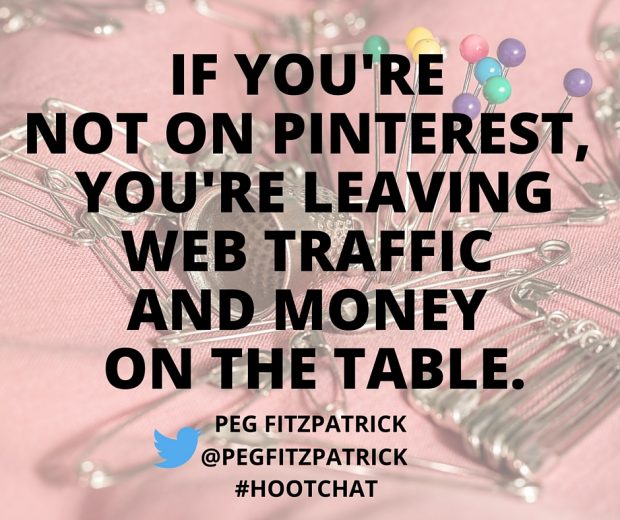
“Pinterest should be part of your marketing mix if you have a blog, product, or service,” wrote Fitzpatrick in a series of Tweets. “If you’re not on Pinterest, you’re leaving web traffic and money on the table… The biggest mistake is not having great images on your website for people to pin… Having a Pinterest-friendly website with a Pin-it button and great images is essential.”
There are a variety of things you can do to optimize your website for Pinterest. Fitzpatrick offers a few suggestions for brands:
  • Add the Pinterest “Follow” button to your website.
  • Install the “Pin It’ button to make it easy for visitors to your site to Pin content.
  • Create an optimized, Pinnable image for every post you publish.
  • Use Rich Pins to add metadata to your Pins.
  • Use Pinterest Widgets to embed Pins, Boards, or your profile in your content or your site.
It’s also important to keep in mind that that metadata you include in the media you upload to your website can affect its Pinnability. For example, if you write a blog post that includes an image, you’ll want to ensure that the description field for the image has text that you’d want included in a Pin description. If a Pinner uses the Pinterest bookmark to Pin the post, the metadata will pre-populate in the Pin, so it’s important to make sure it says what you want people to know about the image, post, or page. While it’s possible for Pinners to change this text, many won’t, so it’s important to ensure that the content on your website is optimized for visiting Pinners.
Fitzpatrick has shared tips on how Pinterest can help your blog and how to market on Pinterest for profit on her blog.

3. Always be Pinning

3 Things You Should Know About Pinterest According to an Expert | Hootsuite Blog
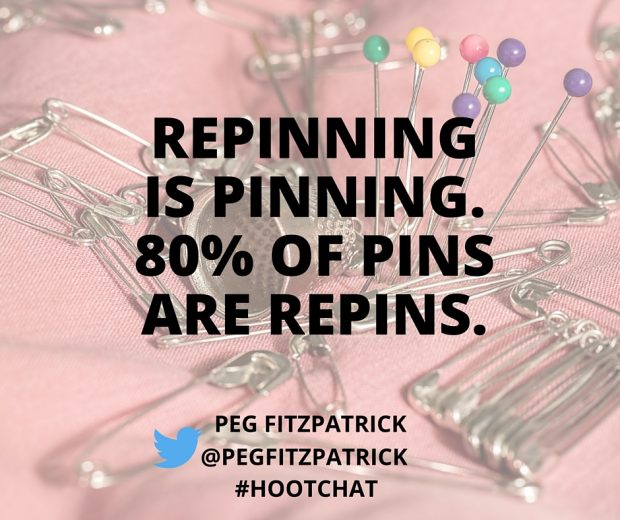
“ABP: Always Be Pinning,” wrote Fitzpatrick in a series of Tweets. “You should pin on a regular basis. Pinning every day is great. It helps keep your account fresh… Also make sure to Pin content from other people, not just your own brand… Repinning is Pinning—80 percent of Pins are Repins on Pinterest… If you want to do really well, Pin 10 to 15 things per day. Power Pinners Pin much more!”
According to Pew Research Center, only 17 percent of Pinterest users visit the site daily (including the nine percent who visit the site multiple times per day). Meanwhile, 29 percent of users say they visit the site weekly and 52 percent say they visit less often. While Pinterest users may not visit the site as often as they do Facebook (70 percent visit daily), when Pinterest users do log on to Pinterest, they’re highly engaged with the content.
Because of how the platform is used, brands should post to Pinterest more often than for most of their other social media platforms. Experts agree that five Pins per day is a good minimum, though many recommend brands post more frequently than that.
Susan Wenner Jackson wrote some advice on timing for the Ahalogy blog: “Publish 15 to 20 Pins daily to reach the Pinterest community at optimal times for the specific types of content you’re Pinning. Variety creates a better experience for the Pinterest community. And remember, people are on Pinterest at different times, so this gives you the best chance to reach more of your followers.”
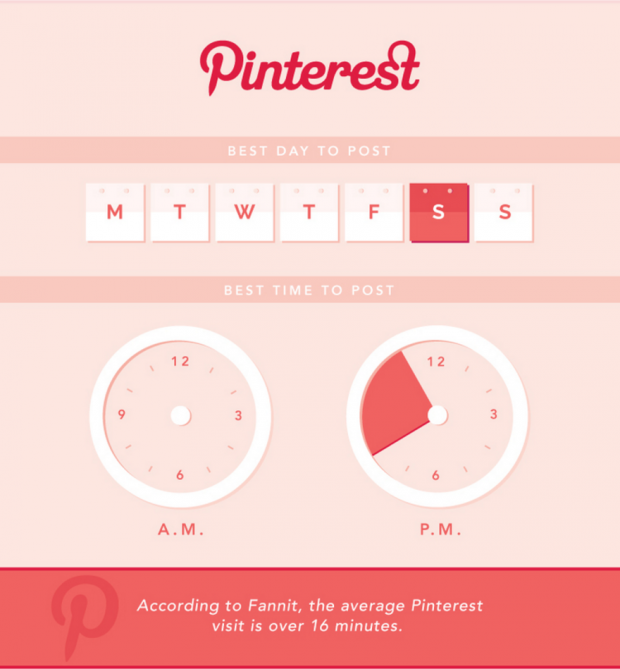
As with other channels, the time of day can also play an important role in the success of your posts. Content on Pinterest tends to do best in the afternoons and evenings, when most users log on to the platform.
3 Things You Should Know About Pinterest According to an Expert | Hootsuite Blog
Image via Social Media Today
Like any of your other social media channels, you can save time managing your Pinterest presence by scheduling content. Fitzpatrick shares: “My Pinterest secret weapon is Tailwind. I use it to schedule out great content and love their enhanced analytics.” She added that Tailwind makes it “easy to schedule Pins, create a schedule based on recommended times in the tool, and recommendations to make my Pinterest boards better.”
If you have anything to add please do so in the comments below. 
To view the original article Click Here

Friday, 29 January 2016

Why Pinterest Matters (Infographic)

Most e-commerce brands are still trying to figure out the magic recipe for web conversions and brand awareness on social media. Pinterest makes it easy, constantly innovating with features like visual search and helping brands big and small slim the gap between product awareness and purchase point with buyable pins. 
As Pinterest continues to roll out features to help brands optimize engagement, web traffic, and purchases, it should be no mystery why your brand should grow its presence on the platform — but if you’re still wondering, check out the infographic below, care of our friends over at WebpageFX. 
why-pinterest-matters-infographic
To view the original article Click Here
Sunday, 10 January 2016

4 Ways to Optimize Pinterest Content for Engagement and SEO

Are you making the most out of Pinterest? Sure, you have a presence there, but are your Pins the most appealing they could be visually? Are they being re-Pinned to boards that help or hurt your brand? Is your Pinterest profile as strong as it should be from an SEO perspective?
These are big questions that you might not be asking yourself, but that can go a long way towards boosting your Pinterest endeavors, web conversions, and, ultimately, purchases.

Optimize by Color
Optimizing your Pins by color is easy if you have the right tool. For instance, our new Pinterest Channel Report can tell you which colors in your Pins get you the most engagement in sum, and also engagement per Pin.
BRAND PINS BY DOMINANT COLOR
This kind of insight can help you optimize speedily, especially if you’re creating content specifically for Pinterest.
What You Should Do: Understand which colors work best for your Pins, then plan a suite of Pinterest content using that color as a jumping-off point.

Optimize by Boards
How are your Pinterest boards doing? By this I mean:
  • Which of your boards have the most followers?
  • Which of your boards generate the most engagement?
  • Which of your boards receive the most Likes, specifically? Comments? Repins?
TOP BOARDS PINTEREST
By looking at all your board statistics in one place (like you can in our new Pinterest Channel Report), you can see which boards need TLC and which are doing just fine, thankyouverymuch. You can also get a good idea of which Pins best fit the Pinterest climate
and tastes.
For example, maybe your home interior design boards are most popular, but your primary goal currently is to generate interest for you restaurant interior design boards. Once understand the reality of what folks are attracted to vs. what you want them to be attracted to, you’ll be able to figure out which elements you need to tweak to find the sweet spot for success.
What You Should Do: First thing’s first: find out which of your boards are most popular. If there’s a disparity between your most popular boards and your desired target audience, make the necessary tweaks and keep track of how the boards your board statistics evolve over time depending on the Pins you throw up there.
Create new spin-off boards based on your most popular boards for wider, more successful brand exposure.
Finally, reach out to the Pinners who love your boards the most. These are your super fans — and potential brand advocates. Form influencer partnerships with these Pinners, and/or ask them to guest Pin for your boards to increase exposure for your brand.

Optimize by SEO
Another way to increase your brand’s discoverability is to optimize your Pinterest profile for SEO, so that when someone Googles your topic of expertise, your brand’s Pinterest profile is one of the first search results.
What You Should Do: Make sure your Pinterest profile (and Pins) do the following:
  • Include your business name is in the account name and username (duh)
  • Include relevant SEO keywords in your brand description, but still stylishly rep your brand personality
  • Include searchable keywords in alt text on the images you pull from your website
  • Use  Pinterest autocomplete function to formulate excellent long-tail keywords for relevant Pins
  • Use the Google Keyword Planner to look for promising long-tail keywords you would like ranked, then head to Pinterest and see if there are already boards ranked for that keyword. If not, create a new board using these keywords
Optimize by Links

According to 
this Pinterest/Shopify 2015 infographic, Pinterest is a key social network for generating a ton of traffic, and not just any ol’ traffic — quality traffic.
shopify pinterest
I’m guessing your brand wants a piece of that, so make sure the links for all your Pins are still working: if you’re trying to generate web conversions from Pinterest, it won’t work if you’re sending folks to dead ends.
What You Should Do: Conduct a monthly audit of all your Pins to make sure that all links are active.

Pinterest Is Ever-Evolving
Pinterest is updating rapidly, with a new kind of visual search and buyable pins rolled out to most users with major brands like Nordstrom and Macy’s on board. Keep current on the latest Pinterest developments by checking the Simply Measured blog regularly for news and always-strategic tips.
To view the original article Click Here