For the uninitiated, SEO can seem to be a complex and foreign landscape, but it doesn’t have to be too complicated.
Indeed, there’s a lot that small businesses (and anyone) can do without any great SEO knowledge, and without spending too much money.
With the help of some search experts, I’ve compiled a list of tips (in no particular order)…
1. Set up a Google My Business account
Set this up and get all of your business details uploaded. It’s totally free and will enable you to appear in local search results for queries specific to your area of operation.
Even broad queries with large volumes are now showing local results which is something small business owners can capitalise upon.

2. Build a fast, mobile-friendly website
Developing mobile sites can now be done easily with simple plugins for your CMS, such as WordPress, meaning that making all of your content mobile-friendly can be done quickly and cheaply.
Optimising it for fast load-speed (again through plugins where available) will help you stand out from the competition in terms of performance.
3. Conduct extensive keyword research to identify gaps in the market
Targeting the same keywords as your bigger competitors won’t see you make much ground as they are more established and have more coverage online.
Using keyword research tools such as Google’s Keyword Planner to spot gaps in the market will enable you to capitalise upon these – they may even convert at a better rate too.
Tips 1-3 by Jamie White, Head of Technical SEO at Search Laboratory.
4. Start using Google Search Console
It’s a free tool that gives a wealth of information about your website’s performance in Google search, as well as any errors on your site and issues you should address.
Improving your website without Search Console is like running a marathon without any shoes on. With Search Console you can find out what keywords Google thinks your website is relevant for, whether there are problems crawling your website, if your site is mobile friendly, and much more. It’s the starting point for most of your improvement efforts.
5. You need to understand your online audience through and through
Who is your typical online customer? What are they looking for? How do they spend their time online? What kind of content do they like to consume?
When you completely understand your audience, you will understand what you need to do online to grab their attention.
If your audience spends a lot of time on Facebook, you should focus effort there. If your audience reads online tutorials about topics relevant to your niche, maybe you need to produce your own tutorial content.
Without a thorough understanding of your audience’s needs and requirements, you won’t be able to make effective use of the online channels at your disposal – you’ll just be trying out different things at random, and that’s a terrible waste of your precious resources.
6. Look at how search engines are displaying results in your niche
Too often, small businesses have no idea who or what they are actually competing with in search.
For example, if you want to focus on a keyword that has a lot of huge international companies ranking on the first page, you should realise that perhaps your expectations need to be tempered.
Another example: if search engines show a lot of images or videos in their results for keywords you want to be visible for, you should consider producing that sort of content rather than just focus purely on text.
Also, often search engines will show local business results – if that’s the case, your efforts need to be adjusted to focus on achieving visibility in those types of results.

Tips 4-6 by Barry Adams, Polemic Digital
7. Get ScreamingFrog and check your site for possible onsite issues
Watch for security issues too – Sucuri site check is free and while it won’t be able to see all possible issues it can catch some of the most widespread ones.
This may seem unrelated to the topic of this article but compromised sites do lose their traffic and visibility.
8. Claim your physical address on Google Maps
If it’s a local business which a physical location and offline customers, make sure you claim your physical address on Google Maps.
9. Whatever you do, be genuine
Hiring somebody on the cheap to run your Twitter account or build links for you may seem like a tempting idea but it can – and probably will – backfire.
If you haven’t got much of a marketing budget, take one step at a time but do it yourself as nobody knows your business and your customers better than you. Connect with them personally, do not count on somebody else spamming them on your behalf resulting in any positive outcome.
Tips 7-9 by Julia Logan, Irish Wonder
10. Beware of agencies that promise the earth
Unless you’re prepared to buy PPC ads, then there is no way to guarantee a page one listing (even then it can be tricky on competitive terms).
If an agency or salesperson promises you this, ignore them. They’re lying and will likely do a lot of damage to your long-term search visibility.
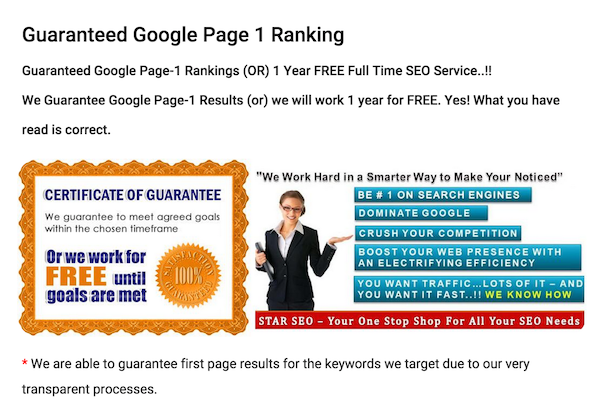
Also, if you’re just getting started, you don’t necessarily need an agency to improve your SEO efforts. See what you can do yourself first.
11. If you do hire an agency, keep an eye on them
Agencies using the wrong methods can do a lot of damage.
Often by dodgy link-building which may achieve some short-term results but will expose your site to the risk of penalties long-term.
12. Keep up with industry news
Things can change fairy quickly in SEO, so things that work for a while can become against Google’s rules over time.
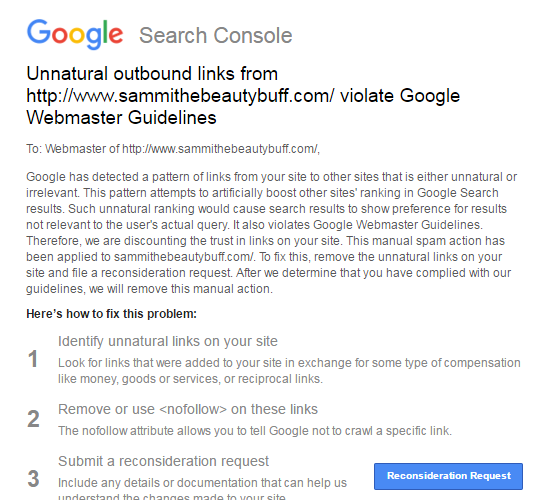
As with the recent penalties for bloggers reviewing products, Google will rarely spell things out. It will give advice and hints, but it won’t contact you. You’ll often only know you’ve done something ‘wrong’ when you login to Google Search Console and receive a notice like this:
13. Try not to rely too much on Google
Yes, it’s well worth working to improve your rankings, and search traffic is valuable, but don’t put all of your eggs in one basket.
Google can change the way it ranks sites, the way it display results at any time, in ways which could adversely affect your search traffic.
Look to build email lists, use social media etc so that you’re attracting customers from a range of sources.
14. Launch a blog / create content
Content is what will help you rank for your target terms. This means content on product pages, homepages and everywhere around the site, but a blog can also help.
It shouldn’t be done just for SEO reasons, as blogs present an opportunity for you to talk about your product and services and the issues around them.
It means you can create the kind of content that people interested in your product or service would appreciate, and begin to build an audience.
15. If you blog, do it regularly
You don’t have to write five articles a day, but regular updates mean your visitors have something to read, and you’ll also be creating fresh content for the search engines.
16. But don’t go keyword-crazy
Yes, you want to target the terms that your customers are likely to search for, but you have to write for humans first of all, or your content will be weak.
17. Aim for evergreen content
Look to create quality content that addresses customers issues and has a longer shelf-life. This‘evergeen content’ is more likely to achieve search rankings over a longer period of time.

18. Use a clear URL structure
People should be able to guess the topic of a page just by looking at the URL.
19. Use internal linking to optimise your site
Effective internal linking is about linking topics and themes together in a more sensible way, for readers and for search engines.
For example, if you are providing cake-decorating services, you’ll have lots of articles using that phrase. They’re not all going to rank for that, so choose the page you’d most like to rank for that term and point the links at that.
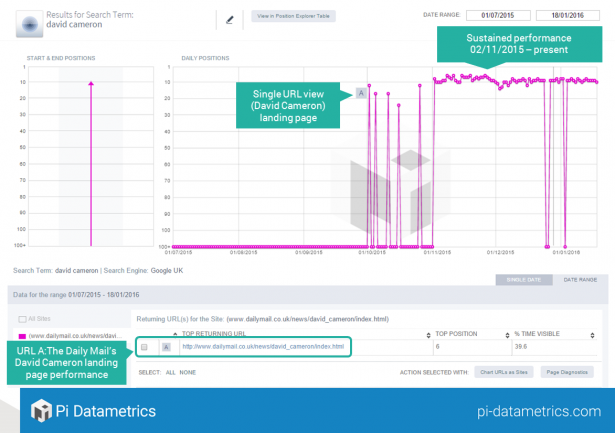
It can be very effective, as this internal linking example from the Daily Mail website shows.
20. Use your site search data to find terms to target
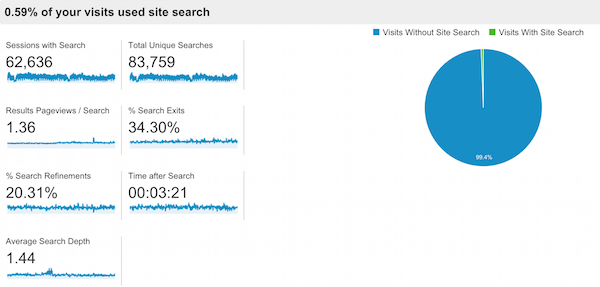
You can view the terms your visitors search for on site by looking into your analytics data.
You can learn a lot from this site search data, which can help in many ways.
For search, the keywords that people use on your site could be terms that you aren’t currently targeting via SEO or PPC.
If so, analysing site search data is a great way to find more relevant terms to target. They also tell the the kind of language that customers use.
21. Encourage reviews
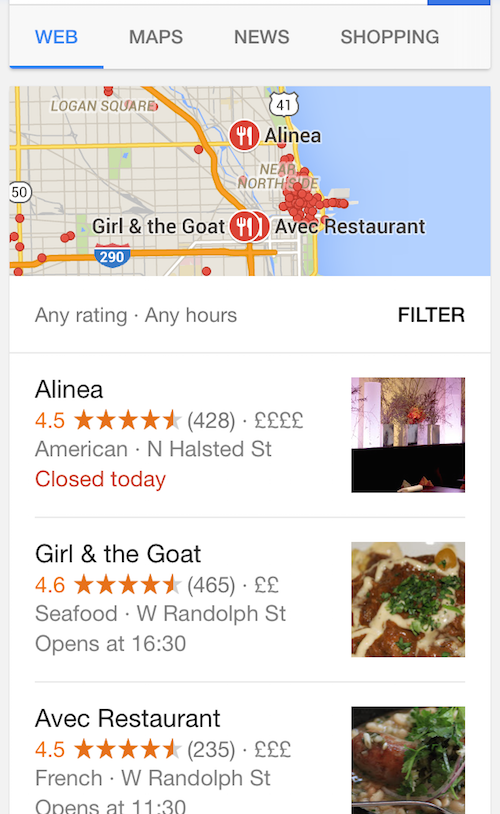
Reviews will help to drive conversions but, from an SEO perspective, they help to drive your local SEO visibility.
22. Optimize images
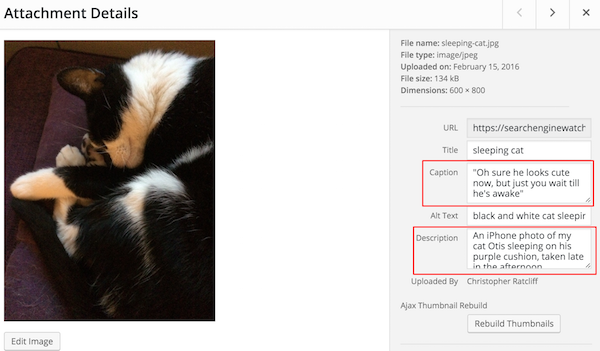
In this article, SEW Editor Christopher Ratcliff explains how to optimize images for SEO, with the help of his cat.
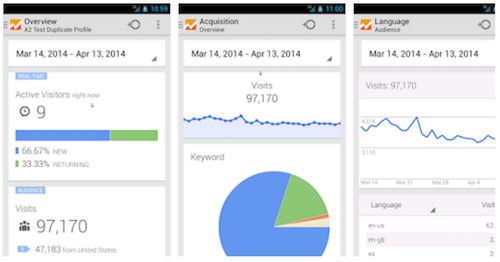
23. Set up Google Analytics
It’s free and it’s essential for you to understand customer behaviour, traffic sources and more.
Here’s a beginner’s guide to Google Analytics.
24. Think about UX
For one thing, after mobilegeddon, your mobile ranking depends on factor related to UX.
Site speed is just one. Use tools like Google’s pagespeed insights to learn about your site and how to improve it.
25. Optimize your Google My Business profile
The basics should be there – if you have a physical store, provide opening times, directions and other useful information.
Don’t leave it at that though. Add images, regular updates and more.
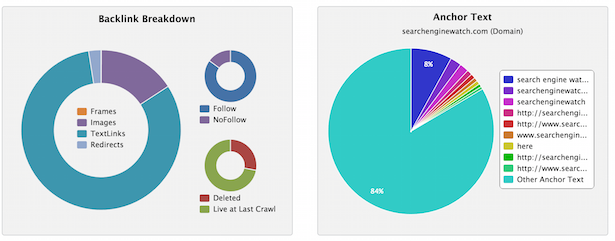
26. See who is linking to you and learn from it
You can view the links you receive through tools like Majestic and others. Are you attracting links from relevant sites? If so, which kinds of content / pages are attracting these links?
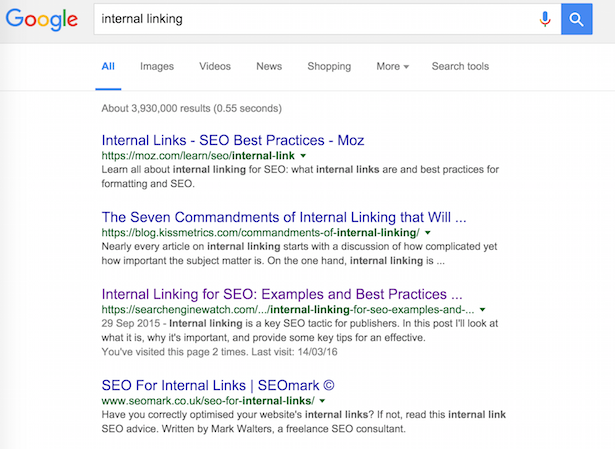
27. Write a unique title for every page
On Google, you have around 55 characters to make the topic of a page clear to searchers and search engines.
28. Don’t expect results too quickly
The tips here will produce results, but don’t expect overnight success. Good SEO can take time, so be patient and stick with the process.
29. Use a little PPC
If you have the budget, PPC can deliver traffic more quickly.
It can also inform your SEO efforts – you can see which keywords work best for conversions and can help you to improve your landing pages.
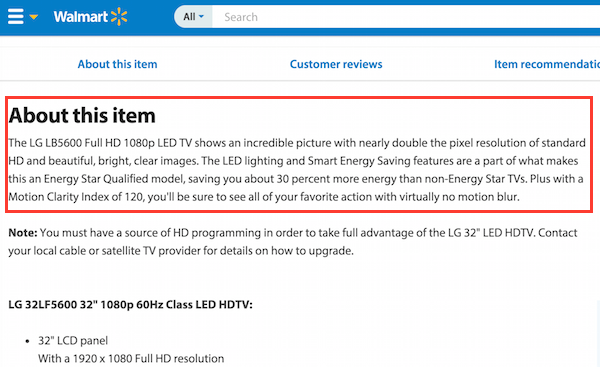
30. Write your own product page copy
If you’re selling products that other sites will also have, unique product descriptions can help your site to stand out.
They’re also better for conversions, as the manufacturer descriptions will not have been tested for effectiveness, whereas you can try variations and see what works best for your site
What have I missed? Add your tips below…
To view the original article Click Here