Showing posts with label blog tips. Show all posts

Sunday, 22 May 2016

6 Things I Wish I Knew When I Started My Blog

What I wish I knew when I first started blogging
This is a guest contribution from Will Nicholls.
It was a little over two years ago when I first went online and bought my blog’s domain name.
I wanted to announce it to the world and get started straight away, but instead I spent the next 6 months developing and filling the website with content so that I wasn’t launching on an empty stomach. I probably read the entirety of the ProBlogger website in that time, as well as other web development blogs, cramming in as much knowledge as I could.
My preparation was successful, starting my blog from the word go with 600 unique visitors per day (and sustaining those numbers).
Despite that, and even with a lot of in-depth research on marketing, the blogosphere and online business, there are a number of things I wish I knew when I finally took down my ‘Coming Soon’ page and opened for business.

Before You Begin

In this article I’m going to look at some of the things that I have learnt since, and tell you how they can help you grow your blog. All of the things I’m going to mention are what I’ve only implemented relatively recently. In fact, the combination of all these techniques tripled my traffic almost overnight.
Stats.jpg

1. Be the Breaker of News

This is something I’ve only recently started to do, and I’m really kicking myself for it.
My blog is in the photography niche, and when new products are released I will publish a post about it. They’re relatively quick and easy to write: some images, the press release, a little personal summary from yours truly and it’s ready to go. Then I just post it to my blog’s social media feeds, resulting in an instant spike in traffic. I just wish I’d started doing this sooner.
How can you stay ahead of the game? Well it’s pretty simple actually. You need to find out who already breaks news in your niche – for me these are the big technology blogs. I downloaded an RSS reader called RSS Bot, although there are many others available, such as Feedly. But what I really love about it is that is pushes notifications straight through to my Mac laptop when websites I follow publish posts. This means I’m always at the ready to publish news as it is broken. 

2. Use Snappy Social Metadata 

It’s really important that you include OpenGraph tags in the metadata of all your posts.
There are plugins that can help you do this, such as WPSSO, which allow you to determine how links look when they are shared on social media sites. You can change the titles, descriptions, images and more.
It makes posting online really customisable. I’ve started to alter the titles of my posts when they are shared on social media, so that they are different to what is displayed on my website. I usually add an interesting and enticing bit on the end.
Image1
The result? People are drawn to clicking on the link, whilst keeping it straight and to the point on the website. Plus, these changes work for anyone who shares the webpage on social media, not just yourself.

3. Provide Tweetable Quotes to Encourage Sharing

Having share bars on your website is all well and good, but people grow accustomed to them. They float around on the side, doing their own thing, and people are less inclined to use them.
When you look at opinion articles, you often see a block with an important quote within it. Now what if you made these tweetable?
By using a great app from CoSchedule called Click to Tweet, I’ve managed to see countless shares each day of articles which have these tweetable quotes present. It’s fantastic – it’s revolutionised the way my articles are shared. The best thing about it is the quotes BEG to be clicked: they entice Twitter users to your website.
ClicktoTweet
The quotes are easy to include in your posts. You just activate the plugin and write a shortcode where you want the quote to appear. It’s that simple. This is something I really wish I had started doing from the beginning.
I think it is important not to go overboard with this plugin though. Not every article needs them, or is suitable for them. Instead, use these tweetable quotes on opinion or discussion articles. If every article has them then your readers will become blind to them. If they are only situated on the occasional article, they will surprise readers and grab their attention.

4. Don’t Be Afraid of a Full Screen Splash 

Getting email subscribers is very important – they’re the lifeblood of your blog. Social media websites come and go, but email is here for the long haul. If you haven’t already, make sure you start a weekly newsletter that sends a digest of your posts to your readers. But how to turn casual visitors into subscribers is another issue.
I’ve tried using pop-ups, prompting users to download an eBook in return for their email address. These work well, and I saw a definite increase in conversion.
However, as of the last few months I’ve installed a full screen splash using the OptinMonster* plugin. Conversions went through the roof. My original sidebar sign-up widget saw a 0.5% conversion, but the splash now sees 4.54% of website visitors signing up to my newsletter. That’s an 808% increase.
Fullscreen
Using a full screen splash can be daunting. It almost certainly detracts from the content and we don’t want to annoy our readers. But I’ve only had three complaints about it out of over 20,000 impressions, and two of those were because the users hadn’t enabled cookies in their browsers and so the splash was showing every time they visited the website.
Don’t be afraid to try it out – you definitely won’t regret it.

5. Use Autoresponders to Continually Drive Traffic to Your Blog 

Autoresponders. You’ve heard it again and again from Darren and countless other guest contributors – so I’m going to add myself to that list: use autoresponders!
Once someone signs up to your mailing list, they are fresh and looking for more information. If they’re only receiving your ‘same old’ newsletter each week, then you’ll see your open rate drop. For me, my newsletter is opened by about 38% of my 7,000 subscribers.
My autoresponders are a different story. I used MailChimp* to set up a chain of six emails, with one being sent every month, that look at a different group of problems a photographer might be having. The first email a subscriber will see is the welcome email, introducing them to the website and preparing them for the ‘special editions’ of the newsletter they’re about to receive. I also include some links to articles to get them started, and this email sees a 70% open rate.
Welcome
The following five emails see an average open rate of 43.4%, although it is the final email which sees an open rate of 35.5% that brings that average down. Why is that? The final email is just a survey sent to my readers asking what they’d like to see next, so naturally the subject line is less engaging.
Autoresponders
You should make sure that you are linking to the correct articles, too. What do I mean by that? Well, you should be linking to articles that are the pillars of your blog. They themselves will link out to many other relevant posts, sending your brand new readers whizzing around your archives and filling your website stats with pageviews. This is a great way to ensure that new readers don’t miss the older, but still useful, posts that are deep in the depths of your blog.

6. Experiment with Advertising

Online marketing doesn’t have to be scary. It can be a bottomless pit for you to pour your money into if you don’t do your research, but take baby steps and you should soon see success.
I use Facebook advertising to promote different articles on my website, often asking a question or inviting users to comment on the post within the advert. This increases engagement and encourages users to share the post, meaning it ends up in even more people’s feeds (and that is organic, so it doesn’t cost any extra).
Having highly engaging adverts with targeted audiences on Facebook is allowing me to spend only $0.01 per engagement – and that’s with my adverts targeting the USA and UK. Only a few dollars every day spent on advertising keeps my posts in my reader’s feeds and drives traffic through to my website, which then converts into newsletter subscribers, and the rest is history.

In Conclusion

Every step that I’ve described above has made a significant difference in my website’s traffic in recent months.
I recommend that you give a few of them a try and see how they work for you. I’m over the moon, of course, after all that’s what it’s about for me. The more traffic I get on my website, the more subscribers I get and the more successful my website is.
I just wish I’d done it sooner.
To view the original article Click Here

Friday, 20 May 2016

How to Create a Backup and Disaster Recovery Plan for Your WordPress Blog

How to create a backup and disaster recovery plan for your wordpress blog.
This is a guest contribution from Larry Alton.
Have you ever lost something important? Maybe your computer froze just before you hit “save” on a document, or maybe a sudden accidental coffee spill fried your hard drive.
Whatever the problem may be, without a backup of information contained on a hard drive – either using external hardware or a cloud subscription – you have to rebuild from scratch.
When it comes to managing a website, the loss of such information causes more than just a headache for you. It can also make important personal data vulnerable to cyberattack.
One of the benefits of working with WordPress is that you have a multitude of options for data recovery should the unthinkable occur. Unfortunately, many bloggers don’t understand why these security measures are important – or what they even do. It’s time to change that outlook.

What Is a Backup and Disaster Recovery Plan?

A backup and disaster recovery (BDR) plan lays out your strategy for dealing with any problem that could compromise your blog’s data, security information, and/or uptime. A good BDR plan will comprehensively describe how you will recover from a variety of problems – as well as how you will take precautions to (hopefully) prevent these problems from happening.

Features of a Good BDR Plan

If your site suddenly went offline, what would you do? It’s a little more complicated than just hitting the restore button on your backup widget. Your BDR plan should be flexible, including a smart combination of data backup with additional security features to protect that data. Let’s break it down a little further.
  • Backup Tools. Make sure you have at least one backup version of all your information – and that all backups are up to date. Use automated, scheduled backups to copy your information to an external disc or to your cloud storage account. Then, make sure you have the right settings in place should you need to restore your entire site from a backup.
  • Security Tools. It’s not enough to have a carbon copy of all your site data on hand. One of the most common potential disasters is a cyber-attack, which may require you not only to fully restore your site from previous backups but also to ensure the backups themselves have not been compromised.
Let’s break it down even further.
How to create a backup and disaster recovery plan for your WordPress blog

Part 1: A WordPress Backup Checklist

Any WordPress user knows that this site building and blogging platform has a number of quirks. It’s important to know the ins and outs of every aspect of your site, just in case you need to put a backup plan into action. Here’s a handy checklist to make sure you’re covered:
  1. Track your software logs. Any good backup software will include audit logs – which you can use to track everything that’s happening in the background of your blog’s operation. Boring as it may seem, reading your logs on a regular basis will give you a sense of what “normal” looks like. Should something go awry, these logs can provide invaluable diagnostic information, allowing you to identify what caused the problem.
  2. Keep tabs on your plugins. As a seasoned WordPress blogger, you’ve probably installed a number of plugins to increase functionality and improve user experience. Because third parties create plugins, they’re more susceptible to problems. Keep an inventory of which plugins you’re using, version numbers, and the dates they were updated. This will help you identify which one may be causing unwanted site downtime.
  3. Make copies of your intellectual property. A WordPress site is nothing without the content you’ve created. Graphics, blog posts, eBooks, and articles are your intellectual property, and they define your brand. Your site shouldn’t host the only copies of these pieces of content; best to keep them offsite (and offline) to protect them from being lost.
  4. Document irregularities. If you notice something wrong, take a screenshot and create a detailed record of the issue, including date and time of occurrence. These are invaluable tools if you need to explain the problem to a support person.

Part 2: Creating a Layered Security System

Now that you’ve created a system to ensure your data is backed up, it’s time to take a good look at your WordPress site’s security. Unfortunately, it’s virtually impossible to prevent someone from attempting to hack into your site – but it is possible to make your site very, very difficult to hack.
The scope of the problem is bigger than you might think. According to W3Techs, WordPress is the single most popular content management system in the world. It’s a free, open source solution with endless options for customization using external plugins. However, these beneficial features are also the platform’s downfall – which is to say they make WordPress sites particularly vulnerable to attack.
You’ll need to take a multilayered approach to security. There’s no perfect singular solution, so you’ll have to figure out which solutions make the most sense for your blog. It can help to work with an external provider to create a comprehensive plan to protect the valuable content on your site.
Your security solution will likely include some combination of security by obscurity, username and password safety, access monitoring, blocking directory browsing, and more. A managed BDR provider will provide invaluable input for furthering your site’s security in ways you may not yet have considered.
The Takeaway: Do You Need a BDR Plan?
Many WordPress site owners don’t have a BDR plan in place. But this is one scenario in which you shouldn’t be part of the majority, especially if you’re earning revenue from your site, have a large following, or have been targeted by cyber attackers in the past.
At this juncture, the purpose and benefits of developing and implementing a BDR plan for your WordPress site should be apparent. Whether you decide to create a do-it-yourself plan or defer to a managed service provider, a BDR plan will provide a needed level of security for your any site – including your blog. Ultimately, your prospects for recovery depend entirely on how well you’ve planned ahead.
To view the original article Click Here

Thursday, 14 April 2016

How Not to Comment on Blog Posts (and How to Do it Correctly)

How Not to Comment on Blog Posts (and How to Do It Correctly)
There’s a right way and a wrong way to do just about anything. Commenting on blog posts is no exception.
If you’re of the opinion that commenting on blog posts is a great way to boost your traffic and even give you a bump in Search Engine Results Page (SERP) ranking, you’re right. It’s a great addition to your overall online marketing strategy.
However, as with so many other aspects of digital marketing, if you don’t do it right, you could do more harm than good. Not only could Google penalize your site for spamming, but you could also lose some good will when people who read your comments think that you’re the online equivalent of a used-car salesman or you’re just trying to create a backlink to your site.
Fortunately, those problems can be avoided with a little education about how not to comment on blog posts. Here are a few pointers.
  1. DON’T USE A FAKE OR BRANDED NAME

If you want to leave a comment anywhere, do so with your own name.
Certainly, avoid using a branded name. Nothing screams “I AM TRYING TO SELL YOU SOMETHING” like a comment from “XYZ Company, Inc.” or some other similar name. If you go that route, you’re already setting up a hurdle you need to jump over.
Also, don’t use the default name that some comment systems will provide you. If your real name is a common one (like “John Smith”), then you might get a helpful suggestion from the system to use something like “js19043” as your name because “John Smith” is already taken. Instead of accepting that default, find a creative way to spell out “John Smith” using a combination of characters and symbols that hasn’t already been taken.
The bottom line is this: you want to strike a note of authenticity when you leave comments. One of the best ways to come across as genuine is by using your real name.
  1. DON’T USE AN ACCOUNT THAT ISN’T CONNECTED TO GRAVATAR

By now, you’ve probably heard of Gravatar. It’s a web application created by Automattic, the same company that brought us WordPress.
How Not to Comment on Blog Posts - Gravatar
How Not to Comment on Blog Posts – Gravatar
In short, Gravatar gives you a way to set your avatar once and use it just about anywhere. That way, you don’t have to upload your picture to a bunch of different websites every time you register to comment.
The catch here is that your Gravatar image is associated with the email address you used when you registered on the site. So, if you use a different email address to register on one or more websites, your account will not be associated with your Gravatar image. That means you’ll likely end up with one of those ugly silhouettes as your avatar instead of your attractive face. That’s going to be a problem if you want to build trust.
To avoid falling into that trap, always register to register for comments with the same email address that you used when you registered at Gravatar. That way, your Gravatar image will be shown next to your comments on every website.
This is also a good time to remind you that your Gravatar image should be your real face and not a cartoon or image of your favorite pet. If possible, it should be a portrait that’s been taken by a professional photographer.
Why is that so important? Remember, you want to come across as authentic. To do that, you’re going to need to show people your real mug.
  1. DON’T COMMENT ON JUST ANY BLOG POST

    How Not to Comment on Blog Posts (and How to Do It Correctly)
    How Not to Comment on Blog Posts (and How to Do It Correctly)
If you want to get flagged as a spammer in a hurry, leave a comment on blog posts that aren’t even related to your industry.
Sure, there are a lot of readers over at The Huffington Post, Business Insider, and Forbes. However, two of those sites cater to a general audience and the third might not reach too many people who are in your target market.
Instead of just posting comments anywhere and then checking your analytics to see what sticks, why not approach blog commenting the same way that you (should) approach marketing in general? That is, find a site or two where people in your target market like to hang out and start posting comments there.
Incidentally, that’s a better strategy even if those blogs don’t get as much traffic as The Huffington Post or Business Insider (and they likely don’t). Why? Because targeted marketing is almost always going to give you a better bang for your buck than trying to reach a massive audience of people when most of them aren’t interested in what you have to offer.
  1. DON’T WRITE COMMENTS THAT AREN’T RELEVANT TO THE TOPIC OF THE POST

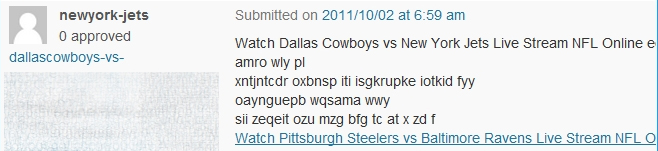
Another outstanding way to get banned from the comments section of a website is to leave comments that aren’t related to the post and clearly intended just to gain yourself a little more exposure or provide a backlink to your site.
How Not to Comment on Blog Posts (and How to Do It Correctly) - Spam Comments
How Not to Comment on Blog Posts (and How to Do It Correctly) – Spam Comments
Avoid that by visiting some great sites and searching for posts that are relevant to your niche. Then, offer some helpful content related to the topic of the blog post. Add a backlink as well if it looks natural.
If you add valuable content to the post with your real name and a professional image attached, you’ll be viewed as someone who’s a contributor rather than a spammer.
  1. DON’T GO FOR THE “HARD CLOSE” IN A COMMENT

Use the comments section to build your reputation and gently lead people down the sales funnel. Avoid using it to move right in for the “hard close.”
You’ve probably read some comments on a blog post that were obvious spam. They usually begin like this: “My niece makes $500 a day working from home…” It’s an obvious attempt at someone trying to sell a work-at-home scam. Clearly, though, some people fall for it because those ads are all over the comments sections of popular blogs.
While you might not come across as quite that harsh, you can still appear a little too aggressive in your online marketing efforts with blog comments. For example, if you’re an expert in keyword research, you might comment on a blog post about that subject with something like: “Not sure about keyword research? I can help. Visit my website…”
That’s a little too forward. Instead of taking that approach, offer a couple of good pointers about keyword research (yes, for free) and maybe one pointer with a curiosity gap (e.g., “Don’t forget about all those great tools for keyword research.”) Then, leave a link to your site so people can contact you if they want more information.
  1. DON’T USE AUTOMATED COMMENTING SYSTEMS

If you’re like any other effective digital marketer, you’re always looking for ways to automate certain tasks so that you can be more productive. There’s nothing wrong with that.
Unfortunately, you’re not going to be able to automate commenting on blog posts. Not yet, anyway.
Certainly, there are some tools, widely used by practitioners of the SEO black arts, that will spam comments to the farthest reaches of cyberspace. You might think that you can save some time by purchasing one of those tools and letting it rip.
It’s not likely going to do you any good.
Why? For starters, when you comment, you’re doing more than providing a backlink or offering some helpful advice and then getting out. You’re networking. You’re trying to build relationships with people who could be customers or clients.
An automated process doesn’t do a very good job of building relationships.
That’s why it’s better that you invest the time necessary to find the best places to add comments, structure your comments appropriately, and respond to people who reply to your comments.
It’s going to require an investment of your time. At this point, it can’t be automated.
  1. DON’T GET INTO ARGUMENTS

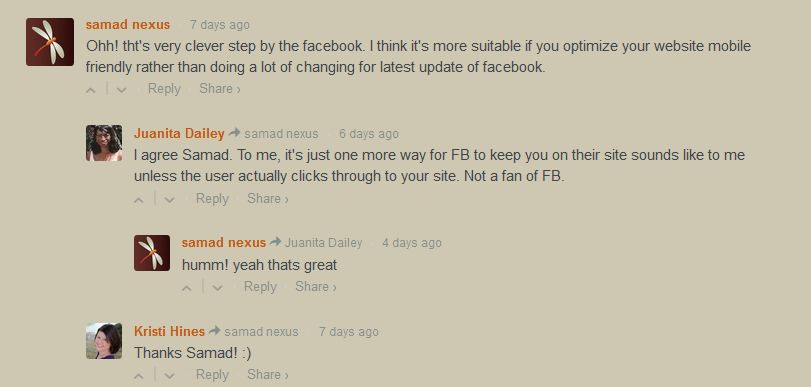
Alas, everybody has a strong opinion about something. When you start making a habit of leaving comments on blog posts, you’ll encounter a variety of unsavory sorts who will call you names, challenge your points, and/or tell you that you don’t have a clue.
How Not to Comment on Blog Posts (and How to Do It Correctly) - Arguing in blogs
How Not to Comment on Blog Posts (and How to Do It Correctly) – Arguing in blogs
That’s par for the course.
If you want to establish your presence online, you’re going to have to put up with those types of responses. The good news is that you don’t have to lower yourself to their level.
Usually, trolls feed off of attention. Starve them by not giving them any.
If somebody attacks you in an unprofessional way, just ignore them. Instead, address people who have legitimate, sincere questions and comments about what you’ve written.
You’ll look weak and petty if you insist on responding in kind. That won’t help you build your brand.
  1. DON’T BE LONG-WINDED

Look, you might know a whole lot about the subject of a particular blog post. You might think that there are at least 7 things that the author didn’t cover and you’d like to address them in your 1,000-word comment.
Resist the urge to do that.
Remember the advice of William Shakespeare: “Brevity is the soul of wit.” Keep your comments terse so that readers can quickly grab a few key points from them.
Why? Because everybody is busy and almost nobody has time to read a lengthy comment.
Also, you can generate a bit of a curiosity gap in your comment (e.g., “There are also at least six other ways to solve this problem”) and include a link that will direct people to your website. That will get you some hits and possibly a few more customers.
  1. DON’T JUST REPEAT WHAT’S IN THE POST

It’s not uncommon for some well-meaning commenters to just provide a synopsis or overview of exactly what was written in the post. That doesn’t add anything to the conversation and will likely result in people putting you on mute or mentally ignoring you in the future.
If you don’t have anything of value to contribute, it’s probably best if you didn’t write any comment at all.
  1. DON’T BE AMONG THE LAST TO COMMENT

A good blog post is like a fine bread left out at room temperature. It’s going to go stale eventually.
Even the most viral posts are eventually forgotten. That’s why it’s important that you, as a blog commenter, strike while the iron is hot.
Grab the RSS feeds of all the blogs where you think your comments will be the most effective. Add them into your copy of Feedly and browse through them once or twice per day. That way, if you see a blog post that’s relevant to your niche, you can quickly comment on it.
You’ll get bonus points if you comment early on a blog post that eventually goes viral. If your comment is towards the top of the stack, then it’s likely to receive maximum exposure.
On the other hand, if you comment on a blog post that’s three days old and has already “run its course,” then you’re limiting your exposure. Don’t expect too much traffic from that effort.

HOW TO DO IT RIGHT

Now that I’ve covered what not to do when commenting on blog posts, I’ll offer a few pointers about the right way to add comments.
For starters, leave a very valuable, insightful comment. Say something that contributes to the subject in a meaningful way or other commenters will just gloss over your remarks.
Keep in mind that a great comment will allow you to get noticed by the author sometimes. I say “sometimes” because some authors have a “never read the comments” policy when it comes to their own blog posts. They’ve adopted that policy thanks to the abundant number of trolls that infest cyberspace. However, for those authors that do read the comments, they’ll take notice of a comment that adds value to the subject. They’ll also take notice of the commenter.
How Not to Comment on Blog Posts (and How to Do It Correctly) - How to do it right
How Not to Comment on Blog Posts (and How to Do It Correctly) – How to do it right
As a rule of thumb, leave five comments over time on a particular author’s work. That way, the author will see your name repeatedly and you’ll establish yourself as someone who’s knowledgeable about the same subject.
After a while of commenting, you could end up building a business relationship with the author. Obviously, that’s going to benefit both of you. If you’re just getting started, though, it’s likely to benefit you a whole lot more.
Once you’ve established a relationship with an author, ask about guest posting opportunities. Please note that guest posting is a two-way street. You would like the opportunity to guest post on the author’s blog and, in exchange, the author can guest post on your blog.
Alternatively, you can also ask the author to feature your work on his or her own website. That will increase your reach.
Once you’ve established yourself as a bona fide commenter and not a spammer, you can leave links in your comments. Just remember that patience is a virtue here. Avoid leaving links until you’ve earned your stripes as someone who brings value to the discussion.
The bottom line: use commenting as a relationship-building tool. Engage with authors whose business interests intersect with your own to create joint ventures and build your network.

WRAPPING IT UP

Commenting on blog posts is like anything else in this way: you have to learn how to do it right. Now that you know proper etiquette when it comes to offering comments on blog posts, it’s time to find a few blogs featuring authors you’d like to add to your network and start commenting.
Good luck!
To view the original article Click Here

Saturday, 26 March 2016

10 Distractions That Sabotage Your Blogging Success

10 Ways you are sabotaging your blogging
This is a guest contribution from Peter Banerjea.
It’s a thrilling vision, isn’t it?
You – a popular blogger. Writing posts that attract dozens of comments and thousands of shares. Your fans waiting with bated breath for your next post to ping into their inboxes.
But the reality couldn’t be more different.
You are just too busy – office, housework, family. You can hardly give your blog the time and attention it deserves. And that dream of you becoming the next ace blogger? Well, that’s slowly crumbling away into oblivion.
“Maybe I should just quit!” – I bet that thought has crossed your mind often.
But let me ask you – Is it really a lack of time? Or do you just have too many distractions that are derailing your productivity?
I am not just talking about notifications on your phone or a colleague who wants a minute and takes twenty. You encounter numerous other distractions every day that you don’t even consider to be intrusions. That’s what makes them so damaging. They slip below the radar and gnaw away at your time.
Popular bloggers become successful not because they have more time than you. They have simplylearned to recognise these distractions and keep them at bay.
What if you could do the same? What if you could become far more productive and fulfill your aspiration of becoming a popular blogger?
It’s absolutely possible.

10 distractions that sabotage your blogging success and how you can overcome each one of them:

1. A Buzzing Brain

Do you struggle to get into the right mood to write? Are you often preoccupied with thoughts about your daily responsibilities?
What will I present in the next review at the office? What will I cook for tomorrow’s dinner? What will I discuss during the next PTA meeting?
With so much pummeling your brain, you are rarely in the right frame of mind to write. So you put it off for – tomorrow or someday.

Solutions:

Deploy the Russian Maneuver 
Why does your mind refuse to slow down? Because of the Ziegernik Effect, a psychological phenomenon discovered by Russian scientist Bluma Ziegernik in 1927. Here’s how the effect works:
If you have upcoming tasks that you have not planned for, they will tend to keep swimming through your mind. It’s just how the brain is wired.
Recent research by Professor Baumeister, author of the bestselling book Willpower, reveals a simple way out. All you have to do is make a plan to tackle those tasks, and they will not buzz through your mind as intensely or as often. In fact, David Allen’s GTD (Getting Things Done) productivity system is based on this philosophy.
The solution is to get your tasks off your mind and into a system like a to-do list similar to Todoist orNozbe. If you prefer a more visual system, try Trello or Meistertask. Once you begin to plan your tasks diligently using a to-do List, the buzzing will subside.
Strike a Chord
If you’re still not in the zone, a couple of powerful tools to increase your concentration are Brain.fmand Focus@will. Both play music in specific wavelengths that are scientifically proven to boost concentration.
Get Spiritual
Meditation is an excellent way to improve your concentration. Just five minutes of meditation a day will heighten your focus.
Forget Quality 
Even if you don’t feel in the mood, forget about quality and force yourself to write. You will struggle in the beginning. But your brain will learn to switch on the writing mood and produce remarkable content.
10 distractions that sabotage your blogging success and how you can overcome each one of them:

2. Your Inner Nerd

How can you possibly write an outstanding post without research?
Great point. Which is exactly what makes research the most “insidious” form of distraction!
You can spend hours researching for each post. But how much of that information will you actually need? Research is important, but you must limit the time you spend on it.

Solutions:

Assemble the Bones
Don’t begin a post with research. Start by writing a detailed outline – the skeleton for your post:
What problem does the post address? What are the solutions? What points will support these solutions?
This approach will define a scope for your research. You’ll know what to look for and gather it much faster.
Channel Mr. Parkinson
Limit your research time. As Parkinson’s Law states, work expands to fill the time available.
Build a Chinese Wall
Avoid doing research and writing simultaneously. During the writing phase, don’t use the Internet. It will gobble up your time before you know it. Just write from memory, or refer to your research notes.

3. Investing in Perfection

You want your posts to rock. If they don’t, who will want to read, comment, or share?
But while it’s important to strive for an exceptional post, chasing perfection is usually a bad investment of your valuable time.
You take too long looking for the perfect image, the perfect quote, or the most insightful data point. You get carried away and never even notice how much time has passed.
You might not even consider striving for perfection as a distraction. That’s what makes this even more dangerous to your blogging productivity.

Solutions:

Check your ROI
Be honest with yourself – will a better quote undoubtedly make a worthwhile difference to your post?
If not, invest that time elsewhere – in promoting that very post or writing another one. Don’t forget the bigger picture. 
Measure Yourself
Management Guru Peter Drucker said: “What gets measured, gets managed.” If you become conscious of the time you spend on each post, you will snap out of your perfection reverie.
Use timer tools like Toggl or Timedoctor to keep track. If you want a tool that works in the background and tracks your time usage, check out Rescuetime.
Post-It!
Sometimes, the simplest solutions are the most effective. Take a Post-it, and write a message reminding yourself to spend a limited amount of time on your task.

4. A Dedicated Work Ethic

If you’re like most people, blogging doesn’t pay your bills – your job or business does. And, of course, that will take precedence over blogging – no doubt.
Therefore, can you do anything about this distraction?
Yes! One productivity technique can help you blog regularly, even with a full-time job or business.

Solutions:

Create a Timebox
Keep a part of your day (or week) blocked for writing. Not for research, social media, or influencer outreach – just writing. Turn off your phone and the Internet. Just write!
This approach works marvellously because you dedicate a specific time to writing, and you organize your schedule around it. You also create a temporary distraction-free environment.
The best time to create a timebox is in the early morning when distractions are at a minimum. But, if you are a night owl, create a timebox at night.
Facing too many interruptions at home in the morning and at night? Reach the office before anyone else does, and spend an hour writing. Or stop at a coffee shop on the way. Whichever works better! 
Add some Punch 
To add punch to the timeboxing method, include your timeboxes in your calendar, and treat them as appointments. You will be far less likely to get distracted by unexpected stuff that comes up.
10 distractions that sabotage your blogging success and how you can overcome each one of them:

5. Your Alluring Personality

People love you. Friends, co-workers, neighbors, and family members – everyone wants your time.
But are favors, commitments, and your social life continually interrupting your blogging?
Ask yourself a tough question, “How badly do I want to become a popular blogger?”
As Warren Buffet says, you need to start saying no more often if you want to become really successful.

Solutions:

Earn some Respect 
Start by saying no to small things. That will give you the confidence to say no to bigger things. Very soon, most people will begin to respect your boundaries.
Get a Latte 
If people you know aren’t around, they can’t disturb you. Take your laptop to a coffee shop or a library to write – somewhere where you won’t bump into a friend. What about distractions from your devices? Let’s talk about that in detail.

6. The Rise of the Machines

We are not in a Terminator movie world yet, but our devices have taken over our lives. When was the last time you spent three waking hours without looking at a device?
Admit it! It’s quite difficult to write with notifications interrupting you every few minutes. Believe it or not, according to Basex research, interruptions cost the US economy $588 billion a year in lost productivity.

Solutions:

Quarantine Yourself
Uninstall all Social Media apps from your phone. It’s less painful than it seems.
Next, use Hootsuite or MeetEdgar to schedule multiple social media updates in advance and avoid logging into your social media accounts. The less often you log in, the fewer chances you have of getting pulled in to admire birthday photos.
Silence the Opposition
Adjust the notification settings on your phone to disable all except the essential notifications.
Find Freedom
Freedom is a tool that blocks several apps and websites across various devices for selected periods of time. It can also block the entire Internet. Writers like Seth Godin and Tim Ferris use Freedom to stay focused. It’s like your personal terminator repellant!

7. Eye Candy

Most distractions keep you from the act of writing. However, some things can distract you while you are writing without any warning. A painting, the view from your window, a calendar on your desk – all have the evil power to suddenly wrench you out of the perfect flow.

Solutions:

Go Zen 
Face a blank wall when you write, not a window with a view or a wall with a lovely painting. Shift your desk, and remove paintings if you have to. Zen monks often face a wall while meditating. (Yes, they meditate with their eyes open!) 
Decontaminate 
Keep a clean, uncluttered desk. Place all objects – pens, notepads, files, etc. – in a drawer. If you have pin-ups or photos, move them to the side so that they don’t lie in your direct line of vision but rather on the periphery.
Use Blanks
What if you could write on a blank screen without the clutter of menus and icons? You can do that with the “distraction free writing mode” in MS Word, OneNote, Evernote, and even the WordPress composer Use this mode to stay focused.

8. Oscar Winners

Entertainment is an important part of life. It also makes you more productive by boosting creativity and reducing stress.
But are you devoting too much time to entertainment? If you are serious about making a name as a blogger, you must reduce the time you spend on movies, games, and books.

Solutions:

Break the Hypnotic Trance
Trying to spend less time on entertainment is easier said than done.
You might want to watch only 20 minutes of a TV show, but you end up staying till the end. You might want to read one chapter, but you end up reading till two in the morning.
The simplest workaround is to use a timer. A buzz can jolt you out of the trance of being glued to the screen.
Go Sober
Often, it’s easier to stop doing something altogether than do a bit of it. If an activity doesn’t mean that much to you, drop it altogether.
Time Shift
When is your energy level low during the day? Restrict entertainment to those times only. Make sure you don’t indulge in recreation when your energy levels are the highest. Save your energy for writing.
10 distractions that sabotage your blogging success and how you can overcome each one of them-

9. The Engine Room

It would be wonderful if writing were the only aspect of blogging, wouldn’t it?
But it doesn’t work that way! As a blogger, you have to take care of hosting, landing pages, WordPress, plugins, email management, and more – the engine room of your blog.
Often, you end up spending far more time and energy on these aspects than on writing. So how can you minimize these distractions?

Solutions:

Get a Co-Pilot
It’s not your goal to become an expert in tech. Then why go through the painstaking exercise of figuring out tech by yourself?
Just hire someone from Fiverr, WpCurve, or a virtual assistant to take care of tech. Spending some money saves you time to write. More importantly – it protects you from stress. 
Upgrade to Business Class
Free or cheap tools may save you a few bucks, but they take away your valuable time and peace of mind. Besides, they are usually far more complicated to use than a premium tool.
For instance, if you choose a cheap hosting provider, your site will go down every now and then and drive you nuts. Instead, why not spend $10-$20 extra a month on hosting that is reliable and provides great support?

10. Shiny Object Syndrome

In the blogging world, every now and then, you will find a new shiny object – a hack that somebody applied and got thousands of visitors, apparently in a single day.
The temptation to try new things is strong, especially if you are not doing well as a blogger.
But have you considered something?
The very reason you’re not making progress as a blogger is probably because you’re always running after that latest magic method.
Why do we chase new opportunities?
Because we’re dissatisfied with the progress we’re making. This dissatisfaction makes us chase every new opportunity that comes our way. This is a vicious cycle that many bloggers get trapped into.
The truth is, every new “10,000 visitors in a day” hack that you hear about is actually a culmination of weeks or months of work. Blogging is very much like any other skill – it requires commitment, patience, and perseverance.
So how do you insulate yourself from the next shiny object?

Solutions:

Follow a Compass
The key is to remain confident so that you don’t feel compelled to chase every new hack or opportunity.
Confidence often comes from a clear sense of direction. Make a blogging action plan or content plan for the next three to six months. What topics do you want to write about? Which blogs do you want to guest post in? A to-do list and calendar will give you the direction and confidence necessary to avoid shiny temptations.
Keep the Fire Burning
Get regular small wins to build up your confidence. Pick a few popular blogs, and start pitching for guest posts. Each step – getting accepted, getting published, and getting shares – will give you a small but incremental sense of victory. That will give you enough motivation to repeat the process. Don’t disregard your small wins.
Embrace Abstinence
Make a list of things that you will NOT do – A not-to-do list. If you are a blogger struggling with your writing schedule, stop reading articles about Facebook ads to drive traffic, how to get a book published, or technical SEO.
Focus is Everything
Distractions are like the demons of productivity. They have many faces and tempt you several times a day.
Despite these distractions some people build incredibly popular blogs that have millions of readers. The reason why they succeed is not because they have more time or that they are more talented than you. They have taken concrete actions to overcome the numerous distractions that bombard them every day.
Want to become a popular blogger? Focus is everything. And now you know how.
What action will you take today to overcome your distractions?
To view the original article Click Here