Saturday, 5 March 2016

Four Expert Tips For Making The Most Of An Affiliate Network


Consumer habits are evolving to adapt to new technology. Influencer marketing is on the rise, and advertisers and publishers alike are working to provide an optimal consumer experience. These changes have led to a need for improved ads that seamlessly blend into content without disrupting the user experience.
These changes are influencing the latest advertising evolution, including the way advertisers and publishers use affiliate marketing to connect consumers with products, services and content that bring value to their online experience.
New research from Forrester, commissioned by Rakuten Affiliate Network (my employer), shows that the affiliate marketing industry is expected to grow to $6.8 billion over the next five years. That’s a 10.1-percent compounded annual growth rate and represents nearly $30 billion over the next five years.
2016-02-17_13-36-51

This resurgence of growth in affiliate marketing makes the case for marketers to evaluate their current strategies to determine whether they’re maximizing their opportunities to participate in this growth.
The Forrester study of more than 300 advertisers and publishers revealed four key ways that advertisers and publishers are optimizing their affiliate marketing ROI.

1. Embrace The Full Value Of Affiliate Marketing

Nearly nine in 10 advertisers say that affiliate programs are important or very important to their overall marketing strategy, and advertisers are increasingly investing in affiliate marketing as a strategic solution to engage consumers throughout the marketing funnel.
While affiliate programs used to be viewed as direct-response campaigns, they’re now proven by major advertisers and publishers to be an opportunity to expose consumers to new and compelling products and services in relevant environments, as well as engage with existing consumers.
Today’s consumers live across multiple devices and scroll through several different news feeds each day. They’re constantly itching for fresh and trustworthy information, while selectively choosing to explore the content that most closely aligns with their lifestyle and interests.
When used correctly, affiliate marketing is designed to bring that content to life with stunning imagery and compelling stories delivered by trustworthy influencers.
Leveraging partnerships with coupon sites to deliver promotions also aids the consumer experience by making otherwise out-of-budget products and experiences more accessible.

2. Measure Affiliate Marketing Across The Funnel

The research has shown us that affiliate marketing plays a key role all along the decision-making and purchasing process, so it’s important that advertisers adopt new ways to measure the full contribution of their affiliate programs in driving conversions, new site visitors and lasting consumer relationships.
Attribution modeling is an effective way for both advertisers and publishers to gain a deeper understanding of how affiliate marketing fits into the overall picture. When publishers see where content is excelling or lagging, they can optimize future campaigns and offers to maximize the strategies that are driving performance. Attribution technology also allows brands to see how affiliate marketing is impacting other marketing tactics, like paid search or email marketing.
To get the most out of an affiliate marketing program, it’s imperative to evaluate how it ties to each piece of the consumer journey. For example, the messaging and offerings on one publisher’s site might be driving clicks that lead to conversion, while the same content on another site might be promoting awareness of your brand that leads new site visitors to become customers down the road.
The ability to pinpoint how different strategies and partnerships are influencing your key business objectives is increasingly important to understanding the full value of your affiliate marketing investment — and will help you allocate budget appropriately so that you can keep valuable partnerships thriving.

3. Seek Affiliate Partnerships That Won’t Attract Fraud

No one likes fraud. Whether it’s identity fraud or ad-traffic fraud, brands want to be protected against the internet’s bad guys.
Melissa Feemster, SVP and my co-GM of Rakuten Affiliate Network, recently told “Review + Performance” magazine that “brands and agencies should really look at their current networks and ask the tough questions. What are they doing to review publishers that join the network? Are they testing the software, like browser plugins and apps that publishers are using to promote affiliate links? Does the network look at reports and trends from their programs to identify potential fraud on a daily basis?”
Advertisers should be able to lean on their affiliate network to ensure all publishers they have direct relationships with through their network are genuine, and they should expect transparency into what their network is doing to track and prevent fraud.

4. Publisher Branding Is Key

Influencer marketing has quickly escalated from an emerging trend to a current reality of the internet landscape. Consumers are looking to sites they know, trust and aspire to be like to inform them on the trends and products they’re looking to purchase.
Publishers must get smart about how and where they are marketing themselves in order to catch the eyes of compatible advertisers and maintain the trust of their fan base.
With social influencers becoming the fastest-growing source of new customer acquisition, publishers need to carefully analyze how they are tackling their own branding. Through networking at affiliate events and establishing themselves as experts in the vertical of choice, publishers will be able to cut through the noise and attract advertisers looking to form a mutually beneficial relationship.
Over the years, I have seen a lot of change in the industry, and I am particularly excited about the new opportunities for affiliate marketing presented by our increasingly sophisticated technology and the new types of publishers we see join our network looking to partner with advertisers through our platform.
With high growth projected for the next five years, I expect to continue to see an acceleration of innovation in affiliate marketing that will strongly benefit both brands and publishers.
To view the original article Click Here

Friday, 4 March 2016

8 Easy-To-Follow Twitter Hacks to Get Your Tweets Seen

Twitter Hacks-01
Growing an active Twitter following is one of the toughest struggles businesses have with social media. Getting a shout out from influencers can instantly boost your reach on Instagram. An effective Facebook Ads campaign can put your content right in front of your target audience. But with Twitter, things aren’t as clear cut.
Twitter is arguably one of the noisiest social media platforms there is, which makes it difficult to master. But it’s not impossible. With these eight Twitter hacks, you’ll be able to expand your reach, break through the noise and achieve results quicker.

1. Master Twitter Lists

Twitter lists are incredibly underutilized. By default, all of the latest Tweets from users you’re following are grouped into your main stream. This is fine when you just want to browse a variety of Tweets, but it’s not well organized. Twitter lists allow you to curate Tweets from a select group of users, which gives you a more streamlined experience.
There are plenty of ways to use lists to be more strategic with your Twitter marketing.
Influencer list: Create a list of the top influencers in your industry. Engage with these users on a daily basis to start building relationships. Retweet, like and reply to their Tweets, or even feel free to @mention them when you share a link that they might find useful. Over time, you’ll have a solid network of movers and shakers who can amplify your brand with a few Tweets.
Customer list: Twitter is the perfect platform to interact with your current and past customers. Not only does it help build a strong community for your brand, but it can also improve your number of return customers. Most businesses only communicate with customers on Twitter for customer support issues. By creating a Twitter list for people that have bought from you in the past, you can Retweet, like and reply to all of their Tweets, not just the ones that are about your business.
Leads/Prospect list: This list is particularly great for B2B companies. On average, you have to contact a prospect around seven times before you close a sale. If your company has been warming up a prospect through sales calls, emails or direct mail, you should place them on a Twitter list so you can communicate with them on social media as well. Don’t sell to your prospects on Twitter though. Use it as a way to share helpful content or to show your commitment by sharing their Tweets.
Top sharers list: Use Sprout Social’s social media analytics tools to perform things like Trends report to find out which users are sharing your Tweets the most. Then, add all of these people to a Twitter list. Whenever you have something important to share, let these users know first. You’ll be able to count on them to help you distribute your content. You might even consider offering them a discount or some type of special offer to thank them for being your top sharers.
Top Twitter Sharers
You have the ability to make your Twitter lists public or private. Anybody can see your public lists, and users that get added to the lists will receive a notification. With a private list, only you can see who’s on it and the users you add won’t be notified. Keep any lists that are for internal use private such as your prospect, top sharers and customer lists. But a list of the top influencers in your industry could be public.

2. Tweet at The Right Time

We have some bad news for you. If you just send out your Tweets randomly, there’s a good chance only a small percentage of your followers will see them. Thousands of Tweets are sent out every second, which means your followers’ timelines move quickly. In order to increase the visibility of your Tweets, you need to send them out at the right time.
According to research from Bitly, the best time to Tweet is Monday-Friday between 1-3 p.m. The study also showed the worst time to Tweet is Friday after 3 p.m. These are general guidelines and may not be optimal for your audience.
However, one of the Twitter hacks to follow for more accuracy is to use Sprout’s ViralPostfeature. ViralPost lets you automatically schedule Tweets to be sent out during the times that your followers are the most active, so there’s less guesswork involved.
Sprout Viral Post

3. Go Beyond Basic Search

You’ve probably used Twitter’s search bar to find specific accounts or Tweets containing a certain keyword. But there is so much more to it than this. You can use a combination of different Twitter search operators and Advanced Search feature to get more detailed results.
Here are some examples of search operators you can use within Twitter to narrow your results.
  • this OR that – Tweets containing either “this” or “that”, or both
  • social -media – Tweets containing the word “social” but not “media”
  • from:SproutSocial – Tweets sent from the Twitter handle “@SproutSocial”
Many businesses are completely unaware that Twitter has an Advanced Search feature because it’s kind of hidden and it’s only available on Twitter.com. Twitter Advanced Search makes is easier to find exactly what you’re looking for without having to use search operators.
Twitter Advanced Search

4. Hack Twitter Moments

In October of 2015, Twitter released a new feature called Moments. The point of Moments is to give users a snapshot of the latest stories from around the world and what’s popular on Twitter at the moment. The beauty of Moments is that it allows users to see your Tweets even if they aren’t following you.
Twitter Moments
Start by putting together a social media editorial calendar that includes important holidays and events. Before these days take place, create new content that you can Tweet out to promote it. For instance, you might make your own low budget Super Bowl commercial and share it using Twitter Video during Super Bowl week, since that is a major event captured in Moments. Visuals are the best type of content to create because they’re more eye-catching for users scrolling through the latest Moments.
Moments are split into different categories including sports, entertainment, news and fun. Most brands will have the best chance of showing up in the Fun section, since the others tend to be dominated by news outlets and major organizations.

5. Schedule Tweets for Multiple Days

Did you create an awesome piece of content that you want to get as many eyes on as possible? Don’t just Tweet it once and forget about it. You should try sharing the same content on multiple days, at different times, to get more impressions and engagement. If you’re worried about seeming too repetitive by sharing the same piece of content five days in one week, don’t be.
Even though you’re sharing the same piece of content multiple times, the likelihood of the same exact users seeing it each time is slim. You’re never going to send out a Tweet that all of your followers see. The goal is to be seen by as many as possible.
In order to set this up, you need to use a tool like Sprout that makes it easy to send out the same Tweet on multiple days.
Schedule Tweets

6. Promote Your Top Tweets

When a Tweet gets a lot of engagement, that means your audience connects with it. Use that as an opportunity to double down and give Promoted Tweets a try. By promoting a Tweet that has already had some success organically, you’re lowering your risk of having your campaign be a flop. Promoted Tweets will give you the opportunity to share your top Tweets with users that aren’t following you, which can lead to new followers and more awareness for your brand.
Another option is to promote a Tweet about the same topic as one of your top Tweets. For instance, if one of your most engaged Tweets was about how to lose weight with a Paleo diet, then you could create a free eBook on how to go Paleo and run a promoted campaign. You’ll be able to build your email list, generate leads and expand your reach.

7. Gated Content

Of the Twitter Hacks listed, this one involves pushing your Web traffic to your Twitter account through gated content. Gated content is only accessible after the user completes some type of action. In this case, the action will be sharing a Tweet. An example of this concept in action is Lean Startup Machine’s Validation Board. In order to download this product, users have to share a pre-filled Tweet.
Tweet to Unlock
Tweet to Unlock 2
This technique is effective because people who visit your site might not be following you on Twitter. Getting visitors to follow your company’s Twitter account creates a relationship with them, and eventually brings people back to your site. Users are generally more engaged when they return to your site than they are on the first visit. Kissmetrics found new visitors spend an average of 2 minutes 31 seconds on a website compared to 5 minutes 31 seconds for returning visitors. On top of that, return visitors look at an average of 5.55 pages per visit, while new visitors look at 3.88 pages each visit.
Here are some options for content that you can gate:
  • Part of a blog post such as a list of resources
  • A free product
  • A discount code
Experiment with gated content and see how your audience responds.

8. Get Suggested by Twitter

Have you ever wondered how Twitter decides who to display under the “who to follow” section?
Twitter who to follow
It’s actually based off an algorithm that factors in different criterion and is personalized for each user. You can’t control a lot of these factors, but there are some steps you can take to improve your chances of being suggested.
  • Upload your contacts: Twitter looks through the contacts you import to see if they have an account. In addition to suggesting these users to you, they may also suggest your account to your contacts as well.
  • Use a single phone number and email address: When choosing your email address for Twitter, use one that you use when emailing customers and prospects. This email address is more likely to be in their contact list, so if they sync it to Twitter you may show up as a suggested account to follow. The same thing applies with your phone number.
  • Tailor your Tweets to your industry: If your Tweets are not protected, Twitter can search them for keywords to determine what you Tweet about. Then, it may suggest your account to other people who Tweet about similar topics. Include keywords in your Tweets to make it easier for Twitter to categorize your account and recommend it to people in your industry.
  • Get followed by influencers: Twitter also suggests people to follow based on who you’re already following. If your account is being followed by multiple influencers, their followers may see your account as a suggestion.

Start Hacking

Getting results with Twitter isn’t going to happen overnight. It’s all about building connections and relationships, which takes time. When you put these eight Twitter hacks into action, it’ll be easier for you to grow your account, build your brand and expand your reach. Luckily, with the right Twitter management tools, you’ll have features to help you monitor, engage, analyze and report your data.
Do you have any Twitter hacks that you like to use? Let us know in the comments!
To view the original article Click Here

25 Stats That Show How Marketing Is Changing

25 Stats That Show How the Marketing Industry is Changing
Raise your hand if you’ve heard that B2B brands that blog receive 67 percent more leads, or that only about one-third of marketers have a documented content strategy. Now put your hand down. You work in an open office and look kind of crazy.
Point is, we tend to encounter the same content marketing stats over and over. So whenever we decide to do a stats roundup at Contently, we argue so fiercely over which ones really matter that you’d think we were at a sabermetrics conference. Our theory, ultimately, is that a roundup like this is only worthwhile if it tells a larger story. In this case, we wanted to tell the story of how the marketing industry is rapidly changing. And instead of just running through a list of bullets, we wanted to make that story visually engaging.
Below, you’ll find 25 slides that go over the complicated future of marketing. Hover over each image below to share. And if you have suggestions for our next roundup, send them to me @joelazauskas.
25 Stats That Show How the Marketing Industry Is Changing


25 Stats That Show How the Marketing Industry Is Changing

25 Stats That Show How the Marketing Industry Is Changing

25 Stats That Show How the Marketing Industry Is Changing

25 Stats That Show How the Marketing Industry Is Changing

25 Stats That Show How the Marketing Industry Is Changing

25 Stats That Show How the Marketing Industry Is Changing

25 Stats That Show How the Marketing Industry Is Changing

25 Stats That Show How the Marketing Industry Is Changing

25 Stats That Show How the Marketing Industry Is Changing

25 Stats That Show How the Marketing Industry Is Changing

25 Stats That Show How the Marketing Industry Is Changing

25 Stats That Show How the Marketing Industry Is Changing

25 Stats That Show How the Marketing Industry Is Changing

25 Stats That Show How the Marketing Industry Is Changing

To view the orginal article Click Here

Thursday, 3 March 2016

13 Must-Have Marketing Tools for Engaging Facebook Images

tools-for-engaging-facebook-images
Want to know a secret? It’s one savvy Facebook marketers have known for a while.
Visual marketing is the key component to getting your Facebook content seen.
In fact, a study by Software Advice found that graphics are the top way to optimize Facebook posts.
But, what does that mean to you as a business marketer?
You need to get visual...and fast!
But how do you do that with little design skills and an even smaller budget?
Easy peasy!
I've scoured the web to find the top visual marketing tools that will help you create memorable visual content.
And no, I don't mean tools that will break your budget or burn hours within your day.
I chose each of these tools for three specific reasons.
  • Ease of use (low barrier to entry and little to no learning curve)
  • Cost effective and in line with a small visual marketing budget
  • Flexibility to design a brand that's unique to you (and not cookie cutter)
Ready to power up your visual designs? Here are 13 must-have marketing tools for engaging Facebook images.

13 Must-Have Marketing Tools for Engaging Facebook Images

1. Relay

If you want to create branded graphics in a matter of minutes, Relay is the tool for you.
Relay made the top of my list for many reasons. While it's one of the newest tools on this list, it's evolved rapidly. From the pre-designed templates to the professional grade elements and layouts, Relay has everything you're looking for.
Tired of trying to keep up with the correct dimensions for each social network? No problem. You never have to worry again about what size you should use. With Relay's custom templates, you can create a tweet or Facebook cover image in a snap.
And while you’re at it, rather than spending hours adding, removing and manipulating graphic layers, Relay makes the process easy. Choose the layout, then your colors, fonts, and elements to create a branded and visually appealing graphic.
Here's an image Craig Carpenter, founder of Relay, put together after my guest appearance on Kim Garst's Twitter chat, #SocialCentsChat.

2.  Word Swag

What do you get when you combine a great photo with some text within the Word Swag App? A fantastic graphic that is sure to catch audience attention.
Word Swag, an iPhone app, lets you easily combine an inspiring or witty quote, your latest blog post or any other content with a photo of your choice.
With over 290,000 free images, backgrounds, and templates for you to choose from, creating your branded image has never been easier.
Once you select the image, adding the text to it takes mere seconds, What you up with is a piece of visual content that looks like you spent hours creating layers, moving around elements and finding that perfect font.

Here's a design I use often. It's a clean background with my branded orange. Simple and always well received!

3. QuotesCover

Everybody loves inspirational and motivational quotes, which is why they’re frequently shared. But if you really want to drive engagement, adding that quote to an eye-catching background is sure to bring results.
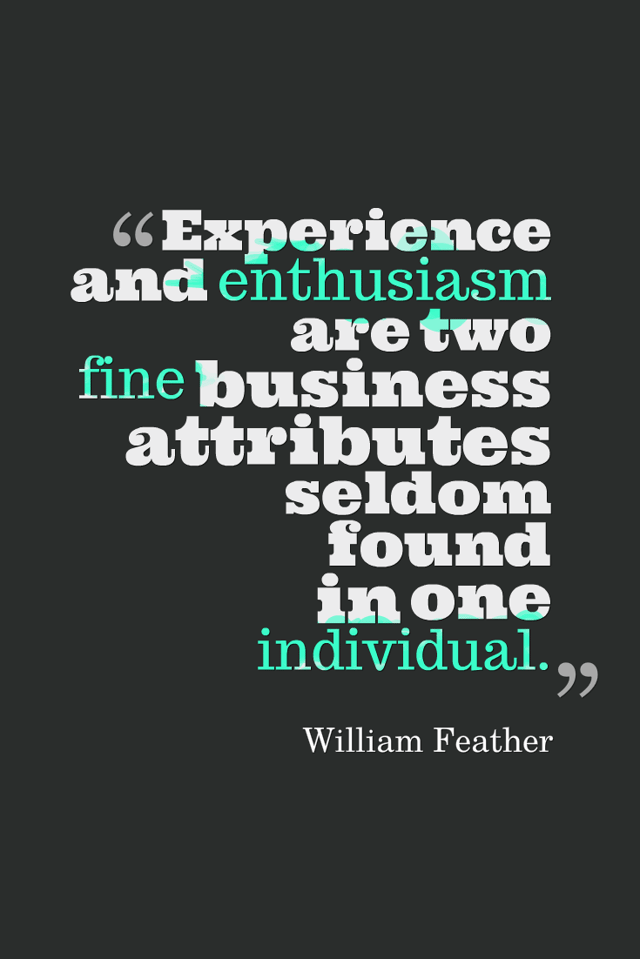
QuotesCover is a top choice for anyone looking to create high resolution visual versions of quotes, and in a short amount of time. It has a large selection of templates, backgrounds, and fonts that can help you create and customize your visual.
And even better than that, QuotesCover has thousands of quotes to choose from. Choose from their library, add it to a template based on correct dimensions for each social network and voila - you're ready to post!
Another simple way to find content to add to your graphics is the "Status Ideas" tool within Post Planner. Choose a topic, copy your quote, question or thought starter, and drop it into your graphic. Now customize the background, fonts and colors through their font and color combination tool.
quotescover-visual-marketing.png

4. Pixlr

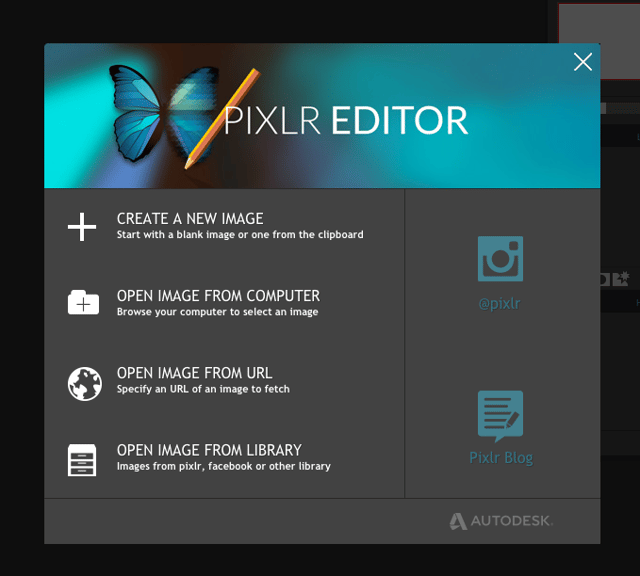
If you've spent time in Photoshop, you know it’s not a tool you learn overnight. Sure, PixIr has a similar interface, but this simplified version is much easier to master.
With PixIr, you can edit existing photos or create new designs from scratch. There’s a lot of freedom since you can choose a custom image size, upload your own fonts, and so much more. But keep in mind, this isn't a Relay or Canva.
You won't find pre-designed templates, so make sure you have some design savvy.
Pixlr is a web tool, but you can also install it as a mobile app. And - if all you need is a quick fix or simple editing, you can use Pixlr Express and get the task done lickety-split.
pixlr-visual-marketing.png

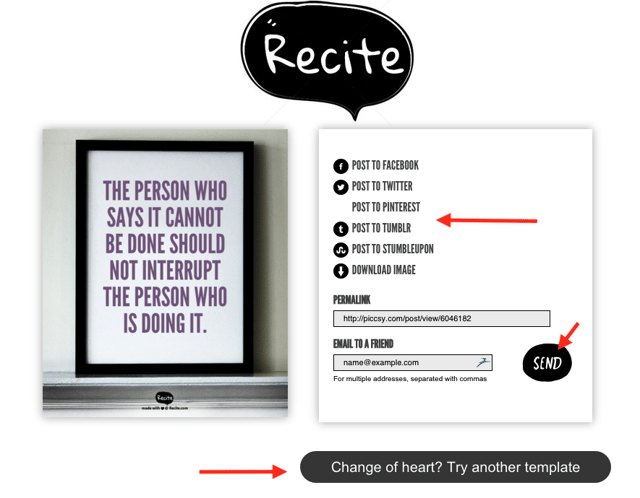
5. Recite 

Looking for the quickest way to turn your thoughts into a graphic? Recite is your solution!
Recite won't give you a bunch of fancy options or design choices. It does one simple thing - turns your words into an instantly shareable graphic.
Add text, scroll through your options, choose a design and post to your favorite social network. It's that easy! 
tools-for-engaging-facebook-images.png

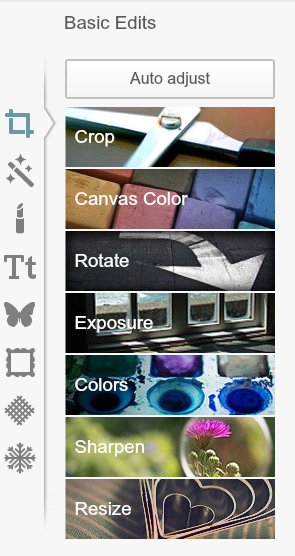
6. PicMonkey

If you find that Photoshop is a bit too complex, but Recite far too limiting - PicMonkey might be for you.
I've used PicMonkey since it's early days and appreciate its user-friendly interface.
You can add text to images, add borders, insert graphics, choose filters, create a collage, and all in a matter of minutes. 
tools-for-engaging-social-media-images.png
From the moment you log in, you'll find the editing process to be simple and intuitive, making it easy to master. 

7. Skitch

Not only is Skitch one of the more well-known tools, it’s also been around longer than most. Unfortunately, it's also one of the most overlooked visual tools. 
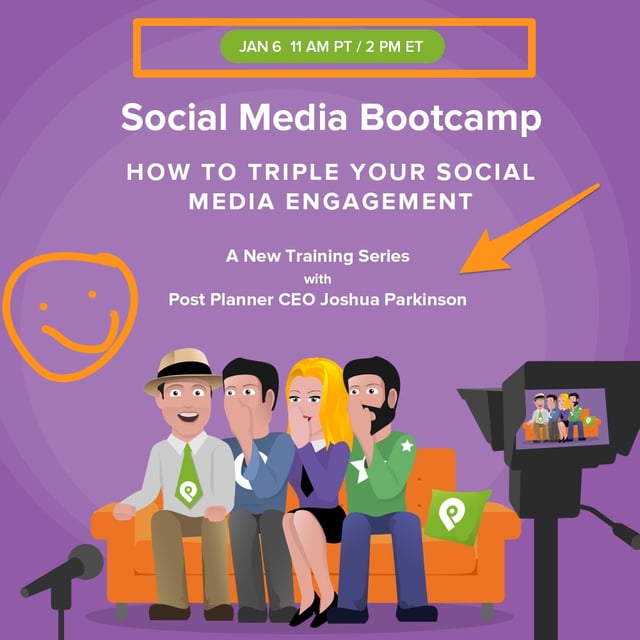
Created by the same team that brought us Evernote, Skitch lets you take a screenshot or photo and then edit, annotate, and add on to it.
If you work with a team, it makes communication on projects seamless. 
If you spend time training or presenting, you'll appreciate how easy it is to add arrows that draw the eye, circle specific data points, and add instructions to an image.
Use it to create demonstrations, provide feedback, and share opinions about anything on the web.
And if you need to share it, you can post directly to Facebook, Twitter, iMessage, and email. Plus, Skitch is flexible. Use it on your mobile device or as a desktop application.
social-media-bootcamp-training.png

8. Adobe Post

Adobe Post is the new app on the block -- and it has quickly emerged as one of the most impressive visual marketing tools out there. If you’ve never fancied yourself a designer and don’t have savvy design skills, this is the tool for you!
Need to create an image for your Facebook page? Adobe Post has pre-designed graphics that let you modify or completely customize your design. 
Open the app, choose your layout, search for images, add elements or text to your image, and customize your graphic to match your brand's look and feel.

9. Over

Over is one of my original go-to apps. With Over, you can turn your mobile device into an on-the-go design studio.
As a photo-editing app, Over makes it easy to add text, choose your background, font and save or submit directly to your social networks.
Rather than post a generic quote to Instagram or Facebook, use Over to transform your thoughts into eye-catching social media images.
It's simple enough to use, while at the same time providing you with a lot of freedom, especially when it comes to design. Change, edit, customize, and design to create a great looking graphic, captioned photo, visualized idea, greeting card, or anything else.
The app is available on Android and iPhone and has a huge built-in store with a gigantic selection of fonts and other add-ons.
This is our editor, Diana Adams, with her friend Mark.
tools-for-engaging-facebook-images-over

10. Pictaculous

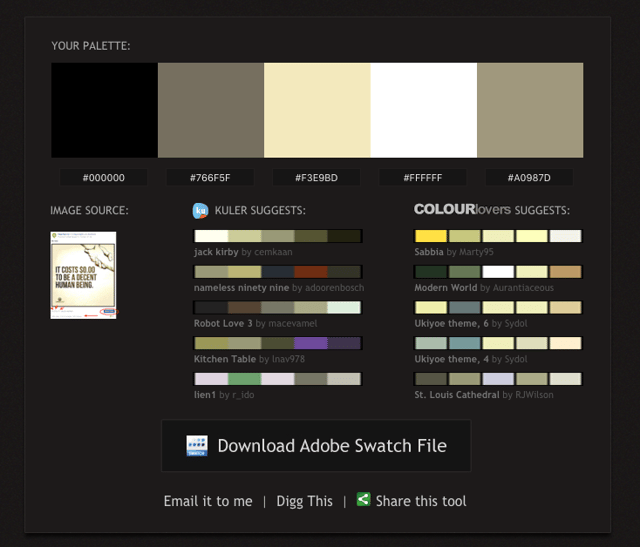
Color is one of the most important parts of great design. Pictaculous will help you find the exact right colors.
Pictaculous is a color palette generator that lets you upload an image, such as a logo or a screenshot of your brand’s home page, and get a matching color palette in a matter of seconds.
As soon as you upload, it offers you several perfectly matched color schemes to pair with your image.
The suggestions include universal color codes that you can plug into any tool where hex codes can be added.
With Pictaculous you will never ever again have to worry about getting the shade and color right.
facebook-marketing-tools-infographic.png

11. Aviary

With Aviary, you can make attractive images in seconds. Their easy-to-use interface makes touch up and filtering a breeze.
Plus, the ability to add frames or stickers to your image make this an all-in-one app.
Aviary is a simple and easy to use tool for both iOS and Android that lets you create frames, add new effects and customize your Facebook image immediately.
facebook-marketing-tools-infographic.png

12. Tangent

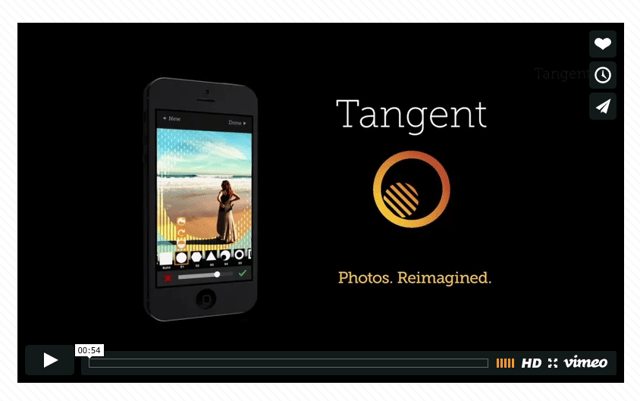
Tired of seeing the same old thing over and over on Facebook? If you're looking for a fresh look, Tangent is your answer.
With Tangent, you can take a boring and blah photo and transform it into a one-of-a-kind work of art.
Within this app, you can choose from 44 unique shapes. On top of that, there are 66 patterns to add as overlays. Each one adds depth and interest to an otherwise simple photo.
Plus, you can scale, rotate and position your images to make them fit your current style.
Colorize your creations with their huge palette to choose from including many popular blend modes for layering.
tools-to-create-facebook-images.png

13.  Canva

Any social media marketer knows the importance of visual content.
It’s also no secret that a significant portion of that visual content must be original if you expect to get great results. But how do you create visually appealing content and do so over and over?
Canva is the answer.
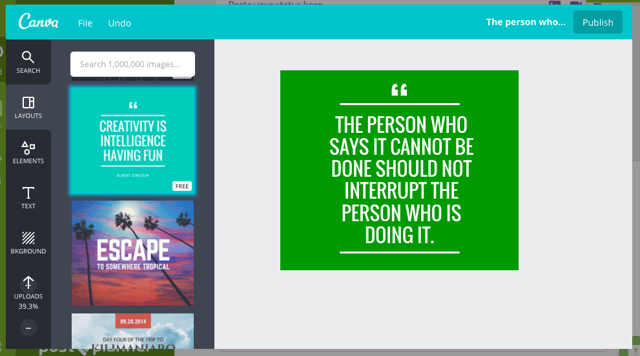
Canva is a great tool for creating attention-grabbing graphics in a matter of minutes. You don’t need to have any design knowledge or be skilled in Photoshop to get up and running.
Canva offers templates with appropriate dimensions for an your latest Facebook post, so your days of worrying about image sizes are over.
The many layouts, fonts, sizes, and others factors within Canva make it possible to create professional looking content that will get noticed and shared.
And the best part about Canva? It's right inside Post Planner!
Add your latest blog post title or grab a quote from our Status Ideas. Open up Canva, publish your quote to the app and off you go. 
You have one more branded image to fill up your Plan!
canva-photo-editing-tool.png

Final Thoughts

As you can see, there are plenty of choices when it comes to graphic creation tools.  
The good news? Designing an on-brand graphic that engages your audience and ignites conversation isn't as hard as you think.
It might be a quick pic to share on mobile or an infographic for your latest campaign. Whatever the case, the important thing is to find the tools that work best for you.
Now that you'll be breaking the internet with your engaging new graphics -- what's next?
Want to take your visual marketing skills to the next level? Grab your copy of our free Visual Marketing ebook at the bottom of this page. You'll be glad you did!
To view the original article Click Here